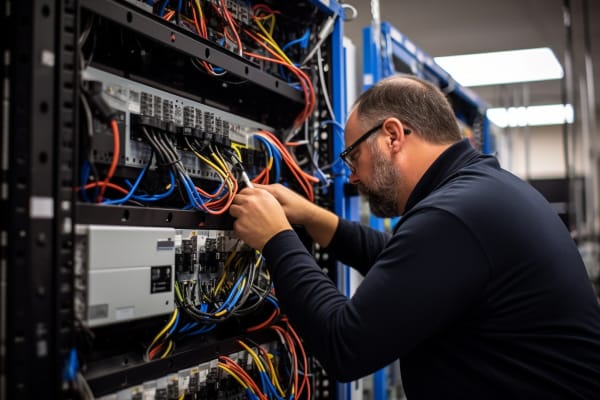
Computer network specialist is one of those job titles that sounds narrow until a network outage hits. The moment email slows down, VoIP calls drop, cloud apps stop loading, or remote users cannot authenticate, the business learns how much depends on the people who keep the network moving.
CompTIA N10-009 Network+ Training Course
Discover essential networking skills and gain confidence in troubleshooting IPv6, DHCP, and switch failures to keep your network running smoothly.
Get this course on Udemy at the lowest price →Quick Answer
A computer network specialist designs, maintains, monitors, and troubleshoots the network systems that keep business services online. In practical terms, the role supports switches, routers, Wi‑Fi, DNS, DHCP, VPNs, and firewalls so users can reach cloud apps, shared files, voice systems, and remote access without disruption.
Quick Procedure
- Identify the complaint and confirm the affected users, sites, and applications.
- Check basic connectivity and IP settings on the endpoint and network path.
- Review device status, logs, and monitoring dashboards for errors or congestion.
- Test critical services such as DNS, DHCP, VPN, and authentication.
- Isolate the issue to hardware, configuration, policy, or an upstream dependency.
- Apply the fix, validate service restoration, and document the change.
- Escalate recurring or cross-domain issues with clear evidence and timelines.
| Primary focus | Network design, support, monitoring, and optimization as of June 2026 |
|---|---|
| Common services | Switches, routers, wireless access points, VPNs, DNS, DHCP, and firewalls as of June 2026 |
| Typical environments | Small business LANs, enterprise campuses, branch networks, and cloud-connected hybrid environments as of June 2026 |
| Key outcome | Reliable connectivity, lower downtime, and faster incident recovery as of June 2026 |
| Related roles | Computer network analyst, network administrator, and network engineer as of June 2026 |
| Core skill set | TCP/IP, subnetting, routing, switching, VLANs, NAT, wireless, and security basics as of June 2026 |
A lot of people search for ccs meaning in work when they really want the job title behind the abbreviation, the responsibilities, and the career value. In hiring and daily operations, that usually points to a computer network specialist or a closely related network support role, depending on the organization.
This page has buried potential because it already matches the topic, but it needs more depth, clearer career guidance, and better practical detail to compete on page one. That matters for readers searching for ccs meaning in work, associate in computer technology, associate network engineer, computer and network technology, and computer network analyst.
This article explains what the role is, what specialists actually do, what skills matter, how it differs from related jobs, and why it is more important in cloud-first, security-focused environments. It also connects the role to IT operations, business continuity, and the kind of skills taught in the CompTIA N10-009 Network+ Training Course.
What Is a Computer Network Specialist?
A computer network specialist is an IT professional who keeps network systems available, secure, and performing well. The role usually includes design support, daily maintenance, monitoring, troubleshooting, and optimization of infrastructure that carries business traffic.
In a small business, one person may handle everything from Wi‑Fi setup to firewall changes. In a larger enterprise, the role is often narrower, with specialists assigned to routing, wireless, WAN links, or network operations.
The job is invisible when done well. Users rarely praise the network for working, but they immediately notice when login fails, a cloud app times out, or a branch office loses connectivity. That is why network specialists are often judged by the outages they prevent rather than the tickets they close.
When the network works, nobody thinks about it. When it fails, every team thinks about it at once.
This role overlaps with titles such as computer network analyst, network administrator, and network engineer. The labels vary by employer, but the work commonly includes switches, routers, wireless access points, VPNs, DNS, DHCP, and firewalls.
Official role definitions and workforce categories also help frame the job. The U.S. Bureau of Labor Statistics groups related occupations under network and computer systems support and administration, which shows how closely the work aligns with operational infrastructure support as of June 2026: BLS Occupational Outlook Handbook.
What the role looks like in practice
In real terms, a specialist might investigate why a warehouse printer lost access after a VLAN change, why a remote employee cannot reach an internal portal through VPN, or why a branch office sees high latency after a circuit upgrade. The job is less about one tool and more about connecting symptoms to root cause.
- Small business: broad hands-on support across routing, switching, Wi‑Fi, and security.
- Mid-size company: focused ownership of daily operations, monitoring, and escalation.
- Enterprise: specialized responsibilities inside network operations, architecture, or regional support.
For a closer look at vendor-defined networking concepts, Microsoft Learn provides practical documentation for networked services and cloud connectivity: Microsoft Learn.
Why Does the Role Matter in Today’s IT Landscape?
The role matters because nearly every business process depends on the network underneath it. Email, collaboration platforms, cloud storage, ERP systems, VoIP, identity services, and remote work all rely on stable connectivity and predictable performance.
Network visibility is the ability to see what is happening across that traffic path, and it matters because blind spots create downtime. A specialist who can trace latency, packet loss, or authentication failures can protect productivity before the issue becomes a full outage.
Remote and hybrid work made network access more complex. Employees now connect from home routers, branch offices, public networks, and managed devices, which increases the number of failure points and the need for secure remote access. The network is no longer just the office LAN; it is the path from user to cloud service to identity provider and back again.
That change also raises the value of resilience, which is the ability to keep services working through faults, congestion, or partial outages. A resilient network is designed with redundancy, failover, good monitoring, and clear recovery procedures.
Note
Many companies now treat the network as part of the customer experience, not just an internal utility. If digital checkout, support portals, or field-service tools go down, the business feels it immediately.
The security side matters too. The NIST Cybersecurity Framework (CSF) and related NIST guidance make it clear that visibility, segmentation, and recovery planning are core to reducing organizational risk as of June 2026: NIST Cybersecurity Framework.
Why cloud adoption changed the job
Cloud adoption moved many critical systems outside the office but did not remove the network problem. It simply changed the boundaries. Specialists now need to support SaaS access, site-to-site connectivity, secure tunnels, and branch performance in addition to internal switching and routing.
That is why computer and network technology work now includes more than local LAN management. It includes identity-aware access, cloud connectivity, and monitoring that spans multiple providers and locations.
What Does a Computer Network Specialist Do?
A computer network specialist spends much of the day keeping services available and fixing problems before users feel them. The work is a mix of reactive support, planned maintenance, configuration, and communication.
-
Diagnose and restore connectivity.
The first priority is usually to identify the scope of the issue. A specialist checks whether the failure is local to one device, one VLAN, one site, or the entire environment, then uses command-line tools such as
ping,tracert,ipconfig /all, ornslookupto narrow the fault domain. -
Configure and maintain network devices.
This includes routers, switches, wireless access points, and firewalls. In a Cisco environment, that may mean verifying interface status, VLAN assignments, trunking, ACLs, and routing behavior. The goal is not just to make the device work, but to make it work predictably and securely.
-
Monitor traffic and performance.
Monitoring dashboards track uptime, latency, packet loss, throughput, and error rates. A spike in retransmissions or interface drops can point to bad cabling, duplex mismatch, congestion, or a failing access point before users start complaining.
-
Perform preventive maintenance.
Good network operations include firmware updates, patching, configuration backups, and lifecycle planning for aging equipment. A switch that is still online but years past support can become a major outage risk the next time a power supply fails.
-
Document changes and collaborate.
Specialists log incidents, update diagrams, review change records, and work with system administrators, cloud teams, and cybersecurity staff. Network problems often cross team boundaries, so clear communication matters as much as technical depth.
For vendor-neutral operational guidance, the Cisco documentation ecosystem is still one of the most useful references for routing, switching, wireless, and enterprise network behavior as of June 2026.
Examples of day-to-day work
- Resetting a misconfigured switch port that shut down after a security policy change.
- Replacing a weak Wi‑Fi channel plan that causes interference in a high-density office.
- Checking DHCP scope exhaustion when new laptops fail to get an IP address.
- Tracing a DNS issue that prevents SaaS logins even though the internet link is healthy.
- Validating VPN split-tunnel settings after remote users report slow file access.
Those tasks are why the role is often a strong fit for someone moving through computer and network technology into broader infrastructure work.
What Skills Does a Computer Network Specialist Need?
The best network specialists understand both how packets move and why business systems depend on them. TCP/IP is the core protocol suite that makes modern networks function, and it underpins addressing, routing, and application delivery.
Foundational technical knowledge usually includes subnetting, routing, switching, VLANs, NAT, DNS, DHCP, and wireless concepts. These are not academic extras. They are the day-to-day building blocks behind user access, segmentation, and traffic flow.
Core technical skills
- Subnetting and IP addressing: assigning address ranges that support growth, routing, and isolation.
- Routing and switching: moving traffic between networks and controlling how devices communicate.
- DNS and DHCP: resolving names and assigning network settings so clients can connect reliably.
- Wireless design: understanding access point placement, roaming, interference, and coverage.
- Security basics: applying firewall rules, segmentation, access control, and VPN policy.
- Monitoring tools: reviewing logs, dashboards, flow data, and packet captures.
Packet analysis tools such as Wireshark remain essential because they show what is actually happening on the wire, not what someone thinks is happening. If a user says “the network is down,” packet capture often reveals whether the issue is DNS failure, TCP retransmission, authentication timeout, or an application problem.
Wireless fundamentals matter more than many candidates expect. A strong associate network engineer or junior specialist knows that access point placement, channel overlap, roaming behavior, and interference from walls or nearby devices can be the difference between a usable office and a support nightmare.
Most network problems are not mysterious. They are usually misconfiguration, congestion, interference, or a dependency that nobody checked first.
For standards-based security and control guidance, CIS Benchmarks are useful when hardening network operating systems and adjacent platforms: CIS Benchmarks.
What Soft Skills Make the Role More Effective?
Technical skill gets the ticket solved. Soft skill determines whether the rest of the organization trusts the network team. A strong network specialist can explain a routing failure in plain language, set expectations, and keep people informed while the fix is underway.
Communication matters because most stakeholders do not care about OSPF, trunk ports, or MTU until those details affect payroll, sales, or customer access. They want to know what is broken, who is affected, what the risk is, and when service will return.
Soft skills that separate good from great
- Problem-solving: narrowing a symptom to a root cause without guessing.
- Critical thinking: testing assumptions instead of chasing the loudest complaint.
- Teamwork: coordinating with help desk, server, cloud, and security teams.
- Documentation: keeping diagrams, change records, and incident notes current.
- Prioritization: balancing outages, maintenance windows, and project work.
Documentation is not busywork. It reduces repeat incidents, speeds escalation, and helps the next engineer understand what changed. A clean diagram showing VLANs, trunk paths, firewall zones, and circuit handoffs can save hours during a major outage.
Time management is especially important when an urgent outage lands in the middle of a planned migration. The best specialists know when to pause a low-risk task and focus on restoring service first.
The NICE/NIST Workforce Framework is a useful reference for understanding how network, security, and operations skills map to workforce needs as of June 2026: NICE Framework.
How Is a Computer Network Specialist Different From Related IT Roles?
The boundaries between network roles are real, but they blur in smaller organizations. A computer network analyst often focuses on monitoring, reporting, and troubleshooting. A network administrator usually handles day-to-day maintenance, access control, and device administration. A network engineer typically works on design-heavy projects, architecture changes, and larger upgrades.
That sounds tidy on paper. In practice, one person may do all three jobs depending on the company size and staffing model.
| Role | Typical emphasis |
|---|---|
| Computer network analyst | Monitoring, reporting, diagnostics, and incident investigation |
| Network administrator | Daily operations, user access, device upkeep, and change execution |
| Network engineer | Architecture, design, upgrades, capacity planning, and implementation |
A security team may also overlap with network work, especially around firewalls, segmentation, VPN access, and incident response. The difference is that security teams focus on protection and risk reduction, while network specialists focus on availability, performance, and connectivity first.
The distinction matters for job seekers. If a posting says associate in computer technology or associate network engineer, read the responsibilities carefully. Those titles often signal a broader support or junior engineering role rather than pure administration or pure analysis.
For official role and labor context, the BLS remains the cleanest government reference for network-related occupations and their long-term demand as of June 2026: BLS Computer and Information Technology Occupations.
What Tools and Technologies Do Network Specialists Use?
The practical toolkit depends on the environment, but most specialists work with the same categories of tools. Network monitoring tools show availability, latency, bandwidth, and error trends across devices and links.
Configuration tools vary by vendor. In a Cisco-heavy environment, that often means CLI and web interfaces for switches, routers, and wireless controllers. In mixed environments, specialists may also touch firewall consoles, cloud portals, and remote management dashboards.
Common tool categories
- Monitoring platforms: uptime, latency, packet loss, and alerting dashboards.
- Packet capture tools: Wireshark and similar analyzers for traffic inspection.
- Ticketing systems: incident tracking, change requests, and escalation history.
- Documentation platforms: diagrams, runbooks, IP plans, and SOPs.
- Remote access tools: VPNs, jump hosts, and administrative access portals.
Cloud and SaaS support is now part of the role. A specialist may need to confirm whether a problem is inside the office, at the ISP, in the cloud provider, or in the identity layer. That means checking both internal routing and external dependencies before assuming the issue is local.
For cloud-networking reference material, AWS Documentation and Microsoft Learn both provide official guidance on routing, connectivity, and identity-linked access as of June 2026.
Pro Tip
When troubleshooting, start with the simplest path first: endpoint, local switch port, VLAN, default gateway, DNS, then external services. That order catches a large percentage of network issues faster than jumping straight to advanced tools.
What Problems Does a Computer Network Specialist Solve Most Often?
Most incidents fall into a predictable set of categories. The skill is not memorizing every symptom. The skill is recognizing patterns quickly and verifying the cause with evidence.
Slow connections often come from congestion, bad wireless design, duplex problems, or failing hardware. Dropped Wi‑Fi may point to RF interference, overloaded access points, roaming issues, or poor channel planning. VPN errors can be caused by authentication problems, expired certificates, split-tunnel misconfiguration, or firewall policy blocks.
Common issue categories
- Hardware faults: bad switches, power supplies, cabling, or access points.
- Misconfiguration: wrong VLANs, IP settings, ACLs, routes, or DNS records.
- Congestion: links or devices that are overloaded during peak hours.
- Interference: especially on Wi‑Fi in dense offices or mixed environments.
- IP conflicts: duplicate address assignment that causes intermittent outages.
Branch connectivity problems are especially disruptive because they affect many users at once. If a site-to-site tunnel fails or a leased line goes down, local employees may lose access to shared files, authentication, or line-of-business apps even though the internet appears to work.
Good incident handling includes rapid triage, escalation, and communication. A specialist should be able to tell the service desk what is affected, what is not affected, what has been checked, and what the next update window looks like.
The IETF publishes protocol standards that underpin much of this troubleshooting, including core IP and routing behavior as of June 2026.
How Does Network Security Fit Into the Role?
Network security is now part of everyday network work, not a separate concern that appears only during audits. The same person who configures traffic flow often has to think about exposure, segmentation, authentication, and logging at the same time.
That means firewall policy, secure remote access, and network segmentation are no longer optional extras. A specialist may need to separate guest traffic from corporate traffic, restrict east-west movement between VLANs, or tighten remote access rules for privileged users.
A secure network that users cannot use is a bad design. A usable network with no controls is a risk the business cannot afford.
The best network specialists balance usability and protection. Overly restrictive controls create shadow IT and support tickets. Weak controls create exposure, lateral movement risk, and difficult incident response. The job is to keep the business moving without leaving unnecessary doors open.
Frameworks such as NIST CSF and CIS Benchmarks help teams align operational decisions with resilience and monitoring requirements. Security is not just about blocking traffic. It is also about logging, visibility, recovery, and controlled access.
For organizations in regulated industries, that connection becomes even more important. Network controls often support compliance with internal policy, audit requirements, and external standards, especially where identity, segmentation, and secure remote access are concerned.
What Does a Career in Computer Network Technology Look Like?
Career growth in computer network technology usually starts with support and expands into administration, engineering, operations, or security. Early-career specialists often begin by handling tickets, checking access issues, and learning the environment through real incidents.
A typical day may include monitoring alerts, confirming user complaints, testing connectivity, making approved configuration changes, and documenting what changed. A larger environment may also include project work such as wireless upgrades, switch replacements, branch office cutovers, or remote access redesigns.
Typical career progression
- Junior support or technician role: basic connectivity, ticket handling, and hardware support.
- Network specialist or administrator: device configuration, monitoring, and incident resolution.
- Senior specialist or engineer: design input, upgrades, troubleshooting leadership, and standards.
- Infrastructure or network lead: planning, vendor coordination, and cross-team ownership.
- Adjacent paths: security, cloud networking, systems engineering, or operations management.
This role is a strong fit for people who like practical problem-solving and measurable outcomes. When a network specialist fixes an issue, users feel it immediately. That feedback loop is one reason the job remains attractive to people searching for computer network analyst and associate network engineer pathways.
Industry demand also supports the career. The BLS projects steady need across networking and systems occupations, which is consistent with the ongoing expansion of cloud services, mobile work, and security requirements as of June 2026: BLS Network and Computer Systems Administrators.
What Education, Certifications, and Preparation Help Most?
Many computer network specialists come from computer science, information technology, or networking-focused programs, but formal degrees are only one path. The more important factor is whether the person can build, troubleshoot, and explain network behavior in a real environment.
Hands-on labs matter because networking is learned by doing. Subnetting on paper is useful. Configuring a switch, tracing a DHCP issue, and troubleshooting a misrouted VLAN are what make the concepts stick.
Good preparation habits
- Build a small lab with virtual routers, switches, and client systems.
- Practice IP addressing, subnetting, and routing until they are automatic.
- Learn to read logs and packet captures, not just dashboards.
- Study vendor documentation for the platforms used in your target jobs.
- Document every change so you can repeat the fix later.
Certifications can validate knowledge, especially for early-career candidates. Since this article is supporting the CompTIA N10-009 Network+ Training Course, it makes sense to use CompTIA’s official exam and certification pages as the source of truth for current requirements and exam detail: CompTIA Network+.
That official path is useful because it reinforces practical networking fundamentals without turning the job into pure theory. The best preparation combines formal study, lab work, and repeated troubleshooting in real systems.
Warning
Do not confuse memorizing terms with being job-ready. Employers hire network specialists who can isolate failures, communicate clearly, and restore service under pressure.
What Is the Industry Demand and Future Outlook?
Demand remains strong because every organization depends on connectivity, and the dependency keeps growing. Cloud services, distributed work, identity systems, and data-heavy applications all increase the need for stable and secure networking.
Workforce data from the BLS supports that view. Network and computer systems-related roles continue to show ongoing need as of June 2026, especially in organizations that rely on hybrid infrastructure and high availability: BLS Network and Computer Systems Administrators.
Automation and cloud-managed infrastructure will change the day-to-day work, but they will not remove the need for specialists. They reduce repetitive tasks while increasing the need for higher-level analysis, policy design, and exception handling. Someone still has to interpret alerts, validate changes, and decide whether a failure is local, regional, or cloud-related.
Remote work also keeps pressure on the role. Organizations need reliable remote access, secure authentication, and enough visibility to support users who are no longer sitting on the same LAN as the IT team.
For broader labor context, the U.S. Department of Labor and BLS remain the most reliable government references for career outlook and occupational demand as of June 2026: U.S. Department of Labor.
Key Takeaway
- A computer network specialist keeps the systems behind email, cloud apps, VoIP, file access, and remote work available and secure.
- The role blends troubleshooting, configuration, monitoring, maintenance, and cross-team communication.
- Computer network analyst, network administrator, and network engineer titles often overlap, especially in smaller organizations.
- Strong networking skills now include security, visibility, and resilience, not just routing and switching.
- Career demand stays solid because every business depends on reliable connectivity underneath its applications and services.
CompTIA N10-009 Network+ Training Course
Discover essential networking skills and gain confidence in troubleshooting IPv6, DHCP, and switch failures to keep your network running smoothly.
Get this course on Udemy at the lowest price →Conclusion
A computer network specialist is a foundational IT professional whose work directly supports business continuity, security, and performance. The role covers troubleshooting, configuration, monitoring, planning, and collaboration across teams that depend on the same network path.
If you searched for ccs meaning in work, the practical answer is that it often maps to a network-focused support role where reliability matters more than job title. That role may be called computer network specialist, computer network analyst, network administrator, or something similar depending on the employer.
The career value is straightforward. These professionals keep organizations connected, help reduce downtime, and protect the systems employees use every day. In a cloud-connected environment, that makes the work more important, not less.
If you want to build toward this role, focus on the fundamentals first: TCP/IP, subnetting, routing, switching, DNS, DHCP, wireless, and network security. Then practice the work the way it actually happens, with labs, logs, packet captures, and real troubleshooting. ITU Online IT Training’s CompTIA N10-009 Network+ Training Course is a practical place to strengthen those skills and prepare for the kind of issues network specialists solve every day.
CompTIA® and Network+™ are trademarks of CompTIA, Inc.
