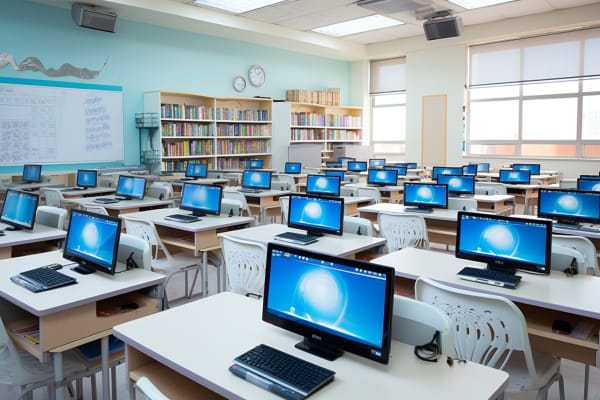
Unlocking Learning Potential: Best Technology for the Classroom
Classroom technology is no longer a side item on a school improvement plan. The advantages of technology in education show up when the right tools make lessons clearer, faster to deliver, easier to adapt, and more engaging for students who learn in different ways.
The real question is not whether to use technology. It is which tools actually improve learning outcomes without creating more noise, more management problems, or more work for teachers. That is the difference between having gadgets in a room and building a classroom that supports better teaching.
This guide breaks down the main categories of classroom technology, from interactive displays to assessment platforms and accessibility tools. It also covers how to choose and implement the right mix so you get the benefits of technology for students without overwhelming staff or budgets.
Effective classroom technology should do one thing well: help teachers teach and students learn with less friction.
The Digital Revolution in Education
Digital transformation has changed how lessons are delivered, how students participate, and how teachers measure understanding. In many classrooms, instruction now moves fluidly between live discussion, digital content, collaboration tools, and quick online checks for understanding. That shift is one of the clearest advantages of using technology in education.
The modern classroom is no longer limited to four walls and a whiteboard. A student can review a recorded explanation at home, collaborate on a shared document during class, and submit work through a learning platform after school. That flexibility matters for hybrid instruction, absent students, and learners who need more time or repetition.
Technology also helps educators personalize instruction. A teacher can group students by skill level, assign targeted practice, and use analytics to identify who needs intervention. The advantages of technology are strongest when tools help teachers respond to real classroom differences instead of forcing every student through the same pace and format.
Note
The U.S. Department of Education has consistently emphasized the role of technology in expanding access, engagement, and individualized learning. For a policy and implementation perspective, see U.S. Department of Education and its guidance on edtech use.
That said, innovation has to stay practical. A tool that takes 20 minutes to set up for a five-minute activity is not a win. The best implementation combines instructional value, reliability, and ease of use. A useful reference point for data-informed instruction is the National Center for Education Statistics, which provides context on technology access and school conditions.
What Has Changed Most
- Lesson delivery is more visual and interactive.
- Student engagement is more active and collaborative.
- Feedback cycles are faster through digital assessment.
- Access to content extends beyond the school day.
- Instructional decisions can be guided by real-time data.
Understanding the Different Types of Classroom Technology
Not all classroom technology serves the same purpose. Some tools improve instruction, others improve communication, and some are built mainly for assessment or accessibility. Teachers who understand the difference can choose tools that support a lesson goal instead of collecting apps that never get used.
A simple way to organize classroom technology is by function. Interactive tools help students participate. Devices provide access to content and apps. Communication platforms streamline updates and collaboration. Assessment systems help teachers check understanding and adjust instruction quickly.
The best decision-making framework is practical: Is the tool useful? Is it manageable? Does it align with the learning objective? If the answer to all three is yes, the tool is probably worth piloting. If it only looks impressive, skip it.
| Tool Category | Main Benefit |
| Interactive tools | Increase participation and collaboration |
| Devices | Provide flexible access to digital content |
| Communication platforms | Keep students, teachers, and families aligned |
| Assessment systems | Deliver faster feedback and better data |
The advantages of technology in education are strongest when these categories work together. For example, a lesson may begin on an interactive board, continue on student devices, and end with a quick formative quiz. That is a cleaner workflow than switching between disconnected tools for every step of instruction.
Key Takeaway
Choose technology by instructional purpose, not by feature count. A smaller toolset used well is usually better than a large stack used poorly.
Interactive Classroom Technology Tools
Interactive classroom tools such as whiteboards, touchscreens, and digital tablets change the rhythm of a lesson. Instead of standing in front of a passive audience, the teacher can invite students to annotate, sort, draw, move objects, or solve problems on screen. That creates more attention and better recall.
These tools are especially useful for subjects that benefit from visual modeling. In math, a teacher can work through a problem step by step and let students manipulate parts of the equation. In science, students can label diagrams or build a concept map during discussion. In language arts, they can highlight evidence in a passage or collaborate on a thesis statement.
How Interactive Tools Improve Learning
- Visual learning becomes easier when students can see content evolve in real time.
- Kinesthetic learning improves when students touch, move, and manipulate objects.
- Peer participation rises when more students can contribute without raising a hand every time.
- Immediate correction happens when mistakes are visible and can be discussed on the spot.
Interactive tools also help teachers check comprehension without stopping the lesson. A quick annotation task can reveal whether students understand a process, sequence, or relationship. That makes the tool useful not just for engagement, but for instructional diagnosis.
The advantages of using technology in education are clear here: more students participate, teachers get more feedback, and the lesson becomes easier to adjust in real time. For implementation guidance, vendor documentation from Microsoft Education and Cisco® can help schools understand device and classroom collaboration options.
Best use case: Any lesson where students need to think out loud, annotate, sort ideas, or solve problems together benefits from interactive display technology.
Smart Projectors and Visual Presentation Tools
Smart projectors and modern visual presentation tools make instruction more visible and flexible. They are not just for showing slides. Teachers use them to display live websites, science simulations, student work, anchor charts, videos, and model answers. A stronger visual setup improves focus, especially in larger classrooms or group instruction settings.
One major advantage is scale. A teacher can demonstrate a process once and have the entire class follow along. That matters in labs, reading groups, and discussion-heavy classes where students need to see the same content at the same time. It reduces repetition and saves instructional minutes.
Practical Classroom Uses
- Science: Show diagrams, experiments, or data visualizations during instruction.
- Reading: Project a text passage for close reading and annotation.
- Discussion: Display student responses to compare ideas as a class.
- Math: Walk through worked examples and model problem-solving steps.
Visual presentation tools also support classroom management. When instructions, agendas, and timers are visible, students spend less time asking what to do next. That reduces interruptions and helps transitions move faster.
For schools evaluating projection systems, it is worth comparing brightness, resolution, wireless connectivity, and compatibility with existing devices. A projector that looks good on paper but fails in a bright room creates frustration, not learning. The same is true for screen-sharing tools that disconnect constantly. Reliability matters more than flashy specs.
The Cisco Learning Network and official hardware documentation from display vendors are useful reference points for understanding how presentation tools fit into connected classrooms. This is where the advantages of technology become practical: better visibility, clearer instruction, and more efficient group learning.
Educational Apps and Digital Learning Platforms
Educational apps and digital learning platforms support practice, reinforcement, and independent learning. They are strongest when they make it easier for students to complete work, revisit content, or get immediate feedback on skills like reading, math, vocabulary, and language learning.
These platforms also help teachers centralize assignments, class materials, deadlines, and messages. Instead of emailing documents, posting reminders in multiple places, and answering the same question repeatedly, a teacher can keep the workflow in one system. That saves time for everyone.
What to Look for in an App
- Age appropriateness: The interface and content should match the students using it.
- Curriculum alignment: The tool should reinforce a real learning objective.
- Ease of use: Students should not need a long tutorial to get started.
- Mobile access: Learners should be able to continue work outside class if needed.
- Data usefulness: Teachers should get actionable insight, not just pretty dashboards.
Well-chosen platforms support learning beyond the classroom. A student can review flashcards on a bus ride, complete a practice quiz at home, or submit a reading reflection from a phone or tablet. That flexibility is one of the most visible advantages of technology in education, especially for students who need extra practice or frequent review.
Pro Tip
Before adopting any educational app, test it with one class and one assignment. If setup, login, or navigation creates friction, the app is likely to fail at scale.
For schools seeking authoritative guidance on digital learning tools, Khan Academy and official education platform documentation from major vendors provide useful examples of student-centered digital design. Keep the focus on learning outcomes, not app counts.
Online Collaboration and Communication Tools
Online collaboration tools make group work more organized and inclusive. Students can co-edit documents, build presentations together, comment on one another’s ideas, and track changes without passing around paper or waiting for one person to control the keyboard. That is a better model for teamwork than traditional group work where one student does everything.
These tools also strengthen teacher-student communication. Announcements, feedback, reminders, and class resources can live in one place, which reduces missed information. For students who are absent or need extra support, that consistency matters.
There is also a workforce connection. Students who learn to collaborate digitally are building skills they will use in college and employment: shared document editing, version control, threaded comments, and professional digital communication. These are not side skills. They are foundational.
Students who can collaborate well online are better prepared for hybrid learning, remote teamwork, and modern workplace communication.
How to Keep Collaboration Productive
- Set roles so every student has a task.
- Define deadlines to prevent last-minute chaos.
- Use comment rules so feedback stays respectful and useful.
- Teach digital citizenship so students understand tone, privacy, and ownership.
Clear expectations are essential. Without structure, collaboration platforms can become distraction platforms. Teachers should model how to name files, respond to comments, and resolve disagreements online. That turns the tool into a learning environment instead of a chat room.
For a broader standard on digital teamwork and responsible behavior, schools can reference the NIST framework approach to structured process management, along with guidance from Common Sense Education on digital citizenship. The right habits matter as much as the software.
Assessment and Feedback Technology
Assessment technology helps teachers check understanding quickly and consistently. Quizzes, polls, exit tickets, and short formative checks can be delivered digitally during or after instruction. The result is faster insight into what students know, what they missed, and what needs reteaching.
The biggest advantage is speed. Instead of waiting days to collect and grade paper responses, teachers can see results immediately and adjust the next lesson. Students also benefit because feedback arrives while the topic is still fresh. That immediate correction improves retention and reduces repeated errors.
Where Digital Assessment Works Best
- Warm-up checks to review prior learning.
- Mid-lesson polls to verify comprehension in real time.
- Exit tickets to measure what stuck at the end of class.
- Short quizzes to reinforce vocabulary, formulas, or concepts.
Digital assessment also produces data teachers can actually use. A report showing that 70% of the class missed the same question is more useful than a stack of paper quizzes that sit in a folder. That pattern may signal a misconception, a wording issue, or a pacing problem in the lesson.
The advantages of using technology in education are especially strong in formative assessment because the teacher can intervene early. For official guidance on assessment quality and school data practices, the Educational Testing Service and U.S. Department of Education offer useful research and policy context.
Warning
Do not confuse fast grading with better assessment. A tool is only useful if the questions align to the learning goal and the data leads to a teaching decision.
Accessibility and Inclusive Classroom Technology
Accessible classroom technology removes barriers that prevent students from fully participating. Features like text-to-speech, closed captions, translation, screen magnification, and adjustable contrast help students with different learning needs access the same lesson content in a usable format.
This is not a niche requirement. Accessible design helps many learners, not just those with formal accommodations. A captioned video helps a student with hearing loss, but it also helps a student in a noisy room or a student learning academic vocabulary in a second language. That is one of the most practical advantages of technology in education.
Examples of Inclusive Features
- Text-to-speech for readers who need audio support.
- Closed captions for video-based lessons and announcements.
- Translation tools for multilingual learners and families.
- Display controls for contrast, font size, and brightness.
- Speech-to-text for students who express ideas better orally than in writing.
Accessible technology supports differentiated instruction because it gives students multiple ways to access and demonstrate learning. One student may listen to a passage, another may read it, and another may use a translation layer to get started before moving into English-only work.
For standards and legal context, schools should review W3C Web Accessibility Initiative guidance and U.S. government accessibility resources. For schools serving diverse populations, inclusive design is not optional. It is part of effective instruction.
How to Choose the Best Technology for Your Classroom
Choosing the best technology for the classroom starts with the lesson, not the device. Teachers and school leaders should begin with instructional goals, student needs, class size, grade level, and available support. If the technology does not solve a real problem, it is not the right choice.
Budget matters, but so do training, compatibility, and technical support. A low-cost tool that fails on school Wi-Fi or only works on one device type becomes expensive in practice. That is why pilot testing is smart. Try the tool in one class, collect feedback, and only then consider broader adoption.
Selection Checklist
- Does it support a clear learning objective?
- Can students and teachers use it easily?
- Does it work with existing devices and systems?
- Is training available and realistic?
- Does it fit the classroom routine without causing disruption?
The best classroom tools are usually the ones teachers can use consistently. Reliability, speed, and simplicity often matter more than advanced features. If a platform is powerful but too cumbersome for daily use, it will collect digital dust.
For schools looking at procurement and long-term strategy, official purchasing and implementation guidance from U.S. General Services Administration and vendor documentation from Microsoft Learn can help teams compare compatibility and deployment considerations. That is the practical side of educational technology.
Implementing Classroom Technology Effectively
Even strong tools fail without a solid rollout plan. Teacher training and professional development are critical because technology changes workflow, classroom routines, and student expectations. If staff do not know how to use the tool well, students will notice immediately.
The best implementation approach is gradual. Start with one routine, one subject, or one class period. That gives students time to learn the process and gives teachers time to refine directions, timing, and troubleshooting. Rolling out five tools at once usually creates confusion.
What Successful Implementation Looks Like
- Routines are explicit so students know when and how to use the tool.
- Instructions are simple and repeated until the class can do them independently.
- Device expectations are clear so the technology supports learning instead of distracting from it.
- Support is visible when connectivity or login issues appear.
Common challenges include off-task behavior, uneven access at home, slow networks, and mixed levels of digital skill. Teachers can reduce these issues by setting boundaries early, building backup plans, and keeping some non-digital options available when needed.
This is where implementation discipline pays off. The advantages of technology only appear when the classroom environment is organized enough to use it consistently. For formal guidance on change management and process improvement, schools can look to the ISO approach to controlled implementation and to district-level playbooks for edtech adoption.
Pro Tip
Create one-page “how we use this tool” routines for students. A small amount of structure prevents a large amount of lost class time.
Measuring the Impact of Technology on Learning
If classroom technology is working, you should be able to see it. The right question is not “Do students like the tool?” but “Is the tool improving engagement, completion, understanding, or retention?” That distinction matters.
Teachers can measure impact through participation rates, assignment completion, assessment scores, and student feedback. If a tool increases engagement but learning results stay flat, it may be entertaining without being effective. If it improves quiz scores but students hate using it, adoption will collapse over time.
Useful Indicators to Track
- Participation: More students answer, comment, or contribute.
- Completion: Fewer students leave work unfinished.
- Accuracy: Formative and summative results improve.
- Feedback quality: Students can explain what helped them learn.
- Teacher time saved: Routine tasks take less effort.
Data can also show which tools work best for specific groups. A reading app may be excellent for intervention students but unnecessary for advanced learners. A collaboration platform may work well in upper grades but create too much friction in elementary settings. Teachers should treat technology like any other instructional intervention: test, observe, adjust, repeat.
The NIST emphasis on measurement and continuous improvement is a useful model here, even outside cybersecurity. Strong educational practice is evidence-based. If the tool does not help produce measurable learning gains, it is not the best choice.
Technology is effective when it changes student behavior, not just classroom appearance.
Conclusion
The best classroom technology is the technology that supports meaningful learning. It should help teachers explain ideas more clearly, help students participate more actively, and help schools respond to diverse learning needs without adding unnecessary complexity.
The major categories are straightforward: interactive tools, visual presentation systems, educational apps, collaboration platforms, assessment technology, and accessibility features. Each one has a clear role. Used together, they can strengthen instruction, improve feedback, and increase access.
Still, the goal is not to use more tools. It is to use the right tools well. Start with instructional outcomes, test carefully, train consistently, and measure what changes. That is how schools get lasting value from the advantages of technology in education rather than short-lived excitement.
If you are building or refining a classroom technology strategy, begin with one lesson, one problem, and one tool that solves it well. That is the path to better teaching and better learning. For practical implementation guidance and ongoing professional development, ITU Online IT Training supports educators and IT teams looking to make technology work in real classrooms.
Cisco® and Microsoft® are trademarks of their respective owners.
