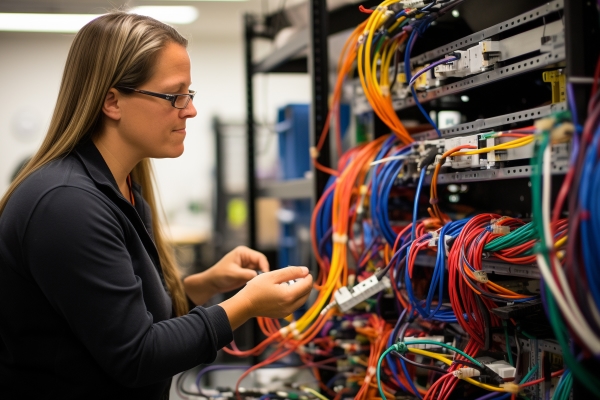
A network administrator is checking the system logs and notices repeated authentication failures on a critical switch. That is not just a log problem. It may be the first sign of a misconfigured access rule, a failing service, or a security issue that can disrupt business operations.
Cisco CCNA v1.1 (200-301)
Learn essential networking skills and gain hands-on experience in configuring, verifying, and troubleshooting real networks to advance your IT career.
Get this course on Udemy at the lowest price →Quick Answer
Network administrator duties center on keeping networks reliable, secure, and available by monitoring devices, troubleshooting connectivity, managing access, documenting changes, and supporting recovery during incidents. The role matters more when organizations depend on cloud apps, remote access, and always-on connectivity. Employers usually want routing, switching, DNS, DHCP, VPN, firewall, and log-analysis skills, plus solid communication and change management habits.
Career Outlook
- Median salary (US, as of April 2026): $95,360 — BLS
- Job growth (US, 2023-2033, as of April 2026): 2% — BLS
- Typical experience required: 2-5 years of hands-on network support and troubleshooting
- Common certifications: CompTIA® Network+, Cisco® CCNA™, Microsoft® Azure networking or security credentials
- Top hiring industries: Healthcare, finance, education, and managed services
| Role focus | Maintain connectivity, performance, and access across the network layer |
|---|---|
| Core duties | Monitor logs, troubleshoot outages, manage switches, Wi-Fi, DNS, DHCP, VPNs, and firewall behavior |
| Common tools | Packet analyzers, SNMP monitoring, ticketing systems, configuration backups, and device inventory tools |
| Typical environment | Small business, enterprise, hybrid cloud, or distributed remote operations |
| Career path | Junior administrator → network administrator → senior network administrator → network engineer or infrastructure lead |
| Experience value | Hands-on troubleshooting, change control, and incident response matter more than theory alone |
| Related skills | Routing, switching, subnetting, access control, documentation, automation, and user support |
| Common hiring signal | Proven ability to stabilize networks and reduce repeat incidents |
What a Network Administrator Does
A network administrator is the person responsible for keeping the organization’s network usable, secure, and predictable. The job is not just about fixing outages after someone complains. It is about maintaining the conditions that prevent outages in the first place.
That means watching device health, checking Performance trends, validating IP services, and making sure users can reach business systems without delays or unnecessary risk. A strong administrator understands how traffic moves across the Network Layer, how those paths fail, and how to restore service quickly when they do.
Core mission and day-to-day reality
In practical terms, the role covers switches, wireless access points, routers, firewalls, DNS, DHCP, VPN access, and the monitoring systems that show whether those services are healthy. A ticket about “the internet is slow” might turn into packet loss at the edge, a duplex mismatch on a switch port, or a faulty wireless channel plan. The administrator has to trace the problem without guessing.
That is why the role blends reactive support with proactive maintenance. Reactive work includes restoring access during an incident. Proactive work includes capacity planning, firmware updates, log review, and configuration audits that reduce the chance of future failure. The best administrators do both.
Good network administration is not heroics during outages. It is building a network that fails less often, recovers faster, and gives users fewer reasons to call support.
How the role supports business continuity
Modern organizations rely on cloud apps, video conferencing, file sync, point-of-sale systems, remote work, and branch connectivity. If the network is unstable, business slows down immediately. That is why network administrator duties reach beyond cabling and switches. They directly affect availability, user experience, and revenue continuity.
In a Cisco-focused environment, this often means interpreting alerts from network management platforms, validating device state, and applying configuration changes carefully. The Cisco CCNA v1.1 (200-301) course aligns well here because it reinforces the basics of configuring, verifying, and troubleshooting networks in a hands-on way.
Note
If you see a resume or job post that frames the role as “just support,” that is incomplete. A network administrator is often the first line of defense against service degradation, unauthorized access, and poorly planned changes.
Network Administrator Duties in Day-to-Day Operations
Daily work usually starts with monitoring alerts and checking system logs. A network administrator is checking the system logs and notices repeated DHCP failures, for example, and that could point to an exhausted scope, a bad relay configuration, or a device flooding the service with requests. The point is not to stare at logs. The point is to connect the logs to the user impact.
Routine operations also include validating network availability, confirming that redundant paths are up, and reviewing whether critical services are responding within expected thresholds. When the phone rings, the administrator should already know whether the issue is isolated to one segment, one building, or the entire environment.
Monitoring, logs, and access issues
A lot of day-to-day work revolves around three things: visibility, access, and consistency. Visibility comes from monitoring tools and logs. Access issues often involve Authentication, segmentation, or a broken path to the service. Consistency comes from making sure the same rule, subnet, or naming standard is applied correctly across the environment.
Common examples include a printer that cannot reach the network after a port change, a remote user whose Remote Access tunnel drops every few minutes, or a branch site that cannot resolve internal hostnames because DNS forwarding is broken. These are not random problems. They are usually symptoms of a specific misconfiguration or resource constraint.
Change management and maintenance
Change work is where good administrators save the company from self-inflicted outages. A typical change might involve approving a maintenance window, testing the update in a lab or on a noncritical device, documenting rollback steps, and then applying the change in a controlled way. That is especially important for firmware upgrades, ACL changes, and firewall policy updates.
Change Management matters because even a small network change can break a large number of users if it is rushed. A clean backup of the running configuration, an inventory check, and a clear rollback plan are basic safeguards, not optional extras.
- Review the request and confirm the business reason.
- Test the change in a safe environment if possible.
- Back up current configurations and note dependencies.
- Schedule the change during a maintenance window.
- Verify service after deployment and document the result.
Incident response duties
When something fails, the network administrator is usually the person who helps isolate the fault, restore service, and keep stakeholders informed. That can mean identifying a bad access layer switch, tracing a routing loop, or determining whether the issue is internal, ISP-related, or caused by a misapplied security rule.
The communication side matters as much as the technical side. Users do not need a transcript of every command. They need a clear status update, an estimated time to restoration, and a realistic explanation of what is being done next. The strongest administrators keep technical notes for the team and plain-language updates for everyone else.
What Does a Network Administrator Do for Security and Access Control?
Access Control is the set of rules that decides who or what can reach a resource. In network administration, that means controlling access with firewalls, VLANs, VPN policies, and least-privilege design. A network administrator is often the person who implements and verifies those controls every day.
This responsibility is bigger in hybrid environments because traffic may move between on-premises systems, cloud services, and remote endpoints. The administrator has to keep those paths functional without making them overly open. That balance is what separates safe networking from convenient but risky networking.
Security tasks that sit inside the network role
Practical security duties include reviewing firewall logs, validating rule changes, rotating shared credentials where needed, checking for unauthorized ports or services, and verifying that remote access only exposes approved resources. In many organizations, network admins work closely with security teams when suspicious traffic appears or when a policy must be enforced across multiple regions.
For example, a spike in outbound traffic from a single workstation could indicate malware, a backup job gone wrong, or a misconfigured application. The network team may need to isolate that segment, compare the traffic pattern against baseline behavior, and coordinate with incident responders. This is where network visibility and security overlap.
Why segmentation and secure baselines matter
Segmentation limits lateral movement and reduces the blast radius of a compromise. Secure configuration baselines do the same thing by ensuring devices are built with approved settings instead of ad hoc changes. Together, they make the network harder to abuse and easier to manage.
For background on access control and zero-trust thinking, NIST guidance is useful. The NIST Special Publication 800-207 on Zero Trust Architecture explains why implicit trust is risky and why access decisions should be continuously evaluated. The official guidance is available through NIST SP 800-207. Cisco’s own technical documentation is also useful for device-level implementation details through Cisco.
Warning
Do not confuse “network access” with “full access.” Too many incidents start when a device, user, or vendor tunnel has broader reach than it should. Least privilege is a network design decision, not just a security slogan.
Tools Used by Network Administrators
Tools do not replace judgment, but they make judgment possible. A network administrator needs tools that show where traffic is going, which devices are healthy, and whether changes are working as intended. The right tool set depends on the size of the environment and how much automation is in place.
In small environments, one person may manage monitoring, remote access, backups, and help desk escalations with a compact stack. In enterprise environments, tools are usually integrated into broader systems for event correlation, configuration tracking, and service desk workflows. The tool choice should match the operational burden, not just the budget.
Monitoring and analysis tools
Monitoring platforms track uptime, latency, utilization, and device status. They often use SNMP, syslog, NetFlow, or vendor APIs to collect data. Network analysis tools go deeper by inspecting packets, identifying retransmissions, and showing whether a problem lives in the application, transport, or network path.
For example, if users report that a SaaS app is slow, a packet capture can reveal whether the delay is caused by DNS resolution, TCP handshakes, packet loss, or a firewall inspection rule. That is why packet analysis remains a core skill even when dashboards look clean.
Configuration, backup, and documentation tools
Configuration management tools reduce drift by making sure devices are built consistently. Backup tools protect against bad changes and hardware failure. Documentation tools help teams remember IP ranges, circuit details, port maps, and standard procedures so the next incident is faster to resolve.
- Monitoring: uptime and latency tracking
- Packet analysis: traffic inspection and troubleshooting
- Configuration backups: rollback protection after failed changes
- Documentation systems: inventories, diagrams, runbooks, and IP plans
- Ticketing platforms: issue tracking and change history
- Asset inventory tools: device lifecycle tracking
For security and configuration hygiene, the CIS Benchmarks are widely used for hardening guidance. They help administrators compare real device settings against known-good recommendations.
Skills Every Network Administrator Needs
A strong network administrator needs more than product familiarity. The role demands a combination of technical depth, troubleshooting discipline, and communication. The technical side covers core networking protocols and device behavior. The human side covers explanation, prioritization, and follow-through.
This is why the question, “What skills does a network administrator need?” does not have a one-line answer. The role touches infrastructure, support, security, and coordination. If one of those areas is weak, the whole operation slows down.
- Routing and switching: understanding how traffic moves between subnets and VLANs
- Subnetting: planning IP space and isolating traffic correctly
- DNS and DHCP: resolving names and assigning addresses reliably
- VPN fundamentals: supporting remote users and branch access
- Troubleshooting workflow: isolating variables, testing hypotheses, and confirming root cause
- Documentation: writing clear diagrams, change notes, and runbooks
- Communication: translating technical findings for nontechnical stakeholders
- Scripting and automation: using PowerShell, Python, or vendor APIs to reduce repetitive work
- Cloud networking basics: understanding connectivity between on-prem and cloud services
One overlooked skill is patience under pressure. When the same issue is reported by multiple users, it is easy to jump to a bad conclusion. Good administrators validate assumptions with evidence, not urgency. They test one variable at a time and avoid making three changes when one would do.
Strong troubleshooting is a habit, not a talent. The best administrators use a repeatable process: observe, isolate, test, verify, document.
The NICE/NIST Workforce Framework is useful for mapping technical work to practical competencies. It helps hiring managers and candidates speak the same language about what the job actually requires.
How Does the Role Change Across Different Environments?
A network administrator is tasked with managing traffic flow and synchronizing firewall rules across different regions to prevent unauthorized access efficiently organizing traffic and standardizing security levels is a real-world description of how the role can scale in complex environments. In a small business, one person may own nearly everything. In an enterprise, responsibilities are often divided among network, security, systems, and cloud teams.
That difference changes the day-to-day work. A small office admin may handle cabling, ISP calls, access points, and basic firewall rules. An enterprise admin may focus on standards, escalations, regional policies, and cross-team coordination. Both are valid versions of the job.
Small business versus enterprise
In a small business, the network admin often wears multiple hats. One day might include replacing a switch, resetting a VPN account, and updating documentation for a new branch. The upside is variety. The downside is that the role can be stretched thin if there is no backup coverage.
In an enterprise, the scope is narrower but deeper. Administrators may specialize in wireless, WAN, firewalls, or core switching. There is usually more process, more monitoring, and more formal change control. The payoff is stability and exposure to larger-scale design patterns.
Hybrid, remote, and regulated environments
Hybrid cloud environments require administrators to manage both on-premises and cloud-connected paths. Remote organizations depend heavily on internet-based services and VPN reliability. In healthcare and finance, uptime and compliance requirements are tighter. In education, peak usage patterns and budget limitations shape infrastructure decisions. In manufacturing, downtime can directly affect production lines.
The CISA site and the U.S. Department of Health and Human Services are useful starting points when compliance and operational resilience are part of the job. For secure operations in highly regulated environments, those references matter more than vendor marketing claims.
Note
A network administrator needs to keep the user id, admin network, administration manager job description aligned with the actual environment. If the job description does not match the tools, risk level, and scale of the network, hiring will be sloppy and onboarding will suffer.
How to Write a Computer Network Administrator Job Description
A good job description makes the role clear. A bad one makes it sound like three jobs rolled into one. If you are hiring, the goal is to describe the real responsibilities, the systems involved, and the boundaries of the role. If you are applying, the same structure helps you compare positions quickly.
The phrase computer network administrator job description should map to concrete expectations. That means writing down what the person will maintain, who they report to, which tools they use, and what success looks like after 90 days. Vagueness usually leads to mismatched hires.
What to include
Start with the scope of responsibility. Then list the major systems, the security duties, and the support expectations. A strong posting separates required skills from preferred skills so candidates know whether they are a fit.
- Responsibilities: monitoring, troubleshooting, maintenance, access control, documentation, and incident response
- Required skills: routing, switching, subnetting, DNS, DHCP, VPNs, and firewall basics
- Tools: monitoring platform, ticketing system, configuration backups, and packet analysis tools
- Reporting structure: IT manager, infrastructure lead, or security operations manager
- Success metrics: reduced downtime, faster ticket resolution, fewer repeat incidents
Common wording mistakes
One common mistake is making the role too broad. If the posting asks for network administration, server administration, cloud engineering, security engineering, and desktop support in one role, it will attract fewer qualified candidates. Another mistake is asking for “expert-level” experience with every platform while paying for an entry-level title.
Better wording is direct and measurable. For example: “Maintain switch configurations, monitor site connectivity, respond to network incidents, and document changes in the service desk system.” That is specific enough for candidates to evaluate themselves honestly.
For hiring alignment, the Bureau of Labor Statistics Occupational Outlook Handbook is a reliable way to sanity-check the role title, pay range, and growth expectations.
What Qualifications, Certifications, and Experience Do Employers Look For?
Employers usually care more about demonstrable competence than about a perfect academic path. A degree can help, but hands-on experience often carries more weight when the role is operational. Real-world troubleshooting, ticket handling, and device administration show that a candidate can work under pressure.
Typical qualifications include a degree or diploma in IT, networking, or computer science, plus practical exposure to switches, routers, firewalls, and support workflows. Some employers will trade formal education for years of proven experience. The reason is simple: networks fail in production, not in theory.
Certifications and hands-on proof
Common certification pathways in this space include CompTIA® Network+, Cisco® CCNA™, and security-focused credentials where relevant to the environment. Certification alone is not enough, but it can help prove that a candidate understands the vocabulary and the fundamentals.
The most convincing candidates often have a mix of labs, home networks, internships, and project work. For example, building a small lab with a router, a managed switch, a VLAN setup, and a test VPN shows much more than memorizing definitions. Employers like to see that you can explain why you made a change, not just that you made one.
How employers judge practical experience
Hiring managers tend to look for evidence of problem-solving. Have you handled outages? Have you documented fixes? Have you reduced repeat incidents? Have you worked with users without escalating every issue? Those answers say a lot about whether someone can function in the role.
The CompTIA Network+ and Cisco CCNA official pages are the right places to verify credential requirements and scope. For networking fundamentals, the official vendor material is always better than secondhand summaries.
What Is the Career Path for a Network Administrator?
The career path usually starts with support or junior infrastructure work and moves toward broader responsibility. A junior administrator may focus on tickets, patching, inventory, and basic connectivity issues. A mid-level administrator takes on larger changes, cross-site troubleshooting, and service ownership. Senior administrators handle architecture, standards, and complex incidents.
From there, many professionals move into network engineer, systems administrator, infrastructure lead, or network architect roles. Others branch into security, cloud networking, or automation. The direction depends on whether you prefer operational depth or broader design responsibility.
Typical progression
- Junior Network Administrator: supports tickets, monitors alerts, updates documentation, and learns device administration
- Network Administrator: owns routine maintenance, change control, troubleshooting, and access management
- Senior Network Administrator: handles major incidents, design improvements, and complex integrations
- Network Engineer: works on routing, redundancy, optimization, and larger architecture changes
- Infrastructure or IT Operations Lead: coordinates people, priorities, and service stability across teams
How to grow faster
The fastest growth usually comes from three habits: reduce repeat incidents, document clearly, and build trust across teams. If you solve the same problem once and leave no record, it will come back. If you solve it once and leave a runbook, diagram, and rollback plan, your value rises fast.
Specializing in automation, security, or cloud connectivity can also improve career options. The LinkedIn Economic Graph and workforce analysis from ISC2 both show continued demand for professionals who can bridge infrastructure and security responsibilities. That aligns closely with what strong network administrators already do.
What Are the Most Common Job Titles?
Job postings do not always use the same title for the same work. A candidate searching only for “network administrator” can miss a lot of relevant roles. It helps to search by related titles that reflect the same skills and scope.
- Network Administrator
- Computer Network Administrator
- Network and Systems Administrator
- Infrastructure Administrator
- IT Network Support Specialist
- Network Operations Technician
- Senior Network Administrator
- Systems and Network Analyst
Title differences often reflect company size, reporting structure, or how much of the job is support versus engineering. A small firm may use “IT Specialist” for a role that is clearly a network administrator in practice. An enterprise may split the same work into separate operations and engineering titles.
What Factors Change Network Administrator Salary?
Salary varies for predictable reasons. The job title matters, but so do industry, region, experience, and the complexity of the environment. A network administrator supporting one office is usually paid differently than someone managing multiple sites, regulated systems, or large-scale firewall architecture.
Salary drivers
- Region: large metro areas and high-cost markets typically pay more, often by 10-20%
- Industry: finance, healthcare, and defense-related environments often pay above average due to risk and compliance demands
- Certifications and skills: credentials like CCNA and hands-on security experience can raise market value by 5-15%
- Scope: multi-site, hybrid cloud, and 24/7 environments usually pay more than single-site support roles
- Automation: scripting and configuration management skills often improve compensation because they reduce operational overhead
According to the BLS network and computer systems administrators page, the median annual wage was $95,360 as of April 2026. That number is a useful baseline, but it does not capture the premium paid for specialized environments or the discount in smaller markets.
Salary comparison sites also show variation by company and geography. Robert Half’s Salary Guide and Glassdoor Salaries both reflect how experience level and market conditions can move pay significantly.
Why the Cisco CCNA v1.1 (200-301) Course Fits This Career
Network administrator work is practical, and the Cisco CCNA v1.1 (200-301) course fits that reality well. It focuses on configuring, verifying, and troubleshooting networks, which are the same tasks many administrators do every day. If you are trying to break into the role or build more confidence in the job, that foundation matters.
The course also supports the real-world needs behind network administrator duties. You are not just memorizing theory. You are learning how to identify problems, validate connectivity, and make changes without breaking service. That is the kind of skill employers notice quickly.
Employers hire for reliability first. A network administrator who can restore service, document changes, and avoid repeat failures is more valuable than someone who only knows the terminology.
Key Takeaway
- A network administrator keeps networks reliable, secure, and available, not just “fixed after failure.”
- Daily duties include monitoring logs, validating access, managing changes, and responding to incidents.
- Security work is part of the job because firewall rules, VPNs, and segmentation directly affect risk.
- Employers value routing, switching, DNS, DHCP, troubleshooting, documentation, and communication skills.
- Career growth improves when administrators reduce repeat incidents, automate routine work, and take ownership of service stability.
Cisco CCNA v1.1 (200-301)
Learn essential networking skills and gain hands-on experience in configuring, verifying, and troubleshooting real networks to advance your IT career.
Get this course on Udemy at the lowest price →Conclusion
Network administration is a technical role, but it is also an operational one. The best administrators do more than react to outages. They keep networks stable, protect access, document changes, and make it easier for the business to work without interruption.
If you are a job seeker, use this guide to compare postings and identify the skills that matter. If you are hiring, use it to write a clearer job description. If you are already in the role, use it to spot the areas that will strengthen your career: troubleshooting discipline, security awareness, and proactive maintenance.
That is the real shape of network administrator duties. The job is about building and maintaining a network that is stable, secure, and scalable over time.
CompTIA®, Cisco®, Microsoft®, ISC2®, and ISACA® are trademarks of their respective owners.
