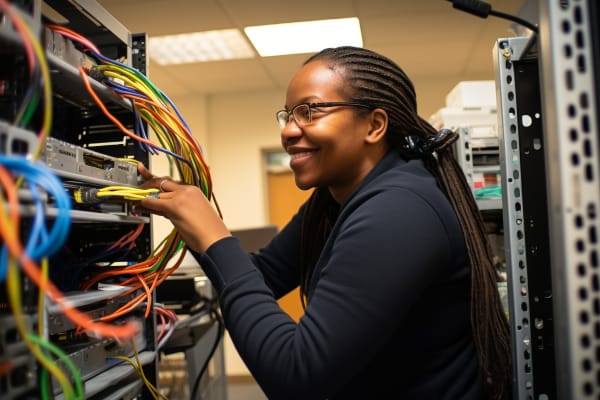
When passwords break, laptops stop syncing, or a patch goes wrong after hours, the admin is usually the person everyone expects to fix it fast. An IT administrator keeps business technology running, secure, and usable by handling accounts, devices, servers, access, updates, and support workflows.
Quick Answer
An IT administrator is the operational owner of day-to-day technology health in a business. The role covers user access, device support, patching, backups, troubleshooting, and documentation. As of 2026, U.S. pay and hiring demand remain strong for this role, with a median salary of $102,610 and projected job growth of 4% from 2023 to 2033 according to the U.S. Bureau of Labor Statistics.
Career Outlook
- Median salary (US, as of April 2026): $102,610 — BLS
- Job growth (US, 2023-2033 as of April 2026): 4% — BLS
- Typical experience required: 2-5 years in support or operations roles
- Common certifications: CompTIA A+™, CompTIA Network+™, CompTIA Security+™
- Top hiring industries: Information services, finance and insurance, healthcare, education
| Role focus | Day-to-day IT operations, support, access, and system health |
|---|---|
| Typical experience | 2-5 years as of April 2026 |
| Salary | $102,610 median U.S. pay as of April 2026 |
| Job growth | 4% from 2023-2033 as of April 2026 |
| Common tools | Ticketing systems, monitoring platforms, remote support tools, scripting tools |
| Core domains | Endpoints, users, servers, network access, backups, security basics |
| Entry path | Help desk, desktop support, junior IT technician |
What Is an IT Administrator?
An IT administrator is the person who keeps day-to-day business technology healthy, available, and secure. That includes user accounts, laptops, desktops, servers, software updates, network access, and the support process that keeps issues moving instead of piling up.
If you have searched for admin IT, itadmin, or admin about IT meaning, the answer is simple: it usually refers to the person who administers the organization’s IT environment. In practical terms, that means the admin is the operational owner of systems people depend on every workday.
The role is broader than help desk support and narrower than a full engineering role. In a small business, one IT admin may do almost everything: onboarding, printer fixes, backups, firewall coordination, and patching. In a larger organization, the same role may be focused on endpoint management, account administration, or server support while separate teams handle networks, cloud, and security.
“An IT administrator is not just a troubleshooter. The job is about keeping the business usable, not just keeping the lights on.”
That distinction matters because the role sits between entry-level support and deeper infrastructure engineering. The admin is close enough to the user experience to understand daily pain points, but technical enough to change systems, permissions, and workflows safely. For a career mover coming from desktop support, it is one of the most natural next steps into IT operations.
For job role context and labor-market terminology, the U.S. Bureau of Labor Statistics groups this work under network and computer systems administration, which is a strong match for how employers describe the position in job postings. See the BLS occupational outlook and Microsoft’s operational guidance on identity and device management in Microsoft Learn.
What Does an IT Administrator Do Every Day?
The IT administrator’s daily work is a mix of monitoring, ticket handling, maintenance, and communication. The day usually starts by checking alerts, reviewing open incidents, and identifying anything that needs immediate attention before users start asking questions.
Typical workflow
- Review alerts from monitoring tools and ticket queues.
- Check service health, backup status, and failed jobs.
- Resolve urgent access issues, outages, or device problems.
- Process routine requests such as password resets or permissions.
- Perform scheduled work like patching, imaging, or maintenance windows.
- Update tickets, document changes, and close out completed work.
That workflow sounds simple, but the hard part is priority management. A printer issue can wait. A failed login for payroll during payroll processing cannot. Good admins know how to separate routine work from real business impact.
Common tasks include provisioning a new employee account, restoring access to shared drives, replacing an aging laptop, or coordinating a patch window with a department manager. The best admins also track patterns. If five people report the same VPN issue, the problem is probably not five separate tickets. It is likely a configuration, certificate, or network issue that needs a root-cause fix.
Note
Ticketing systems matter because they create accountability. A good ticket record shows what happened, who handled it, what changed, and how the issue was resolved. That makes repeat troubleshooting faster and audit reviews easier.
Communication is part of the job, not an extra task. IT admins have to translate technical work into plain language for end users, managers, and vendors. That skill becomes especially important during outages, when calm and clear updates reduce confusion and prevent unnecessary escalation.
For workflow concepts around access and device administration, Microsoft’s identity and endpoint documentation in Microsoft Learn and Google’s Cloud documentation are useful references for how modern admin work is structured.
What Core Responsibilities Does an IT Administrator Handle?
Core IT administration responsibilities usually fall into five buckets: maintenance, user administration, device and network support, resilience, and documentation. The exact mix changes by company size, but the fundamentals stay the same.
System maintenance
Admins install updates, apply patches, review alerts, and check whether servers or workstations are behaving normally. The goal is not just to “fix what broke.” The real goal is to prevent predictable failures before users feel them.
Patch management is a good example. A rushed patch can break a business app, but skipping patches leaves systems exposed. Strong admins follow change control, test where possible, and schedule maintenance in a way that limits disruption.
User and access administration
User account management is one of the most common responsibilities in the role. That includes onboarding, offboarding, password resets, access changes, and Access Control decisions based on job role.
This is where Least Privilege becomes practical. Users should have the access they need to do their jobs, and not much more. Over-permissioning creates security risk. Under-permissioning slows work and creates tickets.
Device, network, and recovery support
IT admins support laptops, desktops, printers, Wi-Fi, remote access, and VPN connectivity. They also help with backup checks and restore testing so the organization can recover data after deletion, corruption, ransomware, or hardware failure.
Disaster Recovery is the process of restoring systems and data after a major disruption. For admins, that means knowing how backups are configured, where the restore points live, and how long a recovery will actually take under pressure.
Documentation and standardization
Good admins document configuration baselines, support procedures, and common fixes. That work often gets ignored until something fails. In practice, documentation is what keeps a one-person fix from becoming tribal knowledge that disappears when someone is out sick or leaves the company.
For backup and recovery planning, NIST guidance is useful, especially NIST CSF and related Special Publications. For access and security controls, official guidance from CISA also supports practical admin decision-making.
How Does an IT Administrator Balance Daily Work and Urgent Issues?
An IT administrator balances daily work by triaging based on impact, urgency, and risk. A broken laptop is annoying. A failed authentication system that blocks an entire department is a business event.
The most effective admins use a consistent process. They check alerts first, then review ticket backlog, then tackle scheduled maintenance, then move into routine requests. That approach prevents the common problem of spending an hour on low-value work while a serious outage grows in the background.
Examples of real-world daily tasks
- Provisioning a new user account with correct group membership.
- Fixing access to a shared folder after a role change.
- Restarting a service after a failed update.
- Investigating slow performance on a file server.
- Coordinating a patch window with a department that cannot afford downtime.
Communication is part of the workflow. The admin may need to update a manager about a delay, ask HR for a start-date confirmation, or work with a vendor to resolve a licensing problem. The technical work is important, but so is keeping people informed enough to plan around the issue.
One reason ticketing systems are so valuable is that they create a history. Over time, that history reveals recurring problems: the same application failure after updates, the same access pattern after onboarding, or the same printer issue every month. Once the pattern is visible, the admin can automate the fix or standardize the process.
For service-management practices, frameworks like AXELOS and process documentation from official vendor portals such as Microsoft Learn help align routine admin work with consistent operational standards.
What Technical Skills Does an IT Administrator Need?
Technical skill is the foundation of the role, but the best admins do more than memorize commands. They understand how systems fit together, how failures cascade, and how to isolate root cause without guessing.
Operating systems
Strong admins need working knowledge of Windows, macOS, and Linux. That means knowing where logs live, how users authenticate, how updates are applied, and how to diagnose common issues. It also means understanding the Operating System well enough to distinguish a local problem from a policy or network problem.
Networking fundamentals
Networking basics are non-negotiable. An admin should understand IP addressing, DNS, DHCP, routing, subnet basics, and VPN concepts. Many “computer problems” are actually name resolution problems, authentication problems, or access path problems.
If DNS fails, users may say “the internet is down” even when only one internal app is affected. If DHCP is misconfigured, new devices may fail to join the network. If VPN access is misrouted, remote workers may connect but still cannot reach internal systems.
Endpoint management and automation
Endpoint Management is the administration of desktops, laptops, and mobile devices across a business. This includes imaging, device enrollment, inventory tracking, patch status, and remote support.
Admins also benefit from scripting and automation skills. PowerShell is especially useful in Windows-heavy environments, while Ansible helps with repeatable configuration tasks in mixed or Linux-centric environments. The point is not to become a full-time developer. The point is to stop doing the same manual task 50 times a week.
Troubleshooting and monitoring
Good admins know how to read logs, interpret alerts, and identify performance issues before users escalate them. They should be able to answer basic questions like: Is the CPU saturated? Is storage full? Is the service down? Is it a permissions issue or an authentication issue?
For practical guidance, Microsoft’s admin documentation in Microsoft Learn and Red Hat’s Linux documentation at Red Hat are strong references for operational best practices.
- Windows administration: user profiles, Group Policy, updates, and event logs
- macOS administration: device enrollment, security settings, and application support
- Linux administration: services, permissions, logs, and command-line diagnostics
- PowerShell: account management, reporting, and repetitive task automation
- Ansible: repeatable configuration and infrastructure consistency
- Monitoring tools: alert review, uptime checks, and capacity tracking
How Important Is Security in IT Administration?
Security is a core part of IT administration, not a separate side task. Every access change, software update, endpoint setting, and backup process has a security impact.
The admin helps enforce strong authentication, access control, and device hardening. In practice, that means enabling multi-factor authentication where possible, limiting admin rights, patching systems on time, and making sure devices use approved configuration settings.
“The fastest way to create security risk is to give everyone broad access because it is easier than managing permissions correctly.”
Patching is one of the biggest risk-reduction tasks in the role. Vulnerabilities are easier to exploit when systems are neglected. That is why many organizations tie patch cycles to change windows and verify deployment success after updates are pushed.
Admins also support endpoint protection, disk encryption, and secure configuration standards. A secure laptop policy means little if devices are not encrypted, backups are not tested, or local admin rights are never reviewed. Security has to be maintained operationally, not just documented in a policy binder.
This responsibility becomes even more important in regulated environments. Healthcare organizations care about confidentiality and availability. Financial firms care about access tracking, data protection, and resilience. Education and public-sector environments often need strong identity controls and documented change processes. For compliance frameworks, useful references include NIST, CISA, and industry standards such as ISC2® guidance for security operations concepts.
What Tools Do IT Administrators Use?
IT administrators use tools to track requests, monitor systems, manage devices, and automate repetitive work. Tool choice varies by company size, but the function is usually the same.
| Tool type | Purpose in IT administration |
|---|---|
| Ticketing systems | Track incidents, requests, approvals, and resolution steps |
| Monitoring platforms | Detect downtime, performance issues, and alert conditions |
| Remote support tools | Assist users and troubleshoot devices without being on-site |
| Automation tools | Reduce repetitive tasks and improve consistency |
| Asset management tools | Track hardware, licenses, warranty status, and configuration records |
Ticketing systems keep work visible and measurable. Monitoring platforms help the admin spot the problem before users do. Remote tools reduce travel and response time. Inventory tools help answer the boring but critical questions: What device is assigned to whom? When was it last patched? Is the license still valid?
In many organizations, the tool stack is only as good as the admin’s process. A dashboard full of alerts means little if no one is prioritizing them. The real skill is using the tools to make decisions faster and more accurately.
Vendor documentation is the best reference point for tool usage and design details. Microsoft, AWS, Cisco, and Red Hat all maintain official documentation that explains admin workflows, logging, identity management, and automation patterns. Those vendor sources are more reliable than random forum advice when you need to solve production issues.
How Do IT Administrators Work with Other Teams?
IT administration is collaborative work. Even when the admin is the person making the fix, the role still depends on coordination with help desk staff, network engineers, security teams, HR, and vendors.
Help desk teams usually handle first-line support and routine user issues. The IT admin receives escalations when a problem needs elevated access, deeper troubleshooting, or infrastructure changes. That handoff works best when the escalation includes symptoms, timestamps, screenshots, and what was already tried.
Cross-team coordination examples
- HR: onboarding and offboarding, role changes, and access timing
- Network engineers: VLANs, routing, wireless issues, VPN, and segmentation
- Systems engineers: server health, storage, virtualization, and patch planning
- Security teams: endpoint protection, logging, and access reviews
- Vendors and MSPs: licensing, hardware warranties, software defects, and support cases
The customer-service side of the job is easy to underestimate. Users are usually not upset because they enjoy complaining. They are upset because the issue is blocking work. A good admin stays calm, gives realistic timelines, and avoids technical jargon that confuses the person waiting for help.
For onboarding and identity workflows, official vendor guidance matters. Microsoft Learn is useful for user lifecycle and permission-related tasks, while standard terminology around Onboarding and Permission helps frame those processes clearly across departments.
What Qualifications and Certifications Help You Become an IT Administrator?
Most IT administrators build the role from support or operations experience. Employers often want 2-5 years of hands-on troubleshooting, ticket handling, or device support before assigning broader administrative responsibility.
Education paths vary. Some admins come from a two-year or four-year degree. Others build their careers through technical training, lab work, and on-the-job experience. What matters most is whether you can solve real problems, document your work, and handle systems without constant supervision.
CompTIA certifications are a common foundation for this path. CompTIA A+™ builds hardware, operating system, and support fundamentals. CompTIA Network+™ supports networking knowledge. CompTIA Security+™ adds baseline security concepts that are useful in any admin role. Official details are available from CompTIA.
Certifications validate knowledge, but they do not replace experience. A candidate who can talk through how they diagnosed a broken login flow, restored a failed backup, or tracked down a DHCP issue will usually stand out more than someone who only memorized definitions.
Pro Tip
Build your resume around outcomes, not tasks. “Reduced password-related tickets by standardizing account setup” is stronger than “handled user accounts.” Measurable results make your admin experience easier to trust.
If you are comparing training paths, start with support fundamentals, then add networking, then security. That sequence mirrors how many admins actually grow into the role. It also lines up with the kinds of problems you will be asked to solve first.
What Is the Salary and Career Outlook for an IT Administrator?
The career outlook for an IT administrator is stable and practical. The role remains in demand because every business needs someone who can keep technology usable, secure, and supported.
As of April 2026, the U.S. median salary for network and computer systems administrators is $102,610, according to the Bureau of Labor Statistics. The BLS also projects 4% job growth from 2023 to 2033 as of April 2026, which indicates continued steady demand rather than explosive growth.
The role is commonly found in information services, finance and insurance, healthcare, and education. Those industries rely heavily on access control, uptime, and documented support processes, which makes a strong admin especially valuable.
What affects pay?
- Region: major metro areas often pay 10-20% more than smaller markets as of April 2026.
- Certifications: recognized credentials can increase interview volume and salary leverage by about 5-10% as of April 2026.
- Industry: regulated sectors such as healthcare or finance often pay more because risk and compliance demands are higher.
- Scope: broader responsibility for servers, networks, or cloud access can raise pay versus a narrow support-only admin role.
- On-call expectations: after-hours coverage often increases total compensation or adds a shift premium.
Career growth from this role is straightforward. An admin can move into systems administration, network administration, endpoint engineering, cloud operations, or IT operations leadership. It is one of the most flexible launch points in IT because it builds both technical depth and business context.
For labor-market context beyond the BLS, useful salary references include Robert Half Salary Guide, Glassdoor Salaries, and PayScale. Those sources can help you compare regional compensation patterns as of 2026.
How Is an IT Administrator Different from Help Desk and Systems Admin?
An IT administrator sits between help desk support and systems administration. The role overlaps with both, but the scope, autonomy, and depth of responsibility are different.
| Role | How it differs |
|---|---|
| Help desk | Focused on first-line troubleshooting, password resets, and standard user issues |
| IT administrator | Handles operational ownership of users, devices, access, updates, and routine infrastructure support |
| Systems administrator | Usually has deeper responsibility for servers, services, automation, and infrastructure stability |
Help desk work is often reactive and ticket-driven. IT admin work is still reactive at times, but it also includes planning, configuration, and maintenance. Systems administration goes deeper into the servers and services layer, often with more architectural decisions and fewer user-facing interruptions.
Network administration can be a specialization within or adjacent to IT administration. In some companies, a network admin is a distinct role that owns switches, routing, wireless, and firewall coordination. In smaller environments, the IT admin may be expected to cover those tasks as part of the broader scope.
Choosing the right path depends on your experience and goals. If you want broad exposure and a strong operational foundation, IT administration is a good fit. If you prefer user support and fast issue resolution, help desk may be the best entry point. If you want deeper infrastructure work, systems or network administration may be the better target.
What Skills Make a Strong IT Administrator?
Strong IT administrators combine technical knowledge with habits that make the whole operation more reliable. A smart person who cannot prioritize, communicate, or document will still create bottlenecks.
- Communication: explains technical issues clearly to non-technical users.
- Organization: tracks tickets, changes, approvals, and follow-ups without losing context.
- Patience: handles repetitive issues without making users feel dismissed.
- Problem-solving: isolates root cause instead of guessing or repeatedly restarting services.
- Attention to detail: prevents mistakes in permissions, documentation, and change management.
- Time management: balances urgent incidents with routine maintenance.
- Adaptability: adjusts when tools, policies, or priorities change.
- Trustworthiness: handles sensitive access and business systems responsibly.
Attention to detail matters more than many people expect. A single incorrect permission can block access or expose data. A missed step in a patch window can create downtime. A sloppy handoff in documentation can force the next admin to rediscover a problem from scratch.
Reliability is also part of the skill set. People depend on admins during critical moments. If a finance team cannot log in before payroll closes, or if a department loses access during a deadline, the admin’s response becomes a direct business issue.
Good admins do not just solve problems. They reduce the chances of the same problem returning.
How Do You Become an IT Administrator?
The most common path to becoming an IT administrator starts in help desk, desktop support, or junior IT technician roles. That path gives you real exposure to devices, users, tickets, and incident handling before you own broader systems work.
- Start with support work and learn how users actually experience IT problems.
- Build strong fundamentals in Windows, networking, identity, and troubleshooting.
- Practice hands-on labs for patching, backups, account management, and remote support.
- Add certifications such as CompTIA A+™, Network+™, and Security+™.
- Learn basic scripting so you can automate repetitive admin tasks.
- Document measurable wins on your resume, such as faster resolution times or reduced downtime.
Hands-on experience is what turns theory into capability. If you can explain how you fixed a printer deployment issue, why a user could not authenticate, or how you verified a backup restore, you are already thinking like an admin.
When building your resume, focus on results. Hiring managers respond well to measurable improvements: shorter ticket closure times, fewer repeat incidents, better onboarding workflows, or more reliable patching. Those outcomes show that you understand both technical work and operational impact.
For foundational skills, official vendor resources are the safest starting point. CompTIA provides exam objectives and certification details, while Microsoft Learn, Cisco Learning Network, and vendor documentation help reinforce practical admin workflows without relying on outdated material.
What Challenges Do IT Administrators Face?
Common IT administration challenges include repeated access problems, risky patch cycles, hardware failures, and balancing security with user convenience. These issues are normal. The job is partly about reducing how often they happen and partly about recovering quickly when they do.
Password resets and access issues can overwhelm the ticket queue if the organization lacks good onboarding, self-service options, or role-based permission design. A strong admin looks for root causes, not just symptoms. If users constantly lose access, the problem may be in the onboarding process, group membership logic, or stale identity records.
Patch management is another common pain point. Updates are necessary, but poorly planned patches can break applications or interrupt service. That is why change control, testing, and restore planning are so important. The best admin accepts that patching is a risk-managed process, not a simple button click.
Hardware failures and network outages are part of the reality too. A failed switch, worn-out laptop battery, corrupted profile, or unstable wireless access point can consume hours. The admin who maintains good documentation, reliable backups, and standard procedures gets through those events faster.
Security versus usability is the constant trade-off. Tighten permissions too much, and people cannot work. Loosen them too much, and risk rises. The right balance depends on job role, data sensitivity, and compliance requirements.
Frameworks like NIST and standards guidance from CIS are useful when setting secure baselines and deciding what “good enough” looks like in practice.
Frequently Asked Questions About IT Administrator Roles
What does an IT administrator do? An IT administrator keeps business systems working by managing user accounts, devices, updates, access, backups, and day-to-day troubleshooting.
Is an IT administrator the same as a system administrator? No. The roles overlap, but a systems administrator usually has deeper responsibility for servers, services, and infrastructure design, while an IT administrator often has broader operational coverage across users, devices, and support workflows.
Does an IT administrator need coding skills? Not full software development skills, but basic scripting is very helpful. PowerShell, Bash, or Ansible can save time by automating repetitive tasks and reducing errors.
What certifications are most relevant for entry-level candidates? CompTIA A+™, Network+™, and Security+™ are the most common foundational certifications for this path because they map to hardware, networking, and security basics.
Is the role more technical or more customer-service oriented? It is both. The technical side keeps systems stable, while the customer-service side keeps users informed, supported, and productive.
For readers who want official exam and certification details, always check the vendor source directly. CompTIA’s certification pages are the most accurate place to confirm objectives, renewal rules, and current exam information.
Key Takeaway
- An IT administrator owns day-to-day technology health, including users, devices, updates, access, and support.
- The role requires practical troubleshooting, communication, documentation, and a strong security mindset.
- CompTIA A+™, Network+™, and Security+™ are strong starting points for this career path.
- The job offers a stable U.S. outlook, with a $102,610 median salary and 4% projected growth from 2023 to 2033 as of April 2026.
- IT administration is a strong foundation for systems administration, network administration, and IT operations leadership.
Conclusion
The IT administrator is one of the most important operational roles in any business. This person keeps technology usable, secure, documented, and responsive when people need it most. The work is practical, hands-on, and directly tied to uptime, productivity, and risk reduction.
If you are considering this path, focus on the fundamentals first: operating systems, networking, identity, patching, backups, and troubleshooting. Add certifications to strengthen your resume, but pair them with real-world experience and measurable results. Employers hire admins they can trust with business systems, not just people who can memorize definitions.
For readers moving up from help desk or desktop support, IT administration is a strong next step. It offers broader responsibility, better career leverage, and a clear path into systems, network, and operations roles. If you want to grow into the field, start building those skills now and look for opportunities that expand your scope one system at a time.
CompTIA® and Security+™ are trademarks of CompTIA, Inc.
