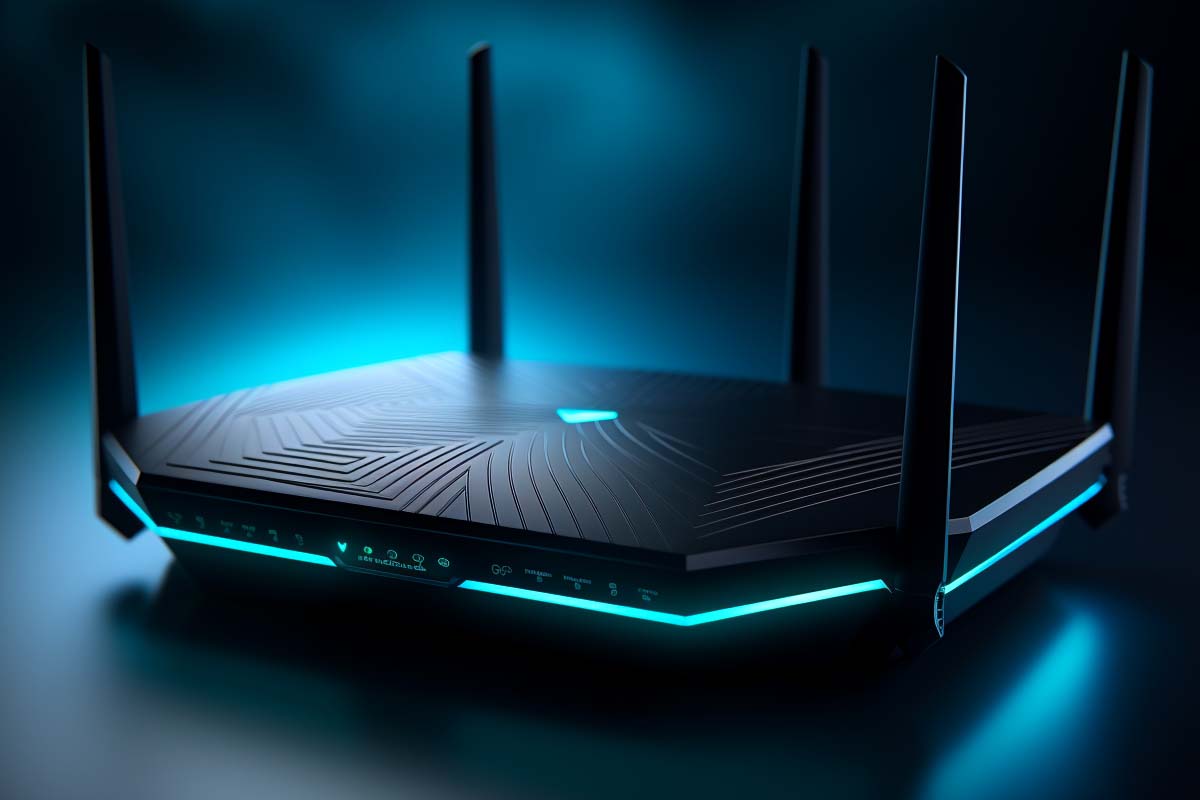
Laggy video calls, cloud gaming stutter, slow backups, and a house full of devices fighting for airtime are exactly the problems that make best wifi 7 routers 2026 worth a serious look. Wi-Fi 7 is not just a faster version of Wi-Fi 6 or Wi-Fi 6E; it is a redesign focused on capacity, latency, and multi-device performance. If your network feels fine when one person is online but falls apart at dinner time, Wi-Fi 7 is the standard built for that problem.
Quick Answer
Wi-Fi 7, based on IEEE 802.11be, is the next-generation wireless standard that improves speed, latency, and congestion handling with 320 MHz channels, 4096-QAM, and Multi-Link Operation. As of August 2026, it matters most in busy homes, gaming setups, hybrid workspaces, and small offices where many devices compete at once. Full benefits require both a Wi-Fi 7 router and Wi-Fi 7-capable client devices.
Definition
Wi-Fi 7 is the consumer and enterprise name for the IEEE 802.11be wireless standard, designed to move more data more efficiently while handling heavy congestion better than Wi-Fi 6 and Wi-Fi 6E. The key difference is not peak speed alone; it is stronger performance when many devices are active at the same time.
| Standard | IEEE 802.11be (Wi-Fi 7) as of August 2026 |
|---|---|
| Headline Features | 320 MHz channels, 4096-QAM, Multi-Link Operation as of August 2026 |
| Best For | Dense homes, gaming, streaming, hybrid workspaces, small offices as of August 2026 |
| Backward Compatibility | Yes, older Wi-Fi devices can still connect as of August 2026 |
| Client Requirement | Wi-Fi 7-capable router and client device required for full feature use as of August 2026 |
| Certification Body | Wi-Fi Alliance as of August 2026 |
| Primary Benefit | Better behavior under congestion, not just higher benchmark numbers as of August 2026 |
What Wi-Fi 7 Is and Why It Matters
Wi-Fi 7 is the next step after Wi-Fi 6 and Wi-Fi 6E, and it is built around one simple idea: modern networks need to serve more devices with less delay. The official IEEE name is 802.11be, while consumer products usually use the Wi-Fi 7 label. The Wi-Fi Alliance defines certification requirements so that devices from different vendors are more likely to work together consistently, which is the practical part buyers care about most.
The biggest mistake people make is assuming Wi-Fi 7 is only about headline speed. Peak throughput matters, but the real value shows up when a network is crowded. A house with phones, laptops, TVs, cameras, consoles, and smart speakers can behave like a small office network, and that is where Wi-Fi 7’s improved scheduling and multi-link capabilities matter.
According to the Wi-Fi Alliance, certified Wi-Fi devices must meet interoperability expectations that help reduce the “it should work, but it doesn’t” problem. That is especially important in mixed-device homes where one older laptop, one new tablet, and a handful of smart-home devices all need stable service at once.
Wi-Fi 7 matters most when your network is busy, not when it is empty. If your main pain point is congestion, lag spikes, or inconsistent performance across multiple devices, this is the upgrade category to watch.
Where Wi-Fi 7 fits best
- Dense homes with multiple 4K streamers, work devices, and smart-home endpoints.
- Small offices that need predictable wireless performance for meetings and file transfers.
- Gaming setups where low latency matters more than raw throughput.
- Hybrid workspaces that rely on video calls, cloud apps, and shared wireless access.
- Classrooms and training rooms where many clients connect at the same time.
For a quick standards reference, the IEEE 802.11 family is the technical baseline for Wi-Fi evolution, and the Wi-Fi Alliance turns that standard into real-world certification. That combination is why Wi-Fi 7 is more than a marketing refresh. It is a standards-based attempt to fix the wireless bottlenecks that older generations only partially solved.
How Does Wi-Fi 7 Work?
Wi-Fi 7 works by sending more data per transmission, using wider channels where possible, and coordinating traffic across multiple bands more intelligently. The result is not just more speed on a speed test. It is smoother performance when several people and devices are competing for the same airspace.
- It widens the pipeline. Wi-Fi 7 can use 320 MHz channels in the 6 GHz band, which gives compatible devices a much larger path for moving data.
- It packs more bits into each signal. 4096-QAM increases how much information can be encoded per transmission when signal quality is strong.
- It uses more than one link. Multi-Link Operation allows supported devices to use multiple bands or links at once instead of relying on a single path.
- It manages congestion better. Better scheduling and coordination reduce the “everyone waits their turn” problem that causes lag and jitter.
- It stays backward compatible. Older devices still connect, but they use the features they support, not Wi-Fi 7’s full toolkit.
The important thing to understand is that Wi-Fi 7 does not need perfect conditions to be useful. Some of its gains are strongest in clean RF environments, but its biggest practical advantage is resilience under load. That matters in homes where one person is on a call, another is uploading backups, and someone else is streaming video in the next room.
Pro Tip
If you want to measure a Wi-Fi 7 upgrade fairly, test it during busy hours, not just when the network is quiet. Congestion is where the standard earns its keep.
For readers comparing wireless generations, the idea is similar to moving from a two-lane road to a coordinated highway system. The road still has limits, but the traffic flows better when there are more lanes, smarter lane control, and fewer bottlenecks at merge points.
How Wi-Fi 7 Differs from Wi-Fi 6 and Wi-Fi 6E
Wi-Fi 7 differs from Wi-Fi 6 and Wi-Fi 6E in both design goals and execution. Wi-Fi 6 focused heavily on efficiency, especially in crowded environments. Wi-Fi 6E extended that efficiency into the 6 GHz band, which opened up cleaner spectrum. Wi-Fi 7 builds on both ideas, then pushes further with wider channels, more advanced modulation, and better multi-link behavior.
The jump from Wi-Fi 6 to Wi-Fi 7 is more significant than a simple revision. With Wi-Fi 6, many users noticed better stability compared with older networks, especially in device-heavy households. With Wi-Fi 7, the expectation is not just stability, but more consistent high performance while multiple devices are active. That is the difference between “fine most of the time” and “stays responsive when everyone is online.”
Wi-Fi 6E added the 6 GHz band, which matters because that band has more usable spectrum and less interference from older devices. Wi-Fi 7 uses that band even more aggressively, especially for 320 MHz channels. For many users, that is where the biggest visible gain comes from. If you are still on 802.11ax hardware, Wi-Fi 7 is the first upgrade that clearly targets congestion as a primary design problem rather than a side effect.
| Wi-Fi 6 / 6E | Optimizes efficiency and expands access to the 6 GHz band, but still relies heavily on single-link behavior. |
|---|---|
| Wi-Fi 7 | Adds wider channels, higher modulation, and Multi-Link Operation for stronger performance under load. |
Backward compatibility is built in, so older devices do not stop working when a Wi-Fi 7 router arrives. They simply do not benefit from the new features. That is why the network may feel only moderately better until more client devices also support the standard.
Official information from Microsoft Learn and vendor device documentation is useful here because client support matters just as much as router support. The router can be excellent, but the client still determines whether the connection actually uses Wi-Fi 7 capabilities.
What Are the Core Wi-Fi 7 Features That Change Everyday Use?
Wi-Fi 7 changes everyday use through three headline capabilities: wider channels, denser modulation, and Multi-Link Operation. These are not just spec-sheet features. They directly affect how fast files move, how stable video calls feel, and how much lag you notice when several devices are active at once.
- 320 MHz channels create a wider path for data in the 6 GHz band.
- 4096-QAM packs more information into each transmission when signal quality is excellent.
- Multi-Link Operation lets supported devices use more than one band or link at the same time.
- Improved coordination reduces contention and helps the network respond more smoothly under load.
Each feature helps in a different way. Wider channels are about raw capacity. Higher modulation is about efficiency. Multi-Link Operation is about flexibility and reliability. Put them together, and you get a network that behaves better in real homes, not just in lab tests.
Warning
Do not buy a Wi-Fi 7 router assuming every feature will help every device. Many benefits depend on client support, signal quality, and whether the 6 GHz band is available in your region and usable in your home layout.
That is why the best Wi-Fi 7 routers 2026 lists are not really about one magic model. They are about matching features to your usage pattern. A large home with multiple 4K streams has different needs than a studio apartment with one work laptop and a game console.
320 MHz channels and why wider is not always better
320 MHz channels double the width of the widest channels commonly associated with Wi-Fi 6E on 6 GHz, which gives compatible devices more room to move data at once. That can increase throughput dramatically when the spectrum is clean. It is one of the most visible reasons Wi-Fi 7 can outperform older standards in speed tests.
The catch is that wider channels are more sensitive to local spectrum conditions. In a quiet environment, a wide channel can deliver excellent results. In a dense neighborhood or multi-unit building with lots of nearby networks, the router may need to fall back to narrower channel behavior to stay stable.
This is why wider is not always better in the real world. A wide channel can improve throughput for large file transfers, media workflows, and multi-user households, but it may not help as much if your walls are thick or your clients are far away. For many homes, the sweet spot is not maximum width at all costs; it is a stable channel plan that balances speed and coverage.
4096-QAM and more efficient data transmission
4096-QAM is a higher-density modulation method that allows more information to be packed into each wireless symbol. In simple terms, the signal can carry more data when conditions are good. That means faster transfers, better efficiency, and more responsive use of the available spectrum.
The advantage is most noticeable when devices are close to the router and the signal is clean. If interference rises or the distance increases, devices often step down to a lower modulation scheme. That is normal. Wi-Fi is adaptive, and the best modulation is the one the link can sustain reliably.
For everyday users, the result is smoother uploads, quicker downloads, and less time waiting for large photos, video projects, game updates, or backups to complete. But the key word is “when conditions are good.” Higher QAM is powerful, but it is not magic. It rewards strong signal quality and capable client hardware.
Multi-Link Operation and the end of single-lane Wi-Fi
Multi-Link Operation is one of the most important Wi-Fi 7 upgrades because it lets a device use multiple links or bands at the same time. Instead of forcing traffic down a single lane, the device can spread the load across available paths. That helps both speed and latency.
The practical benefit is stability. If one band becomes congested, a supported client can shift or split traffic more intelligently. That can reduce lag spikes in gaming, keep video meetings from freezing, and make multitasking feel smoother when several devices are active at once.
A good analogy is rush-hour traffic. Single-link Wi-Fi is one lane. Multi-Link Operation is a system that can open another lane when congestion builds. That is a major reason Wi-Fi 7 is so attractive for real-world homes and small offices, where interference and contention are constant problems.
Why Wi-Fi 7 Matters for Busy Homes and Small Offices
Wi-Fi 7 matters most where many devices compete for the same wireless airtime. Homes are no longer just a few laptops and a phone or two. They are packed with TVs, tablets, cameras, thermostats, speakers, laptops, consoles, and work devices. That turns the network into a shared resource, and shared resources need better coordination.
This is where older wireless designs start to feel strained. A connection can still be “fast” on paper and yet feel unreliable during real use. One person uploading a file can affect another person’s call quality. A backup can create enough contention to make streaming stutter. Wi-Fi 7 is designed to reduce that friction.
Small offices and hybrid workspaces have the same problem at a different scale. They may not need the absolute highest benchmark numbers, but they do need predictable performance. A meeting room with several connected laptops and wireless displays benefits more from consistency than from a single peak speed run. That is why Wi-Fi 7 is showing up in planning discussions for office refreshes and dense wireless deployments.
For context on wireless demand and workforce trends, the U.S. Bureau of Labor Statistics (BLS) continues to track growth in computer and information occupations that rely heavily on reliable connectivity. The infrastructure underneath those jobs matters. Bad wireless is not just an inconvenience; it is a productivity tax.
- Family homes benefit when multiple streams and work sessions happen at once.
- Small offices benefit when many users share the same access point.
- Smart-home-heavy households benefit when low-bandwidth devices still create airtime overhead.
- Hybrid teams benefit when meetings, uploads, and cloud apps run simultaneously.
When users search for the best home wifi router 2025 or compare the best wifi brand, they are usually trying to solve a consistency problem, not a benchmark problem. Wi-Fi 7 is the first consumer standard that directly targets that pain point.
How Does Wi-Fi 7 Help Gaming, Streaming, and Real-Time Work?
Wi-Fi 7 helps gaming, streaming, and real-time work by reducing delay variability, not just raising top-end speed. That distinction matters. A higher speed number does not automatically fix lag spikes, jitter, or stalled video calls. What users notice is whether the connection stays responsive under load.
For gaming, lower latency and better congestion handling can improve the feel of cloud gaming, competitive play, and VR streaming. The standard cannot eliminate every delay, especially if the game server is far away, but it can reduce the wireless part of the problem. That is especially useful when another household member is streaming or uploading at the same time.
For streaming, Wi-Fi 7 helps when one person is watching 4K or 8K content while others are also online. It is not just about whether a single stream can run. It is about whether multiple streams can run without creating stutter. That is where capacity and scheduling matter more than raw top speed.
For real-time work, the payoff shows up in video conferencing, screen sharing, remote desktop use, and collaboration tools. These workflows are sensitive to bursty interference. A strong Wi-Fi 7 setup can make meetings feel less fragile, especially in homes where work and entertainment share the same wireless network.
For real-time apps, the most valuable network is the one that stays predictable when the house gets busy.
That is why wireless Latency and Throughput matter together. A network can have impressive throughput and still feel bad if latency is unstable. Wi-Fi 7 is aimed at improving both.
What Do You Need to Actually Benefit from Wi-Fi 7?
Wi-Fi 7 only delivers its full benefits when both the router and the client device support the standard. That is the first thing buyers need to understand. A Wi-Fi 7 router can still connect to older phones, laptops, and TVs, but those devices will not use the new features if they are limited to older Wi-Fi generations.
Internet speed is the second limiter. If your broadband plan tops out at a modest speed, a faster local wireless network will not magically make your internet faster. It can still improve local transfers, device responsiveness, and wireless stability, but your ISP line remains the ceiling for most cloud-based tasks.
Home layout is the third limiter. Walls, floors, distance, and interference all affect wireless performance. A router in the wrong place can underperform no matter how advanced the standard is. That is why placement and antenna design still matter in Wi-Fi 7 deployments.
- Router support is required for Wi-Fi 7 features on the access point side.
- Client support is required for laptops, phones, and consoles to use those features.
- ISP speed still caps internet-based workloads.
- Placement and RF environment determine how much improvement is visible in daily use.
Key Takeaway
Wi-Fi 7 is a whole-network upgrade, not a box upgrade. The router matters, but so do client devices, broadband speed, placement, and local interference.
For technical buyers, the right comparison is not “Will Wi-Fi 7 be faster?” The better question is, “Will Wi-Fi 7 reduce the performance problems I actually have?” That framing saves money and leads to smarter upgrades.
How Do You Tell If Wi-Fi 7 Is Worth the Upgrade Now?
Wi-Fi 7 is worth the upgrade when your current network shows clear signs of congestion, inconsistency, or latency-sensitive pain. If your home is full of active devices, you game online, you work from home, or you regularly move large files across the network, the upgrade can make a real difference. If your current setup is stable and most devices are older, waiting may be the smarter move.
The best upgrade candidates are users who can actually feel the difference. That includes power users, gamers, households with multiple streams, smart-home-heavy homes, and small offices with frequent video meetings. In those environments, the problem is often not raw speed. It is crowded airtime and uneven performance.
It also makes sense to compare router-only upgrades against a broader refresh plan. If you have mostly older Wi-Fi 6 or Wi-Fi 6E clients, a Wi-Fi 7 router will help, but not enough to justify the cost unless the router itself is the main bottleneck. If you are planning to replace laptops and phones anyway, timing the router upgrade with those purchases can be more efficient.
- Upgrade now if your network is visibly congested or latency-sensitive.
- Wait if your current setup is stable and client devices are mostly older.
- Prioritize clients if only a few devices can use Wi-Fi 7 today.
- Upgrade both ends if you want the standard’s full performance benefits.
Buyers comparing the best wifi 7 routers 2026 should treat router selection as a fit problem, not a feature-count problem. The best choice is the one that matches your household size, interference level, and device mix.
What Should You Look for in Wi-Fi 7 Routers and Devices?
Wi-Fi 7 routers should be evaluated on more than the advertised top speed. Marketing numbers often combine multiple bands into a single large figure that looks impressive but does not reflect how one device behaves in real use. The important features are support for 6 GHz, 320 MHz channels, Multi-Link Operation, solid radios, and good thermal design.
Certification matters because it is the closest thing to a practical interoperability check. The Wi-Fi Alliance certification program helps buyers separate standard-based devices from vague “next-gen” claims. That matters because not every router that says “Wi-Fi 7” will implement every feature equally well.
Hardware quality matters too. A router with strong silicon but poor heat management can throttle, destabilize, or underperform in real homes. Antenna design, firmware maturity, and band steering behavior all affect whether the product feels solid after setup or frustrating three weeks later.
- 6 GHz support for cleaner spectrum and wider channels.
- Multi-Link Operation for better responsiveness and resilience.
- 320 MHz channel support for maximum width where available.
- Strong firmware for stability, updates, and bug fixes.
- Thermal design to prevent overheating under load.
- Client compatibility so your devices can actually use the features you paid for.
For network administrators and advanced users, the right comparison often includes interoperability, Interoperability, and actual deployment conditions. In other words, the router should fit the environment, not just the spec sheet.
What Are the Most Common Wi-Fi 7 Misconceptions?
Wi-Fi 7 does not make your internet plan faster. That misconception causes a lot of buyer disappointment. If your broadband service is the bottleneck, a new router cannot exceed the speed you pay for. What Wi-Fi 7 can do is improve how efficiently your local network uses the connection and how well it handles congestion inside the home or office.
Another common mistake is assuming higher theoretical speeds will translate into dramatic everyday changes. Many users will notice the biggest gains only in specific situations: large file transfers, multiple simultaneous streams, gaming while others are online, or heavy device density. If your daily workload is light, the upgrade may feel subtle.
The third misconception is that one router fixes everything. Dead zones, thick walls, and poor placement still cause problems. A better standard helps, but it does not break the laws of RF physics. Sometimes the right answer is better placement, mesh design, or a wired backhaul rather than a bigger spec number.
It is also wrong to think client support is optional. Older devices can connect, but they will not benefit from Wi-Fi 7’s advanced features. That is why a mixed-device environment often shows gradual rather than instant improvement.
Wi-Fi 7 is about better network behavior under load. Treat it as a congestion solution first and a speed upgrade second.
If you want a standards-based perspective, the National Institute of Standards and Technology (NIST) has long emphasized careful measurement, interoperability, and security-minded deployment in network design. The same logic applies here: test real workloads, not just marketing claims.
How Should IT Teams and Advanced Users Think About Wi-Fi 7 Deployment?
Wi-Fi 7 is attractive to IT teams because it addresses the exact kinds of issues that show up in hybrid workspaces: shared airtime, meeting-room congestion, and inconsistent performance across many endpoints. When dozens of users depend on wireless access for collaboration, a small improvement in congestion handling can produce a noticeable operational gain.
Deployment planning still matters. Access point placement, band utilization, channel planning, and device mix all affect outcomes. A Wi-Fi 7 refresh should be evaluated alongside existing wired infrastructure, mesh requirements, and room density. In many offices, the best outcome is a hybrid design: wired where possible, wireless where necessary, and targeted wireless upgrades in high-impact areas.
Advanced users should also look at pilot deployment first. A conference room, executive floor, lab, or training area is a good place to validate performance before broad rollout. That approach reduces risk and gives you real data on how the new hardware behaves in your specific environment.
- Start with high-impact zones like meeting rooms or dense collaboration spaces.
- Validate client support before expecting full Wi-Fi 7 behavior.
- Test under load using real traffic, not synthetic demos only.
- Keep wired networking in the design where it reduces wireless contention.
For teams managing broader cybersecurity or infrastructure planning, consulting sources like CISA and the NIST Cybersecurity Framework can help align wireless refresh projects with security and resilience goals. Better wireless is useful, but managed wireless is better.
What Is the Future of Wireless Connectivity Beyond Wi-Fi 7?
Wi-Fi 7 is a major step, but it is not the end of wireless development. The direction of travel is clear: more devices, more real-time apps, more media bandwidth, and more demand for predictable performance. That means future standards will likely continue focusing on latency, efficiency, and coordination across many clients.
That matters because home and office networks are now carrying workloads that used to belong to wired systems only. Video meetings, cloud storage, streaming, gaming, home automation, and AI-assisted workflows all compete for airtime. The next wave of wireless innovation will probably focus less on “How high can the speed number go?” and more on “How well does the network behave when life gets busy?”
Wi-Fi 7 fits that trend well. It is designed for how networks are actually used now, not how they looked when a single laptop and a desktop PC shared the connection. That is why it feels like a practical standard rather than a pure spec race.
For a broader technology lens, industry groups such as the World Economic Forum and workforce studies from CompTIA® continue to highlight the growing need for resilient digital infrastructure. Wireless reliability is part of that foundation, not a luxury feature.
Conclusion
Wi-Fi 7 is best understood as a solution to modern congestion, not just a speed upgrade. It improves throughput, lowers latency under load, and handles multiple active devices more gracefully than Wi-Fi 6 and Wi-Fi 6E. Those gains matter most in busy homes, gaming setups, hybrid workspaces, and small offices where the network is always doing more than one thing at a time.
The full benefit only appears when the router and client devices both support the standard. If your current network is stable and your devices are mostly older, waiting may be fine. If your network already feels crowded, Wi-Fi 7 is one of the few upgrades that directly targets that pain.
If you are comparing the best wifi 7 routers 2026, focus on real-world fit: 6 GHz support, Multi-Link Operation, channel width, firmware quality, and the devices you already own. Then test the network under real load, not just on a clean bench.
For the next step, review your current device mix, identify where latency or congestion hurts most, and use that to decide whether a Wi-Fi 7 refresh belongs on your upgrade list now or later.
Key Takeaway
- Wi-Fi 7 improves congestion handling, latency, and capacity, not just peak speed.
- The biggest gains come from 320 MHz channels, 4096-QAM, and Multi-Link Operation.
- Full Wi-Fi 7 benefits require both a Wi-Fi 7 router and Wi-Fi 7-capable client devices.
- Wi-Fi 7 is most valuable in busy homes, gaming setups, and small offices with many active devices.
- For most buyers, the right upgrade decision depends on real congestion, not marketing numbers.
CompTIA® is a trademark of CompTIA, Inc. Wi-Fi® is a trademark of the Wi-Fi Alliance.
