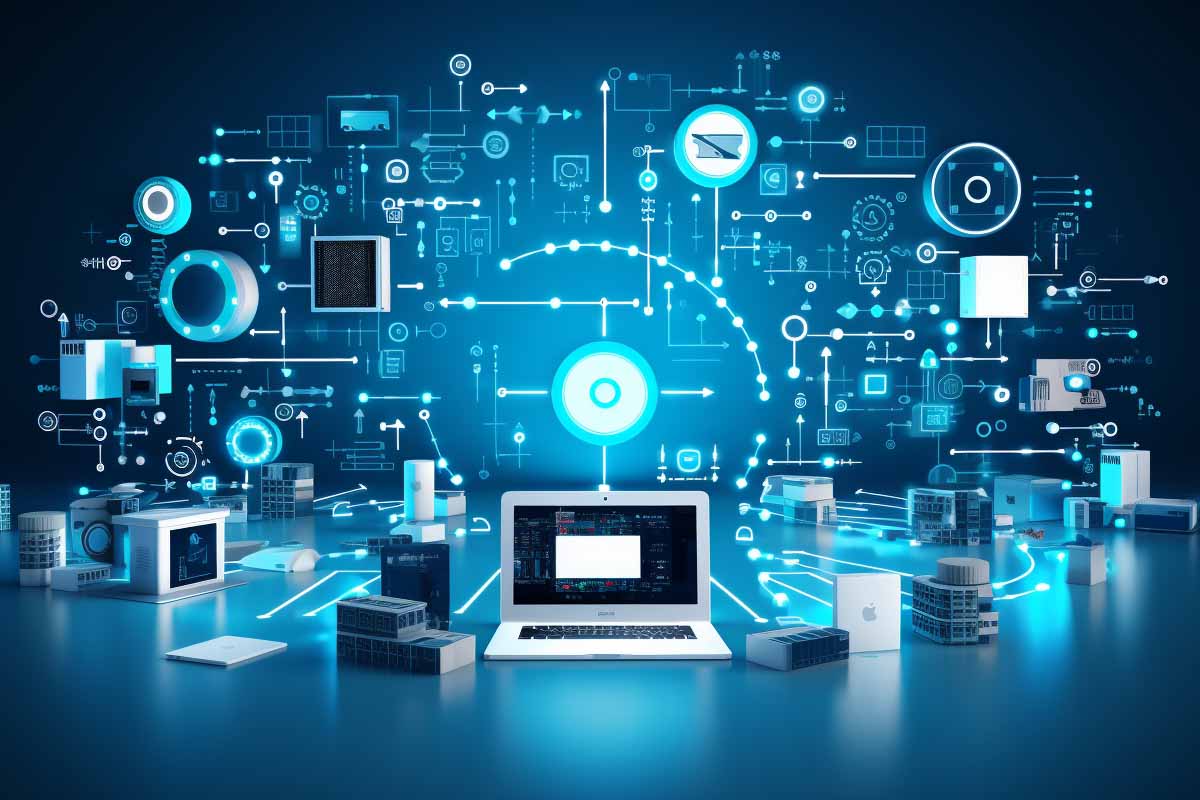
That “computer” on your desk is only part of the story. If you ask what does it mean for computers, the answer now includes phones, watches, vehicles, smart TVs, and cloud-connected services that do the heavy lifting behind the scenes.
The meaning shifted from people who did calculations by hand to electronic machines, and then to devices that are always connected, always updating, and often partly dependent on remote systems. That shift matters because it changes how we buy, use, secure, and even define technology.
This article breaks down the history of the word computer, the core functions that make something a computer, and why modern devices no longer fit the old desktop-only definition. It also explains cloud storage, programming, and the difference between general-purpose and specialized systems.
What Does It Mean for Computers?
The phrase what does it mean for computers is often used in searches when people are trying to understand whether a device, system, or service actually qualifies as a computer. The short answer is simple: a computer is a machine that accepts input, processes data according to instructions, stores information, and produces output.
That definition covers a lot more than a PC. A phone running navigation software, a car managing fuel injection, and a smart thermostat adjusting temperature based on sensor data are all performing computing functions. The difference is not whether they compute. The difference is how general-purpose or specialized they are, and how much of their work happens locally versus through a network.
That is why the phrase a computer is a programmable data-processing system is still useful, even if the device looks nothing like a tower and monitor. It keeps the definition focused on function, not appearance. For a practical technical baseline, NIST’s general definitions and cybersecurity guidance are useful context, especially when systems are networked and data-driven: NIST.
Computers are defined by what they do, not what they look like. If a device can accept instructions, process data, and produce useful results, it belongs in the computing family.
The Historical Evolution of the Word “Computer”
The word computer originally referred to a person, not a machine. A computer was someone hired to perform calculations, often by hand, for astronomy, engineering, finance, navigation, and scientific research. These human computers were essential because large-scale math was too time-consuming and error-prone for one person working alone.
In astronomy, for example, teams of human computers calculated planetary positions, orbital paths, and star charts. In engineering, they solved equations for bridges, buildings, and ballistic trajectories. The work was repetitive and demanding, but it was also critical. Accuracy mattered because one wrong digit could throw off an entire project.
Mechanical calculators eventually took over many of these tasks. Then came early electromechanical machines and, later, electronic computers. As the machines became more capable, the word shifted from describing a job role to describing a device. That shift was gradual, but it fundamentally changed how people thought about information processing.
This history matters because it explains why the definition is still about calculation, transformation, and output. The modern computer inherited the purpose of the human computer, but it expanded that purpose into almost every area of life. For workforce and computing-history context, the U.S. Bureau of Labor Statistics is a useful source for how computing roles evolved into modern IT occupations.
Why the old meaning still matters
Understanding the historical meaning helps avoid a common mistake: assuming a computer must be a personal device with a screen, keyboard, and mouse. That is not true. A backend server, industrial controller, and cloud-hosted virtual machine can all qualify as computers because they process data and follow instructions.
- Human computers performed calculations manually.
- Mechanical calculators reduced repetitive work.
- Electronic computers automated complex data processing.
- Modern connected systems distribute computing across devices and cloud services.
What Core Functions Make Something a Computer?
The classic model of computing is input, processing, storage, and output. That model is still the cleanest way to explain what is and is not a computer. A system takes in data, processes it using instructions, stores the data or results if needed, and sends something back to a user, another system, or an actuator.
Input can be a keyboard, touchscreen, sensor, barcode scan, GPS reading, or even a voice command. Processing happens in the CPU, GPU, microcontroller, or cloud service. Storage may be local flash memory, a solid-state drive, RAM, or remote storage. Output might be a display, sound, printed receipt, or physical action like opening a valve.
That is why something as simple as adding numbers on a calculator and something as complex as editing 4K video both count as computing. The complexity changes, but the structure is the same. A calculator processes data. A laptop processes data. A smart fridge processes data too.
Key Takeaway
If a device can be programmed to accept input, manipulate data, and produce output, it is functioning as a computer — even if it looks like an appliance, sensor, or vehicle component.
Programmability is the dividing line
Programmability is what separates many computers from simple electronic devices. A programmable device can change behavior by loading new instructions. A one-function device usually cannot. That is why a smart speaker, which can update skills, play music, answer questions, and control home devices, qualifies as a computer-like system while a basic electric fan usually does not.
For example, a phone can run a camera app, a banking app, a map app, and a video editor on the same hardware. The machine changes its purpose based on software. That flexibility is the hallmark of computing.
- Simple task example: A calculator adds 27 and 15.
- Moderate task example: A phone compresses and uploads a photo.
- Complex task example: A workstation renders a video project.
From Room-Sized Machines to Personal Devices
Early electronic computers were huge, expensive, and limited to governments, universities, and large businesses. They filled rooms, consumed significant power, and required specialized operators. Over time, transistor-based designs replaced bulky vacuum tubes, and integrated circuits packed more computing power into smaller spaces.
This miniaturization changed everything. Once computers became smaller, faster, and cheaper, they moved out of labs and into offices and homes. The rise of the personal computer turned computing into a general workplace skill rather than a highly specialized technical function. That shift is part of why the phrase computers meaning is broader now than it was 50 years ago.
Laptops pushed that change even further. A computer no longer had to live on a desk. It could travel to meetings, classrooms, airports, and job sites. That portability made computing feel less like machinery and more like a personal tool. It also set the stage for phones and tablets to absorb many of the same functions.
For hardware and platform evolution, official vendor documentation is the safest reference point. Microsoft’s platform docs at Microsoft Learn and Apple’s general product ecosystem are examples of how software and hardware now evolve together. The broader lesson is that computing power is no longer tied to one physical form factor.
Why miniaturization changed the definition
Once computing moved into small devices, people stopped asking whether something was a “real computer” based on size. That mindset no longer works. A smartwatch may be tiny, but it still processes data, stores information, syncs with other systems, and runs software updates.
- Large systems: Mainframes, servers, industrial control systems.
- Mid-size systems: Desktops, laptops, workstations.
- Small systems: Tablets, phones, wearables, embedded controllers.
Smartphones, Tablets, and Other Everyday Computers
Smartphones and tablets count as computers because they run operating systems, execute apps, connect to networks, and process data just like desktop machines. The only real difference is the interface and the design goals. They are optimized for mobility, battery life, and touch interaction rather than raw expandability.
Think about what a smartphone does in a single day. It handles email, authenticates logins, captures photos, runs maps, streams video, manages calendars, and stores documents. That is not a “light” computer. It is a general-purpose computing platform in a different shape.
Tablets sit in the same category. They are used for reading, sketching, note-taking, meetings, field work, and media consumption. Add a keyboard and cloud apps, and they can replace some laptop workloads. That does not mean they replace every desktop function. It means they are flexible enough to cover many common tasks.
Other everyday computers include gaming consoles, smart TVs, wearables, and smart home hubs. A gaming console is a specialized entertainment system, but it still has a processor, memory, storage, software, and network connectivity. A smart TV runs apps, streams content, and receives updates. A fitness watch captures biometrics and syncs data to cloud services. These are all computing devices in practical terms.
The line between computer and appliance is getting thinner. If a device can connect, update, and run software, it is part of the computing ecosystem whether or not the manufacturer labels it that way.
Where the keyword confusion comes from
People often search questions like what is ids mean, what is sdk mean, or what is mean by partition because computing terms are reused across different products and contexts. The same problem happens with “computer.” Many users think only of a laptop or desktop because that was the dominant form for years.
That is why clear definitions matter. A computer is not defined by the shell around it. It is defined by its ability to compute.
What Counts as a Computer in the Modern Connected World?
Internet connectivity changed computing from a standalone activity into a distributed one. Many devices now depend on remote authentication, cloud storage, streaming services, software updates, and online collaboration tools. That means the device in your hand may only be one piece of a much larger system.
For example, when you edit a document online, your local device displays the interface, but the file may be synced to remote storage in real time. When you stream a movie, your device does not store the entire file locally. It requests data chunks as needed. When you use a smart doorbell, video may be processed locally and sent to the cloud for alerts and sharing.
This matters because it changes what “the computer” really is. In many cases, the computer is not just the physical device. It is the device plus the remote service plus the account plus the network that connects them. That is a big reason the meaning of the term has expanded.
For connected system security and architecture, CISA and NIST Cybersecurity Framework offer practical guidance on how networked systems are managed and protected. That guidance becomes especially important once a “computer” depends on services outside the device itself.
Note
When a device relies on cloud services for login, storage, or processing, the local hardware may be only part of the computing experience. That changes performance expectations, backup strategy, and security planning.
Cloud Storage and the New Meaning of Data Storage
Cloud storage is one of the biggest reasons the definition of computer has expanded. Local storage means files live on the device itself, usually on a hard drive or SSD. Cloud storage means files are stored on remote servers and accessed over the internet. Most real environments use both.
The benefit is obvious: you can open a file from a laptop, phone, or tablet without manually copying it between devices. That makes backup simpler, sharing faster, and remote work far easier. For many people, the device is now just a window into their data rather than the only place where their data exists.
That expectation affects how users think about a computer’s physical storage. A smartphone with limited onboard space may still feel “complete” because photos, documents, and app data are synchronized to the cloud. A laptop with a small SSD can still handle a large workload because much of the content lives in remote services.
In business settings, cloud storage supports file versioning, disaster recovery, and collaboration. In personal use, it supports automatic photo backup, file sharing, and cross-device access. Microsoft’s cloud and file synchronization documentation on Microsoft Learn and AWS storage documentation at AWS are useful references for how modern data storage actually works.
Local storage vs cloud storage
| Local storage | Files stay on the device; access is fast, but data is tied to that hardware unless backed up elsewhere. |
| Cloud storage | Files are stored remotely; access is broader, sharing is easier, and backup is often more resilient. |
Why cloud storage changed user expectations
- Access anywhere: Open files from multiple devices.
- Backup by default: Reduce data loss from theft or hardware failure.
- Better sharing: Send a link instead of a large attachment.
- Smaller local footprint: Devices can work with less onboard storage.
Hardware, Software, and the Role of Programming
A computer is useful because of the relationship between hardware and software. Hardware is the physical part: processor, memory, storage, motherboard, display, keyboard, sensors, and network interfaces. Software is the instruction set that tells the hardware what to do.
Without software, hardware is inert. Without hardware, software has nowhere to run. The combination is what creates a usable system. This is also why programming matters so much. Programming allows one machine to do many jobs without changing the physical components.
Take a laptop. In one hour, it can run a spreadsheet, a video meeting, a code editor, and a browser with 20 tabs. Nothing physical changed except the tasks being executed. That flexibility is the core value of computers. They are not built for one purpose; they are built to be repurposed.
That is also why software updates matter. They do more than patch bugs. They can improve security, add features, support new hardware, and extend the usable life of the machine. In managed environments, update discipline is part of good IT hygiene. For a practical standards reference, OWASP guidance at OWASP helps explain software risks, while vendor documentation explains platform behavior.
Examples of hardware and software working together
- Camera app: Sensor captures light, software processes the image, storage saves the file, and the display shows the result.
- Navigation app: GPS provides location data, software calculates route options, and the screen and speaker provide guidance.
- Video playback: The processor decodes compressed media, memory buffers it, and the display renders it smoothly.
Specialized Computers vs. General-Purpose Computers
Not every computer is designed to do everything. General-purpose computers like desktops, laptops, and tablets can run many kinds of software and switch roles quickly. Specialized computers are built to perform one main task or a narrow set of tasks well.
Examples of specialized systems include ATMs, car engine controllers, industrial sensors, network appliances, and embedded devices in appliances. These systems still compute, but they usually do it within strict limits. Their software is customized, their interfaces are simplified, and their hardware is optimized for reliability, power efficiency, or real-time response.
Specialization is why computing has become invisible in so many products. Your car may use dozens of processors to manage braking, fuel, entertainment, and safety systems. Your printer has a computer inside it. Your router has one too. Even a thermostat may be running firmware, collecting sensor input, and making decisions based on programmed rules.
The distinction matters when you troubleshoot or design systems. A general-purpose PC can often be reconfigured for new software. A specialized device may require vendor firmware, strict compatibility, or replacement rather than modification. That difference is especially important in operations, compliance, and support.
How they compare
| General-purpose computer | Flexible, runs many applications, and can be repurposed for new tasks. |
| Specialized computer | Optimized for one job, often more reliable in that role, but less flexible overall. |
How the Definition of “Computer” Affects Everyday Life
The definition of computer affects how people buy devices, store files, troubleshoot problems, and set expectations for performance. If users think a computer only means a laptop, they may overlook the smart devices, cloud systems, and embedded controllers already shaping their day.
That misunderstanding can create practical problems. Someone may not realize their phone is a computer that needs updates and backups. A shopper may choose a tablet expecting it to behave like a desktop. A business user may assume files are “safe” because they are visible in an app, not realizing the real storage and recovery model depends on synchronization settings and cloud policy.
The definition also influences education and work. Schools now treat tablets, Chromebooks, and lab systems as computing tools. Employers expect workers to move between multiple devices, platforms, and services. Communication, entertainment, and banking all depend on devices that qualify as computers even when they look like consumer electronics.
For occupational context, the BLS Computer and Information Technology occupations page is a useful baseline for how broadly computing skills apply across roles. For practical support thinking, it helps to remember that speed, portability, privacy, and access all depend on how the computer is designed and connected.
Questions to ask before buying or using a device
- What tasks does it need to handle?
- Does it need local storage, cloud access, or both?
- Will it run the software I need?
- How often will it receive security updates?
- Can it back up data automatically?
Pro Tip
If a device uses apps, stores data, connects to a network, and receives software updates, treat it like a computer for planning, security, and backup purposes.
What Is an IDS Mean, What Is an SDK Mean, and What Is Mean by Partition?
These search phrases come up because computing language is full of terms that sound familiar but mean different things depending on context. IDS usually refers to an intrusion detection system, SDK means software development kit, and a partition is a separated section of storage or data structure.
Those terms matter because they all relate to how computers are defined and managed. An IDS monitors computer activity for suspicious behavior. An SDK provides tools that let developers build software for a computer platform. A partition divides storage so a single physical drive can behave like multiple logical areas.
This is another reason the meaning of computer has expanded. Once computing moved into phones, cars, homes, and cloud services, the vocabulary expanded with it. The machine is only one layer. The software, storage, network, and security layers matter just as much.
For security and architecture references, CISA, NIST, and vendor documentation from platform owners provide the best factual grounding for understanding those terms in real environments.
Conclusion
The word computer has moved a long way from its original meaning as a person who performed calculations by hand. Today it describes a programmable machine that processes data, stores information, and produces output — often as part of a larger network of devices and cloud services.
That broader definition explains why smartphones, tablets, gaming consoles, smart TVs, wearables, and embedded systems all count in the computing family. It also explains why cloud storage, software updates, and app ecosystems matter so much. A modern computer is rarely isolated. It is connected, synchronized, and constantly exchanging data.
If you understand that shift, you make better technology decisions. You choose devices based on function, not just form factor. You think about backup, security, compatibility, and access before a problem shows up. And you recognize that the term “computer” now covers much more than the box on a desk.
For IT professionals and everyday users alike, the real question is not whether something looks like a computer. The question is what it computes, how it connects, and where the data lives. That is the definition worth keeping in mind as the technology keeps changing around you.
CompTIA®, Microsoft®, AWS®, and NIST are referenced for informational purposes. Relevant trademarks belong to their respective owners.
