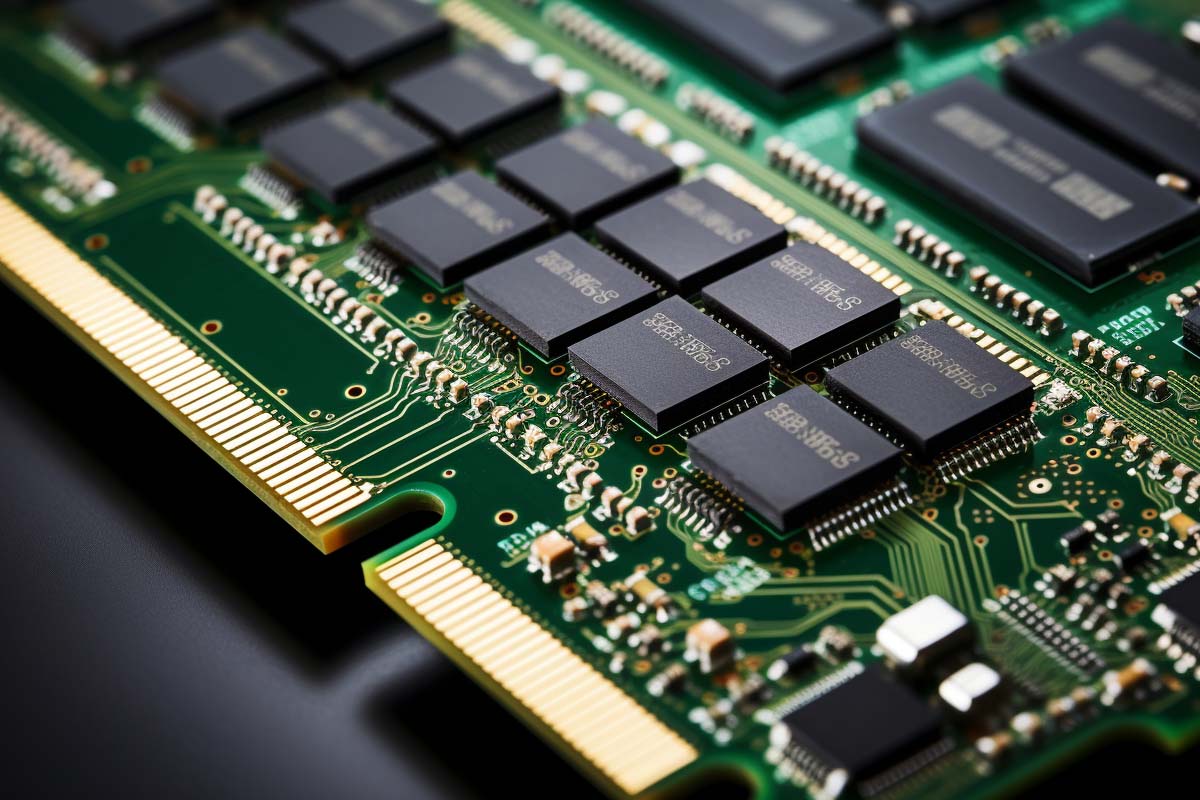
Choosing between 32GB DDR4 and DDR5 is not just a speed question. It is a decision about compatibility, total platform cost, and whether your current workload actually needs more bandwidth or just more capacity.
CompTIA A+ Certification 220-1201 & 220-1202 Training
Master essential IT skills and prepare for entry-level roles with our comprehensive training designed for aspiring IT support specialists and technology professionals.
Get this course on Udemy at the lowest price →Quick Answer
32GB DDR4 is usually the better value if you are upgrading an existing compatible system, building a budget-conscious PC, or prioritizing capacity over the newest platform. DDR5 is the better choice for new builds, higher bandwidth workloads, and longer upgrade paths. The right answer depends on motherboard support, CPU platform, and whether your work is limited by memory speed or memory size.
| Criterion | 32GB DDR4 | DDR5 |
|---|---|---|
| Cost (as of August 2026) | Usually lower total platform cost because DDR4 motherboards and kits are widely available | Usually higher total platform cost because DDR5 boards and compatible platforms can cost more |
| Best for | Upgrades, value builds, and systems that already support DDR4 | New builds, bandwidth-heavy workloads, and longer-term platform planning |
| Key strength | Strong price-to-capacity value and broad compatibility | Higher bandwidth, higher module density, and better future headroom |
| Main limitation | Lower bandwidth ceiling and less future-facing platform support | Higher cost and platform lock-in to DDR5-capable hardware |
| Verdict | Pick when you want the best value and simple upgrades. | Pick when you are building new and want the stronger long-term platform. |
| Primary buying question | 32GB DDR4 vs DDR5 |
|---|---|
| Typical DDR4 voltage | 1.2V standard as of August 2026 |
| Typical DDR5 voltage | 1.1V standard as of August 2026 |
| DDR4 architecture | 8n prefetch design as defined by JEDEC |
| DDR5 architecture | 16n prefetch design as defined by JEDEC |
| Compatibility | DDR4 and DDR5 are not interchangeable |
| Best upgrade logic | Value-first for DDR4, future-facing for DDR5 |
DDR4 vs DDR5: What Really Changes in Memory Performance, Compatibility, and Upgrade Value
If you are deciding between 32GB DDR4 and DDR5, the real question is not “which is newer?” It is whether the upgrade is fast enough, affordable enough, and compatible enough for the system you actually use.
That matters because memory generation changes affect more than raw speed. They change bandwidth, latency, power draw, motherboard choice, and the amount of money you spend to get the rest of the platform around it.
For gamers, creators, workstation users, and enterprise teams, the best choice depends on workload. A gaming PC that is CPU-limited may barely notice the switch, while a content creation or virtualization system can benefit from the extra capacity and bandwidth that newer memory standards bring.
Memory upgrades are only “faster” when the rest of the system can use that extra speed. If the CPU, motherboard, storage, or workload is the bottleneck, the expensive kit may not feel faster at all.
This guide breaks the decision down by performance, compatibility, and value. It also connects the choice to practical buying questions that come up in real builds, including whether to stay on DDR4, move to DDR5, or spend the budget somewhere else entirely.
Note
JEDEC is the standards body that defines the direction of DDR memory specifications. If you want the official baseline for DDR4 and DDR5 behavior, JEDEC is the reference point, not marketing sheets or motherboard box labels.
How Did DDR Memory Generations Evolve?
DDR memory is double data rate synchronous dynamic random-access memory, and each generation has addressed a different bottleneck. The jump from DDR1 to DDR2 and DDR3 focused on raising throughput. DDR4 made that mainstream for consumer and business systems. DDR5 pushes the architecture further to support higher densities and more demanding workloads.
That evolution lines up with how PCs are used now. Basic office work is no longer the main stress point. Systems now juggle browser tabs, video calls, cloud apps, local development environments, VMs, and media projects at the same time. Memory has had to grow beyond “enough to boot” and into a real performance component.
The practical shift is this: DDR4 became the default baseline for years because it was cheap, stable, and widely supported. DDR5 is not just a speed bump. It is an architectural step that supports more bandwidth per module and larger-capacity designs, which matters when a Memory subsystem is feeding modern applications that never stay idle.
Why the standard matters in real systems
Bandwidth is how much data memory can move over time, while latency is how long it takes to get the first data back. DDR generations improve both in different ways, but not at the same pace. That is why newer does not always feel dramatically faster in every application.
- DDR4 is still strong for mainstream desktops and value-focused upgrades.
- DDR5 is better aligned with higher-capacity, high-bandwidth systems.
- JEDEC sets the baseline behavior that hardware vendors build around.
- Platform support determines whether the memory is even an option.
For reference on how the broader IT job market values these skills, the U.S. Bureau of Labor Statistics continues to show strong demand across computer and IT roles as of August 2026. That matters because memory decisions are rarely isolated; they are part of how systems are built, supported, and scaled.
What Are the Core Technical Differences Between DDR4 and DDR5?
DDR4 and DDR5 differ in bandwidth, voltage, internal design, and capacity potential. DDR4 typically operates at 1.2V, while DDR5 typically operates at 1.1V. That lower voltage is one reason DDR5 is better suited to higher-density modules and sustained workloads.
The most visible difference is speed, but the more important change is how the memory moves data. DDR4 uses an 8n prefetch architecture, while DDR5 uses 16n prefetch. In plain English, DDR5 can queue and transfer more data per internal access, which raises throughput.
That does not mean DDR5 always feels twice as fast. It means the internal architecture is designed to feed the system more efficiently, especially when multiple programs, tabs, tasks, or large datasets are active at once. That is why the difference shows up more clearly in bandwidth-heavy workloads than in simple desktop use.
Pro Tip
Do not compare memory kits only by headline MHz. Check the full spec: speed, timings, capacity, motherboard support, and whether the platform can actually run the kit at its rated profile.
What changes on the box versus what changes in the system
The box often highlights the biggest number: frequency. The system experience depends on much more than that. A 16gb ddr4 ram speed upgrade may look modest on paper, but if it removes paging and swapping, the real-world gain can be huge. The same logic applies to DDR5: higher speed means little if your workload is already limited by CPU, GPU, or storage.
- On the box: you see speed ratings, timings, and capacity.
- In the system: you feel multitasking smoothness, fewer stalls, and less disk swapping.
- In the workload: you may gain more from capacity than from frequency alone.
For official platform guidance, compare vendor documentation such as Microsoft Learn for supported Windows hardware requirements or your motherboard vendor’s memory QVL. If you are studying hardware fundamentals, that same practical thinking is reinforced in IT support training, including the CompTIA A+ Certification 220-1201 & 220-1202 training path.
Why Doesn’t Faster Memory Always Feel Faster?
Latency is the delay before data starts moving, and bandwidth is the amount that can move once it starts. DDR5 often improves bandwidth more dramatically than it improves perceived responsiveness, which is why some users see the new generation as “not worth it.”
The key is that different applications stress memory differently. A game that is GPU-limited may not benefit much from faster RAM. A large video timeline, a virtualization host, or a browser session with dozens of tabs can benefit more because those workloads keep memory busier for longer.
DDR5 can sometimes have higher effective latency than well-tuned DDR4, especially when comparing early or entry-level configurations. That is why a lower-latency DDR4 kit can still feel snappy in certain desktop scenarios, while DDR5 shines in high-throughput workloads that move more data overall.
Where DDR4 can still feel better
- Competitive gaming on a budget, especially when the GPU or CPU is already the main limiter.
- General office work where responsiveness depends more on storage and CPU than memory bandwidth.
- Light content creation where project sizes are small and capacity is already sufficient.
Where DDR5 has a real advantage
- Large asset handling in photo, video, and 3D workflows.
- Multitasking across many active apps, VMs, and browser sessions.
- Bandwidth-sensitive workloads that keep data moving continuously.
The easiest mistake is assuming that the latest RAM standard automatically makes the PC feel faster in everything. In reality, the performance gain depends on whether the system is memory-bound, CPU-bound, or limited by something else entirely. That is the core reason the ddr4 vs ddr5 ram question needs a workload-based answer, not a spec-sheet answer.
Are DDR4 and DDR5 Compatible With the Same Motherboard?
DDR4 and DDR5 are not interchangeable. They require different motherboard support, and you cannot mix them in the same memory slot. If your board is built for DDR4, a DDR5 module will not fit or function correctly, and the reverse is also true.
This is where platform choice matters more than the memory stick itself. A DDR5 upgrade often means a new motherboard, and sometimes that also means a new CPU platform. That can turn a simple RAM purchase into a much more expensive build decision.
Before you buy, check three things: motherboard memory support, CPU compatibility, and BIOS maturity. Many users focus only on capacity and speed, then discover the platform does not support the kit they ordered. That is avoidable with a quick spec check.
Warning
Do not assume a “DDR5-ready” system supports every DDR5 kit equally. Some boards are more stable with certain speeds, ranks, or capacities, and BIOS updates can matter a lot for memory compatibility.
Upgrade paths that make sense
- Stay on DDR4 if the existing platform is working and the goal is value.
- Move to DDR5 if you are already replacing the motherboard and CPU.
- Choose capacity first if your current issue is paging, freezing, or memory pressure.
- Check the qualified vendor list before buying high-density kits.
For official hardware support guidance, use your motherboard vendor documentation and vendor operating system requirements pages from Microsoft Learn. For wider workforce and platform planning context, CISA and NIST remain useful references for secure system planning and configuration baselines as of August 2026.
How Does DDR4 vs DDR5 Perform in Real-World Use Cases?
Real-world performance depends on the workload, not the brochure. In some cases, DDR5 will feel clearly better. In others, the difference will be too small to justify the added cost of a platform swap.
Gaming is a good example. If your system is already GPU-limited at higher resolutions, memory changes may barely move frame rates. But if you play high-refresh competitive games where the CPU is doing more of the work, DDR5 can improve frame consistency and reduce small stutters.
Content creation is where DDR5 starts making more sense. Large projects in video editing, motion graphics, and 3D work move big assets through memory constantly. Faster bandwidth and higher-capacity support can reduce delays, especially when multiple apps are open at once.
Gaming
- Small gain when the GPU is the bottleneck.
- Moderate gain when the CPU is under heavy load and the game is memory-sensitive.
- Best value often remains 32GB DDR4 for midrange builds already on a DDR4 platform.
Content creation and professional workloads
- Video editing benefits from larger projects and smoother timeline handling.
- 3D rendering and asset-heavy workflows benefit from more memory headroom.
- Virtualization gains from both capacity and bandwidth because multiple guests can compete for memory at once.
Productivity and enterprise use
For office systems, analytics stations, and application-heavy desktops, the biggest improvement often comes from avoiding memory pressure. A machine with enough RAM feels more stable, launches apps faster, and swaps less often. That is why a larger DDR4 kit can outperform a smaller but faster DDR5 kit in practice.
The IBM Cost of a Data Breach Report and Verizon DBIR are not memory guides, but they reinforce a broader IT reality as of August 2026: system resilience and performance both depend on getting the platform foundation right. If memory is undersized, every other layer feels slower.
When Does Capacity Matter More Than Speed?
Capacity matters more than speed when a system runs out of usable memory under load. That is the point where Windows starts paging to disk, applications pause, and the machine feels much slower than the spec sheet suggests.
For many users, 32GB is the real sweet spot. It gives enough room for modern multitasking, browser-heavy workflows, and light-to-moderate creation work. For heavier users, 64GB or 128GB can matter far more than chasing a small frequency increase.
This is one reason the 32GB DDR4 vs DDR5 decision should be framed around workload size. A larger DDR4 kit may outperform a smaller DDR5 kit if the DDR4 system simply avoids swapping and memory exhaustion. Once memory pressure is gone, more bandwidth only helps if the application can use it.
Examples where size wins
- Large creative projects with multiple layered files or high-resolution media.
- Virtual machines where each guest OS needs dedicated memory.
- Data-heavy business apps that keep large datasets active in RAM.
- Development environments with containers, IDEs, and test services running together.
That is why some users should compare 32 gigs of DDR4 vs 16 gigs of DDR5 instead of assuming DDR5 wins by default. In many real systems, 32GB of the older generation will feel better than a smaller, newer kit because the machine is simply less constrained.
The BLS IT occupation outlook remains useful here because higher-end roles increasingly rely on systems that support heavier multitasking and data movement as of August 2026. As workloads grow, memory size becomes a practical performance tool, not just a spec number.
How Do Power Efficiency and Thermals Change the Decision?
Power efficiency matters because memory does not just affect your utility bill. It affects heat, stability, and how hard the system has to work to stay within thermal limits.
DDR5’s 1.1V standard is one reason it is better positioned for dense modules and sustained use. Lower voltage can help reduce heat output, which matters more in compact desktops, laptops, and servers than it does in an oversized tower with excellent airflow.
Thermals also become important as speeds and capacities climb. High-density memory modules running long workloads can generate more heat, especially when paired with cramped layouts or weak cooling. Stability problems often look like random crashes, but the root cause can be a memory subsystem running too hot or too aggressively tuned.
Where efficiency matters most
- Small-form-factor PCs with limited airflow.
- Laptops where battery life and heat are tightly controlled.
- Servers and dense workstations that run sustained workloads for hours.
If you are building for long sessions, lower voltage and better thermal headroom are not tiny details. They can mean more consistent performance under load and fewer stability issues after the system has been working for hours. That is one reason DDR5 is the more natural fit for demanding, always-on environments.
For security and operations teams, official hardening references from NIST and CISA are still the right starting point for broader system reliability planning as of August 2026.
How Much More Does DDR5 Cost Than DDR4?
Total platform cost is where DDR5 often loses on value. The memory kit itself may be only part of the difference. A DDR5 build can also require a more expensive motherboard and, in some cases, a newer CPU platform that increases the total bill.
That is why a simple sticker-price comparison is misleading. A 32GB DDR4 kit may be cheaper, but the real saving comes from staying on a compatible motherboard and avoiding a platform swap. DDR5 can be worth the premium if the build is new or if you plan to keep the machine for a longer cycle and want a better upgrade path.
As of August 2026, the value equation looks like this: DDR4 wins on total cost, while DDR5 wins on platform longevity. Which one matters more depends on whether you are buying for today’s performance or tomorrow’s compatibility.
| DDR4 value case | Best when you already have a compatible board and want the lowest-cost path to more usable RAM |
|---|---|
| DDR5 value case | Best when you are building new and can absorb the platform premium in exchange for better future support |
For salary and role context that affects enterprise buying decisions, see the Glassdoor Salaries database and PayScale as of August 2026. Both show how compensation and tool selection often track the complexity of the systems people manage. Budget decisions are rarely made in isolation from operational demands.
Who Should Stick with DDR4?
DDR4 is still the right choice for many users. It is not obsolete just because DDR5 exists. If your system is already built around DDR4 and it does what you need, upgrading within that ecosystem is often the smartest move.
Gamers on a budget are the clearest fit. A balanced system with enough RAM and a strong GPU often benefits more from staying within the existing platform than from paying extra for DDR5. Office users and casual creators are in the same bucket if their workloads are not pushing memory bandwidth or capacity limits.
DDR4 also makes sense when platform replacement costs would eat the budget. If moving to DDR5 means buying a new board, a new CPU, and new memory all at once, the performance gain has to be significant to justify the spend. In many systems, it is not.
- Best fit: Existing DDR4 systems that need more capacity.
- Best value: Budget builds and practical upgrades.
- Best outcome: Better multitasking without unnecessary platform replacement.
When DDR4 is the smarter buy
Pick DDR4 if the system is already supported, the workload is moderate, and you want the strongest cost-to-performance ratio. That is especially true if your current bottleneck is capacity, not speed. In that case, adding more RAM is more useful than paying for a newer generation.
For many users, the best answer is still 32GB DDR4, not because DDR5 is bad, but because the system does not need more than DDR4 can already provide.
Who Should Choose DDR5?
DDR5 is the better option when you are building new, need more bandwidth, or want a platform that will stay relevant longer. It is also the stronger choice when your workload keeps memory busy enough to benefit from the architectural gains.
Content creators, data-heavy professionals, and advanced multitaskers are the most obvious candidates. If you run virtual machines, edit large media files, or keep multiple resource-hungry apps open at once, DDR5’s higher throughput can improve consistency and reduce stalls.
New system builders should also consider DDR5 if the price gap is not extreme. If the motherboard and CPU already support it and the build budget can absorb the premium, DDR5 gives you more headroom for future upgrades. That matters when you want to avoid replacing the platform again too soon.
- Best fit: New builds with DDR5-native support.
- Best strength: Higher bandwidth and module density.
- Best use case: Heavier multitasking and longer platform life.
When DDR5 is worth the extra money
Choose DDR5 when the system is already in a new-platform purchase cycle and memory is not the only upgrade. The extra spend makes more sense when the rest of the build is designed to expose the benefit, such as a fast CPU, strong storage, and workloads that actually use the memory bandwidth.
That is why DDR5 is often the right answer for power users, but not automatically for everyone.
How Do You Decide Between DDR4 and DDR5?
The best DDR4 vs DDR5 decision starts with compatibility, then workload, then budget. If the system only supports one generation, the decision is already mostly made. If both are possible, the question becomes whether your workload benefits more from lower cost or more future headroom.
Use this checklist before buying:
- Confirm platform support. Check motherboard and CPU compatibility first.
- Identify the bottleneck. Determine whether you need more capacity, lower latency, or more bandwidth.
- Measure the upgrade scope. Decide whether you are replacing RAM only or the entire platform.
- Set the budget ceiling. Include motherboard and CPU costs, not just the memory kit.
- Match the workload. Prioritize capacity for heavy multitasking and bandwidth for large data movement.
Simple decision flow
- Value-first build: choose DDR4, especially if 32GB meets your needs.
- Capacity-first build: choose the memory generation that gives you the most usable RAM within budget.
- Future-facing build: choose DDR5 if the platform cost is acceptable and the system will stay in service longer.
For systems and support teams following structured training, this kind of decision-making is part of the practical hardware knowledge emphasized in IT support certifications and hands-on troubleshooting, including the CompTIA A+ Certification 220-1201 & 220-1202 training path offered by ITU Online IT Training.
What Are the Most Common Misconceptions About DDR4 and DDR5?
Newer does not always mean better. That is the biggest mistake people make when comparing DDR4 and DDR5. A newer standard can be the better engineering choice overall, but it is not always the best buying choice for a specific machine.
Another common misconception is that higher bandwidth automatically equals faster perceived performance. It does not. Some workloads are limited by latency, others by CPU speed, and some by storage. If your workstation is waiting on a slow SSD or an overloaded processor, faster RAM will not fix the real problem.
Compatibility is another overlooked issue. Memory generation is not a minor detail. It determines the entire platform path, including motherboard options, BIOS behavior, and the cost of future upgrades. That is why the decision has to be system-wide, not stick-wide.
The right RAM is the one that matches the workload and the platform, not the one with the newest label.
Finally, many buyers underestimate the value of simply having enough RAM. In practice, capacity often beats speed when the system is under pressure. A machine with enough memory feels faster than a faster kit that still runs out of space and starts paging to disk.
Key Takeaway
DDR4 still offers excellent value for upgrades and budget builds.
DDR5 delivers higher bandwidth, better density, and stronger future-facing platform value.
Compatibility decides the choice before speed does.
Capacity often matters more than raw frequency in real workloads.
The best answer depends on the whole system, not just the RAM kit.
CompTIA A+ Certification 220-1201 & 220-1202 Training
Master essential IT skills and prepare for entry-level roles with our comprehensive training designed for aspiring IT support specialists and technology professionals.
Get this course on Udemy at the lowest price →What Is the Practical Bottom Line for 32GB DDR4 vs DDR5?
If you want the shortest answer, here it is: pick 32GB DDR4 when value, compatibility, and immediate usability matter most; pick DDR5 when you are building new, need more bandwidth, or want the longer platform runway.
For many users, 32GB DDR4 is still the smart buy. It gives enough capacity for modern multitasking, usually costs less overall, and avoids the hidden expense of a platform replacement. For new builds or heavier workloads, DDR5 is the more forward-looking choice because it better matches how modern systems move data and scale capacity.
That is the real transition in memory technology. It is not about whether one generation is universally better. It is about whether the system you own, or plan to build, will actually benefit from the change.
Pick DDR4 when you want the best value and already have a compatible platform; pick DDR5 when you are building new, need higher bandwidth, or want a better long-term upgrade path.
CompTIA® and A+™ are trademarks of CompTIA, Inc.
