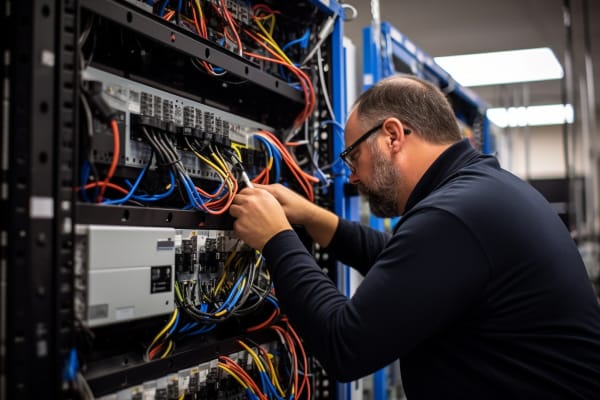
Computer Network Specialist: Role, Responsibilities, Skills, Career Path, and Impact in Today’s IT Landscape
Email stops delivering, VoIP calls start cutting out, cloud apps feel “slow,” and remote users can’t connect. When that happens, a computer network specialist is usually one of the first people expected to find the fault and restore service fast.
CompTIA N10-009 Network+ Training Course
Discover essential networking skills and gain confidence in troubleshooting IPv6, DHCP, and switch failures to keep your network running smoothly.
Get this course on Udemy at the lowest price →Quick Answer
A computer network specialist designs, maintains, monitors, and troubleshoots the systems that keep business connectivity working. The role covers switches, routers, Wi‑Fi, DNS, DHCP, VPNs, and firewalls, and it is critical in cloud-first and hybrid workplaces where outages quickly affect productivity, sales, and security.
Quick Procedure
- Identify the users, sites, and applications that are affected.
- Check basic connectivity, IP settings, and endpoint status first.
- Test DNS, DHCP, VPN, and authentication in that order.
- Review logs, alerts, and device health for congestion or failure.
- Isolate the fault to the endpoint, access layer, routing path, or service.
- Apply the smallest safe fix and validate restoration with live testing.
- Document the root cause, change made, and follow-up prevention steps.
| Primary Role | Designs, maintains, monitors, and troubleshoots business network connectivity |
|---|---|
| Core Systems | Switches, routers, wireless access points, VPNs, DNS, DHCP, and firewalls |
| Typical Work | Monitoring, configuration, incident response, documentation, and change validation |
| Common Title Variants | Network support specialist, network analyst, network administrator |
| Best Fit Environments | Cloud-first, hybrid, security-focused, and branch-connected organizations |
| Key Value | Reduces downtime, restores access quickly, and improves network reliability |
What Is a Computer Network Specialist?
A computer network specialist is the person who keeps an organization’s network usable, stable, and secure. That means monitoring traffic, fixing access problems, configuring devices, and making sure people can reach the services they need without interruption.
In plain terms, the job is a mix of support, monitoring, configuration, and problem-solving across network infrastructure. A specialist may troubleshoot a failed switch port in the morning, review firewall rules after lunch, and validate VPN access for remote workers before the day ends.
The services behind the scenes are familiar: routers move traffic between networks, switches connect local devices, wireless access points handle mobile access, DNS translates names into addresses, DHCP assigns IP settings, VPNs create secure tunnels, and firewalls enforce policy. When one of those pieces breaks, users usually just say “the network is down.”
Most network incidents are not “one big failure.” They are usually a small configuration problem, a dependency issue, or a device reaching its limit at the worst possible time.
Job titles vary by organization. One company may call the role a network support specialist, another may use network analyst, and a larger shop may fold it into the Network Administrator function. The title matters less than the work: keeping connectivity stable, reducing downtime, and recovering quickly when something goes wrong.
Why the role matters to the business
Network outages affect far more than IT tickets. They interrupt email, collaboration tools, cloud applications, payment systems, and customer support. A computer network consultant may be asked to improve a branch office connection, but the real business outcome is fewer disruptions and faster access for users.
That business value is why the role appears in both operations and project teams. It is not just about fixing problems. It is about making sure the network can support the way the business actually works.
For readers searching for ccs meaning in work or rto work meaning, job-title confusion is common. “CCS” can mean different things in different companies, and “RTO” usually refers to return-to-office in workplace discussions, not a networking term. That is why you should always read the job description instead of relying on the title alone.
What Does a Computer Network Specialist Do Day to Day?
The daily work of a computer network specialist usually alternates between monitoring, troubleshooting, and preventive maintenance. On a quiet day, the focus is on dashboards, device health, and scheduled changes. On a bad day, it becomes fast incident response and restoration.
According to the U.S. Bureau of Labor Statistics, computer support and networking-related roles remain operationally important because organizations depend on working systems to keep employees productive. That operational dependence is what keeps this job relevant across industries.
Typical day-to-day tasks
- Monitoring alerts for congestion, packet loss, failed links, or device outages.
- Reviewing trouble tickets and user reports to identify the real source of the issue.
- Checking logs, interface counters, and uptime reports for trends.
- Applying routine changes, such as firmware updates or configuration adjustments.
- Validating access control settings and reviewing exceptions.
- Updating incident notes, network diagrams, and escalation documentation.
The strongest specialists do not guess early. They work from symptoms outward: first the user, then the endpoint, then the switch or wireless path, then the routed network, and finally the service dependency. That habit prevents wasted time and bad fixes.
Note
Many “network” tickets are actually DNS, DHCP, VPN, or authentication failures. The fastest resolution usually comes from checking dependencies before changing network hardware.
Daily documentation matters more than many beginners expect. Clear notes shorten escalations, help the next technician, and create a usable history when the same problem comes back three weeks later. A computer network operator who documents well is usually faster over time than one who relies on memory.
What Responsibilities Does a Computer Network Specialist Handle Across the Network Lifecycle?
A computer network specialist is involved in the network lifecycle from planning through recovery. The work is not limited to keeping lights on. It also includes helping design what the network should do, then maintaining it after deployment.
This is where the role overlaps with operations, architecture, and security. In smaller teams, one person may cover all of it. In larger environments, the specialist feeds data into the network administrator, engineer, or security team so changes can be controlled and predictable.
Design and implementation support
During design, the specialist helps think through segmentation, capacity, redundancy, and access requirements. For example, a new warehouse site may need separate VLANs for scanners, guest Wi‑Fi, and corporate devices so traffic stays organized and policy stays enforceable.
During implementation, they configure devices, validate connectivity, and confirm that services such as DNS, DHCP, and authentication resolve correctly. A change is not complete when the config is saved; it is complete when users can actually work.
Operations, incident response, and security
Operational work includes performance tuning, uptime tracking, and bottleneck detection. If a branch site is slow only at 9 a.m., the cause may be congestion, not hardware failure. If a wireless floor has intermittent drops, the issue may be signal design or roaming behavior rather than the access points themselves.
Incident response is equally important. Using NIST Cybersecurity Framework principles such as identify, protect, detect, respond, and recover, many teams treat network incidents as structured events rather than ad hoc fire drills. That discipline improves recovery time and reduces repeat outages.
Security-related responsibilities are now built into day-to-day networking. Access reviews, firewall rule validation, secure remote access, and least-privilege thinking are no longer separate topics. They are part of keeping a network trustworthy.
What Skills Does a Computer Network Specialist Need?
The strongest computer network specialist is not just someone who knows device names. The role requires enough technical depth to understand how traffic moves, why it fails, and how one service depends on another.
The best candidates also understand that network problems rarely appear in a clean sequence. A slow application may be caused by switching, routing, wireless interference, a DNS lookup delay, or a cloud dependency outside the local office. Good troubleshooting means testing those layers in order.
Networking fundamentals
TCP/IP is the protocol suite that makes modern networking work, and packet flow is the basis of almost every diagnosis. If you do not understand how IP addressing, routing, and subnet boundaries affect traffic, troubleshooting becomes guesswork.
- Subnetting helps divide networks logically and control broadcast scope.
- VLANs separate traffic for security, performance, and administration.
- NAT translates internal addresses to external ones for internet access.
- Routing decides where traffic goes between networks.
- Switching connects devices within the local network and handles frame forwarding.
Wireless knowledge matters too. Signal strength, channel overlap, AP placement, and roaming behavior can create “network” complaints that are really radio-frequency problems. A computer network consultant who understands Wi‑Fi troubleshooting can often solve issues that endpoint support cannot touch.
Service and security knowledge
Many issues that look like network outages are service failures. DNS resolution errors can make a healthy application look dead. DHCP problems can leave a device without a valid address. VPN failures can block remote staff from reaching internal systems. Authentication issues can make access seem broken even when the transport path is fine.
Security basics are just as important. Firewalls, secure remote access, and least privilege matter because the network is also a policy boundary. A specialist who understands Access Control will make fewer mistakes when changing rules, opening ports, or validating exceptions.
For formal role expectations, the CompTIA Network+ certification overview is a useful benchmark for the skill areas employers commonly expect. ITU Online IT Training also aligns this kind of work with practical troubleshooting in the CompTIA N10-009 Network+ Training Course.
What Tools and Technologies Do They Use?
Tool choice depends on the environment, but the categories stay consistent. A network specialist needs visibility, testing tools, change tracking, and device management systems. Without those, troubleshooting turns into trial and error.
Cisco and other vendors provide device interfaces, command-line access, and management portals that let teams inspect health, push changes, and confirm status. On the cloud side, vendor documentation such as Microsoft Learn is often the best reference for platform-specific networking behavior.
Common tool categories
- Monitoring dashboards for uptime, latency, jitter, loss, and interface utilization.
- CLI utilities such as ping, traceroute, ipconfig, nslookup, and netstat for quick diagnostics.
- Ticketing systems for incident tracking, escalation, and resolution history.
- Configuration tools for routers, switches, wireless controllers, and firewalls.
- Documentation tools for diagrams, change records, and handoff notes.
Monitoring is most useful when it tells you whether a problem is local, upstream, or service-related. For example, if latency spikes only on one switch and not across the site, the problem may be hardware or a bad port. If everything at a site is slow, the issue may be the WAN link, ISP, or upstream routing.
Good tooling does not replace judgment. It shortens the time between “something is wrong” and “we know where the fault lives.”
How Does Troubleshooting Work in Real-World Scenarios?
Troubleshooting is the heart of the job. A computer network specialist usually starts with impact, then narrows the fault methodically until the problem is isolated. That process is more reliable than jumping straight to the most obvious device.
The reason is simple: network failures often stack. A user may report a slow cloud app, but the real issue could be Wi‑Fi signal degradation, DNS delays, or an authentication timeout that only appears under load. Strong troubleshooters rule out one layer at a time.
A practical troubleshooting sequence
-
Identify the scope. Determine whether the issue affects one user, one floor, one site, or the whole organization. A broad outage points to infrastructure or upstream service trouble, while a single-user complaint often starts at the endpoint.
-
Check basic connectivity. Verify the device has a valid IP address, gateway, and DNS settings. Commands like
ipconfig /allon Windows orip addrandip routeon Linux can quickly expose obvious configuration errors. -
Test service order. Check DNS first, then DHCP, VPN, and authentication. If DNS fails, users may say “the internet is down” even though the path is up. If DHCP is broken, devices may show self-assigned addresses and fail to reach anything meaningful.
-
Review logs and telemetry. Look for interface errors, congestion, dropped packets, wireless retries, or firewall denials. When a pattern appears in logs and dashboards, it usually points to a layer where the fix belongs.
-
Make the smallest safe change. Restarting a service, correcting a VLAN assignment, or adjusting a firewall rule is better than changing three things at once. Smaller changes are easier to verify and easier to roll back.
-
Validate restoration. Confirm that the original symptom is gone, then test for stability over time. A fix is only real if the user can work again and the problem does not return in the next monitoring window.
Warning
Do not assume the most recent change caused the outage. Correlation is useful, but verification is what prevents bad rollback decisions and unnecessary downtime.
This is also where documentation becomes part of troubleshooting. If the same site reports repeated access failures, logs and ticket history may reveal a pattern tied to a bad switch stack member, stale DHCP scope, or unstable wireless coverage.
How Does a Computer Network Specialist Compare With Related IT Roles?
Job titles in networking overlap a lot, which is why many candidates search for the wrong role and still find a match. The safest way to compare them is by focus: maintenance, analysis, design, or broad operations.
| Network Administrator | Focuses heavily on operational maintenance, user access, device configuration, and daily reliability. |
| Network Analyst | Spends more time on monitoring, performance review, data analysis, and incident investigation. |
| Network Engineer | Usually handles architecture, larger changes, design work, and more advanced implementations. |
A computer network specialist often sits between support and administration. In one company, the title may mean first-line network support. In another, it may mean the person who owns switch configs, VPN setup, and wireless troubleshooting. Title inflation is common, so reading the responsibilities is more useful than reading the header.
If you are applying for roles, use the duties as your filter. If the posting emphasizes routing, switching, troubleshooting, and service restoration, it is likely a good fit even if the title does not say “specialist.” If it emphasizes architecture and major redesigns, the role may be closer to network engineer.
How Are AI and Automation Changing the Role?
Automation is removing some repetitive work from the job, but it is not replacing the need for skilled people. A computer network specialist still has to decide whether an alert matters, what changed, and what to do next.
Routine device checks, alert correlation, and ticket triage are increasingly handled by scripts and AI-assisted monitoring tools. That is good news for busy teams because it reduces noise. It also means the specialist’s value shifts toward interpretation, escalation, and problem analysis.
What changes in practice
- Alert reduction through smarter correlation of related events.
- Faster anomaly detection when machine learning spots patterns humans miss.
- Less repetitive checking for device reachability and interface state.
- More decision-making around whether an alert is real or just noisy.
- Greater need for policy tuning so automated responses do not create new issues.
The risk is overreliance. Automated systems can produce false positives, miss context, or overreact to short-lived conditions. A good specialist knows when to trust the tool and when to verify the underlying evidence.
That shift matches broader industry guidance from the World Economic Forum and workforce frameworks such as the NICE Framework, both of which emphasize analytical skills, cross-functional coordination, and continuous learning. The job is moving away from repetitive execution and toward judgment.
What Career Paths Lead From This Role?
Many people enter the field through help desk, desktop support, or junior network support work. That path makes sense because it builds exposure to tickets, users, and the kinds of problems that show up in real environments.
From there, the usual growth path goes toward network administrator, network analyst, network engineer, or infrastructure-focused work. The exact progression depends on team size, business complexity, and how much independence the employer gives the role.
Common advancement routes
- Network administrator for hands-on operational ownership.
- Network analyst for monitoring and performance-focused work.
- Network engineer for design and larger implementation work.
- Cybersecurity for access control, firewalls, and network defense.
- Systems administration for broader server, identity, and platform support.
- Cloud operations for hybrid and SaaS-dependent environments.
What separates an early-career specialist from an advanced one is usually scope. A junior person can follow a runbook and solve common faults. A senior person can isolate multi-layer problems, handle change windows, and explain the business impact clearly to stakeholders.
Projects help a lot. People who document well, communicate clearly, and can work across network, security, and systems teams usually move faster. That is especially true in hybrid environments where the line between local infrastructure and cloud services is blurred.
What Is the Salary and Employment Outlook for a Computer Network Specialist?
The outlook stays solid because organizations cannot function without reliable connectivity. Even as cloud services shift where systems are hosted, the need for people who can keep access, performance, and recovery under control does not go away.
According to the BLS, computer support specialists had a median annual wage of $60,810 as of May 2024, with employment projected to grow 6% from 2023 to 2033 as of September 2024. That is not a glamorous headline, but it is steady demand backed by operational necessity.
What affects compensation
- Experience and the ability to work independently.
- Industry, especially finance, healthcare, and managed services.
- Region and local labor-market pressure.
- Scope, including hybrid, cloud, and security responsibilities.
- Certifications and demonstrated troubleshooting depth.
Skills that combine networking with security, cloud, and automation usually improve marketability. Employers value people who can support a network and explain why a change is safe, not just carry out a checklist. Salary benchmarks from sources like Robert Half and PayScale consistently show that broader technical scope tends to lift pay.
If you are comparing roles, think beyond title. A “specialist” at a small company may do more than an “engineer” at a large one. The work and the responsibility level matter more than the label.
How Does This Role Support Business Continuity and Security?
A computer network specialist supports business continuity by keeping critical systems reachable when people need them most. If sales cannot reach the CRM, support cannot access ticketing, or staff cannot use collaboration tools, the company loses time and money immediately.
Reliable networking also helps with recovery. When an incident happens, the fastest organizations are the ones with clear diagrams, known dependencies, and people who understand what should happen next. That is where disciplined network work pays off.
Security and continuity are connected
Network access is now a major security boundary. If remote access, segmentation, firewall policy, or authentication is weak, attackers can move more easily. If those controls are too rigid or poorly designed, employees get blocked and business slows down.
That is why the role matters in CISA-style resilience thinking and in frameworks such as ISO 27001, where access control, change management, and monitoring all support operational trust. A good specialist makes the network harder to break without making it hard to use.
Hybrid work increases that pressure. More branches, more SaaS applications, more VPN use, and more identity dependencies mean more opportunities for small problems to become visible to the whole business. The specialist sits in the middle of that complexity.
Where Does the Role Fit in Cloud-First and Hybrid Environments?
In cloud-first organizations, the network no longer ends at the office perimeter. Users connect from homes, branches, airports, and mobile devices, while applications may live in SaaS platforms, public clouds, or private data centers. That expands the job dramatically.
Support now includes local infrastructure, internet dependencies, identity systems, and cloud-hosted services. A fault may sit in the LAN, the WAN, the ISP, the VPN gateway, the identity provider, or the application itself. The specialist has to understand those dependency chains.
Why hybrid makes the role more important
- Visibility becomes harder because traffic moves across more domains.
- Documentation matters more because dependencies multiply quickly.
- Change management becomes critical when local and cloud changes interact.
- Secure access patterns matter more as zero-trust thinking spreads.
- Resiliency planning must account for branches, SaaS, and remote users together.
In these environments, a computer network specialist often works closely with identity, cloud, and security teams. That collaboration is not optional. A routing change, a firewall rule, or a VPN policy can affect application access even when the application team never touched the service.
What Habits Make a Strong Computer Network Specialist?
Technical skill gets you into the role. Habits determine whether you become consistently valuable. The strongest specialists are methodical, clear in communication, and disciplined about validation.
Methodical troubleshooting means resisting the urge to jump to the first likely cause. Strong communication means translating technical findings into business language, especially when executives only want to know impact and timeline. Attention to detail keeps small configuration mistakes from becoming expensive outages.
Habits that separate strong from average
- Test before changing so you know what is actually broken.
- Document every change so later troubleshooting has a trail.
- Confirm the fix with real user behavior, not just a green status light.
- Watch for patterns instead of treating every ticket as unique.
- Keep learning because devices, policies, and cloud integrations change constantly.
The best specialists are curious without being reckless. They know the difference between exploring a cause and introducing a new outage. That balance is what makes the role sustainable over time.
Key Takeaway
- A computer network specialist keeps connectivity working across switches, routers, Wi‑Fi, DNS, DHCP, VPNs, and firewalls.
- Most troubleshooting succeeds when you check users, endpoints, services, and network paths in a fixed order.
- Cloud and hybrid environments make documentation, visibility, and change control more important than ever.
- AI and automation reduce repetitive work, but human judgment still decides whether a fix is safe and complete.
- Strong habits like methodical diagnosis, clear documentation, and business-focused communication accelerate career growth.
CompTIA N10-009 Network+ Training Course
Discover essential networking skills and gain confidence in troubleshooting IPv6, DHCP, and switch failures to keep your network running smoothly.
Get this course on Udemy at the lowest price →Conclusion
A computer network specialist is essential because modern organizations run on reliable connectivity. When the network fails, work slows, revenue can stall, and support teams get buried in tickets. When the network is healthy, most people barely notice it—which is exactly the point.
The role combines technical depth, troubleshooting discipline, and day-to-day operational responsibility. It also connects directly to security, business continuity, and the realities of cloud-first and hybrid work.
AI, automation, and remote access are changing the job, but they are not removing the need for skilled network professionals. They are raising the bar. The specialists who understand fundamentals, communicate clearly, and adapt quickly will keep finding strong opportunities.
If you are building toward this career, focus on the basics first: TCP/IP, routing, switching, wireless, DNS, DHCP, VPNs, and security. Then practice real troubleshooting. That is the work employers trust, and it is the work ITU Online IT Training prepares learners to handle with confidence.
CompTIA®, Network+™, Cisco®, Microsoft®, NIST®, and CISA® are trademarks of their respective owners.
