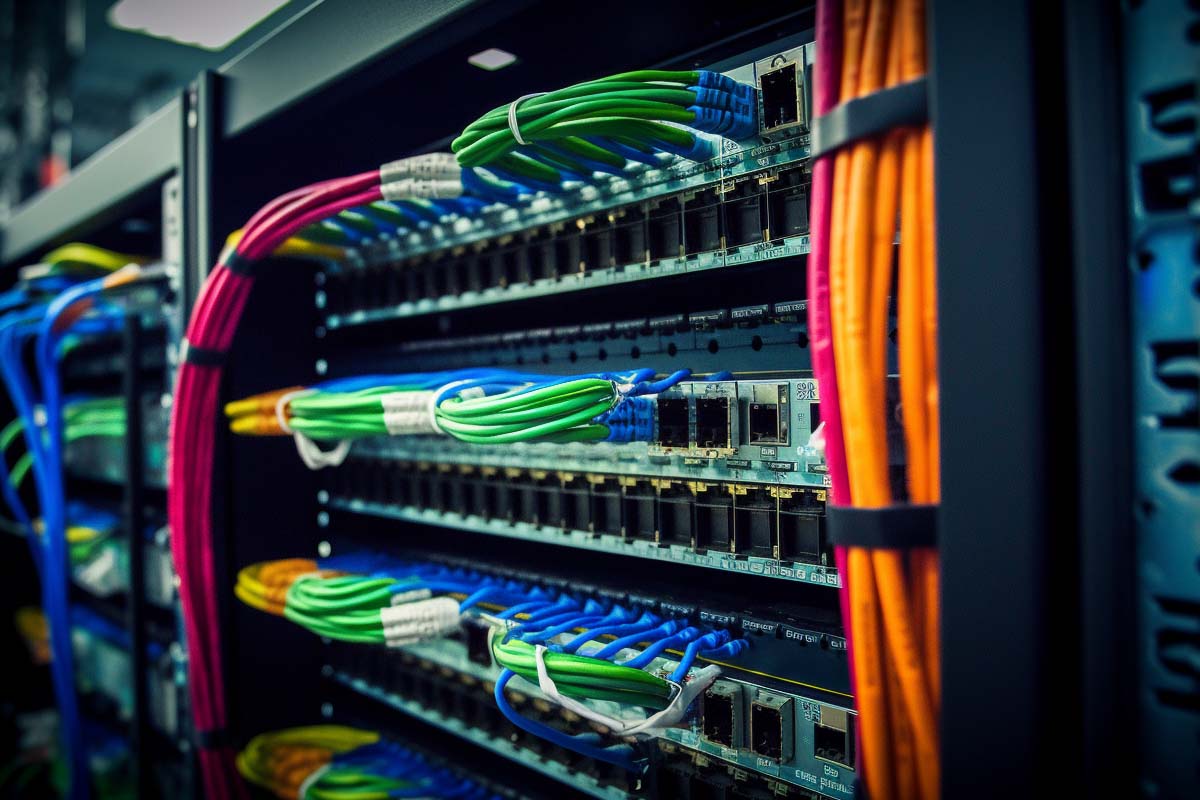
When a user reports a dead wall jack, the real problem is often not the switch. It is the cable path in the rack, the labeling, or a patch cord that no one documented. A clean patch panel in networking turns that mess into something technicians can trace in minutes instead of hours.
CompTIA N10-009 Network+ Training Course
Discover essential networking skills and gain confidence in troubleshooting IPv6, DHCP, and switch failures to keep your network running smoothly.
Get this course on Udemy at the lowest price →Quick Answer
A patch panel in networking is a passive termination point that centralizes permanent cabling, making it easier to label, test, rewire, and troubleshoot connections without touching in-wall or overhead cable runs. Used correctly, it improves network organization, speeds up moves/adds/changes, and supports more reliable operations in offices, server rooms, and data centers.
Definition
A patch panel is a passive termination device that gathers permanent network cabling in one labeled location and presents each cable run as an accessible port. It does not process traffic; it supports structured cabling, easier troubleshooting, and cleaner moves, adds, and changes.
| Primary Function | Passive cable termination and cable organization as of October 2026 |
|---|---|
| Common Port Counts | 24, 48, and 96 ports as of October 2026 |
| Best Use Case | Structured cabling in offices, server rooms, and data centers as of October 2026 |
| Traffic Handling | Does not forward packets; that is the job of a switch as of October 2026 |
| Typical Media | Copper and fiber as of October 2026 |
| Operational Benefit | Faster troubleshooting, clearer documentation, and easier expansion as of October 2026 |
What Is a Patch Panel and Why Does It Matter?
A patch panel is a central termination point for permanent cabling. Instead of running every desk, printer, camera, or access point directly to active equipment, technicians land the horizontal cable on the panel and use short patch cords to connect it to a switch.
That matters because cable infrastructure changes, but walls and ceilings should not have to be reopened every time the network changes. A patch panel reduces disruption during moves, adds, and changes, which is exactly why it belongs in structured cabling rather than being treated like optional rack filler.
In practical terms, the panel gives IT staff one predictable place to look when a jack fails. If a user says, “My network port is dead,” the technician can trace the wall outlet, identify the matching panel port, test the line, and isolate the issue faster. That is a huge gain in Network Reliability.
Good cabling does not make headlines when it works, but it saves hours every time someone moves a desk, replaces a phone, or reassigns a workstation.
This is also where the CompTIA N10-009 Network+ Training Course becomes relevant. If you are studying modern networking, patch panels are one of the basic physical-layer concepts you need to understand before troubleshooting switches, IPv6 endpoints, or DHCP issues.
For the broader cabling and switching concepts behind this topic, vendor and standards references are useful. BICSI covers structured cabling practices, while Cisco® documents how access-layer switches attach to physical infrastructure in enterprise networks.
How Does a Patch Panel Work?
A patch panel in networking works by separating the permanent cable plant from the active network gear. The permanent cable run is terminated on the rear of the panel, and the front of the panel is used for short patch cords that connect to switches, voice gateways, or other active devices.
- The endpoint is cabled. A wall jack, access point, camera, printer, or workstation outlet is connected back through in-wall or overhead cabling.
- The cable lands on the rear of the patch panel. On a copper panel, that usually means punch-down termination, often with T568A or T568B pinout consistency.
- The port is labeled and documented. Each port should map to a room, desk, device, or location so technicians can identify it instantly.
- Short patch cords connect the front of the panel to active gear. The switch sees the same endpoint, but the patch cord is now the easy-to-change part.
- Changes happen without disturbing the permanent run. If a desk moves or a device is replaced, only the front-end patching changes.
The major advantage is accessibility. The back of a patch panel consolidates dozens of cable runs that would otherwise be hidden in walls, ceilings, or trays. That makes the network easier to maintain and much easier to test.
In a simple office example, a finance desk is moved from one side of the floor to the other. Without a patch panel, the cable path can become a mystery. With a patch panel, a technician checks the label, moves the patch cord on the front of the rack, and restores service quickly.
Pro Tip
Always document both sides of the connection: the wall jack and the matching patch panel port. A label on only one end is not enough when you are standing in front of a crowded rack at 5 p.m.
For how this fits into broader Network Management, the goal is consistency. Standards from TIA and ISO/IEC 27001 both reinforce the value of controlled infrastructure, documentation, and repeatable maintenance processes.
How Does a Patch Panel Improve Day-to-Day IT Operations?
A patch panel improves day-to-day operations by turning cable chaos into a mapped, serviceable system. It does not make the network faster by itself, but it makes the network much easier to support, and that directly affects uptime.
- Faster moves, adds, and changes. IT staff can repatch at the rack instead of pulling new cable.
- Cleaner troubleshooting. A dead port can be isolated to the panel, patch cord, switch, or permanent run.
- Better labeling discipline. Each port can be tied to a specific endpoint or room.
- Less accidental downtime. Technicians are less likely to unplug the wrong cable in a crowded rack.
- Improved handoffs. A well-documented panel lets a second-shift tech pick up where the first one left off.
That operational discipline is not just a nice-to-have. It supports the kind of practical troubleshooting covered in many Network+ environments, especially when you are tracing connectivity problems across physical cabling, switches, and endpoint devices.
Patch panels also reduce wear on expensive active gear. Instead of repeatedly moving switch ports or reterminating permanent cable runs, the front-facing patch cords take the daily abuse. That is a small detail, but over time it saves labor and reduces mistakes.
If you are comparing infrastructure quality across sites, the difference is easy to spot. One closet has labeled ports, clean cable dressing, and a documented map. Another has unlabeled cords draped across equipment. The first team resolves incidents faster because the system itself helps them.
Patch Panel vs. Switch: What Is the Difference?
A patch panel organizes and terminates cable. A switch forwards network traffic. Those are not interchangeable roles, even though they often sit next to each other in the same rack.
| Patch Panel | Passive termination point for cable management, labeling, and endpoint mapping |
|---|---|
| Switch | Active device that learns MAC addresses and forwards Ethernet frames between ports |
A patch panel does not assign IP addresses, route packets, filter traffic, or improve bandwidth on its own. If someone asks whether a patch panel can “speed up the network,” the correct answer is no. Its value is structural, not electrical or logical.
The switch, on the other hand, is the device that actually creates a functional Ethernet access layer. That is why confusion between the two causes bad troubleshooting. If a technician blames a switch for a cable map problem, the real issue can go unfixed for hours.
This also explains one of the common exam-style questions in entry-level networking: a technician determines that an older network hub that connects 24 workstations is performing poorly due to excessive network collisions. Which of the following network devices would be the best replacement? Answer: a switch, not a bridge, patch panel, or router. That question tests understanding of traffic handling, not cable organization.
For packet forwarding fundamentals, Cisco’s switching documentation is a better reference than any cabling guide. For termination best practices, patch panel installation guides from cabling vendors and standards bodies are more relevant. Both matter, but for different reasons.
Note
If you are troubleshooting a “dead port,” do not assume the patch panel is broken. Check the patch cord, the switch port, the wall jack, and the termination before replacing hardware.
What Are the Main Types of Patch Panels?
The right patch panel depends on the media type, port density, and the environment you are supporting. A small office does not need the same panel strategy as a high-density data center.
Copper Patch Panels
Copper panels are the most common choice for Ethernet runs. Cat5e, Cat6, and Cat6a panels should align with the cabling in the building so performance ratings remain consistent from end to end.
- Cat5e patch panels are common in older installations and basic gigabit environments.
- Cat6 patch panels fit many modern office deployments and support higher noise tolerance than Cat5e.
- Cat6a patch panels are a better choice when you want stronger support for 10GBASE-T over longer horizontal runs.
Fiber Patch Panels
Fiber patch panels are used when backbone links, uplinks, or high-speed interconnects need orderly termination. They are common in data centers, MDFs, and environments where fiber trunking is the right physical layer for distance or bandwidth.
Fiber management is more sensitive than copper because bend radius, connector cleanliness, and polarity matter more. That is why fiber panels often use adapter plates, splice trays, and careful routing hardware.
Port Density and Form Factor
Port count should match both current usage and future growth. A 24-port panel works well in small closets. 48-port or larger layouts are better when you expect fast growth or already have dense equipment racks.
- 24-port: good for smaller environments with limited rack space
- 48-port: useful for floor closets and mid-size deployments
- 96-port: appropriate where density and consolidation matter
For media standards and structured cabling planning, consult Fluke Networks test guidance and TIA cabling references. Those sources help validate that the panel choice matches the physical layer design.
Why Are Patch Panels Necessary in Structured Cabling?
Patch panels are necessary when you want a maintainable network, not just a working one. A direct cable from every outlet to every switch port might function in a very small setup, but it becomes unmanageable quickly as the number of endpoints grows.
That is the key reason people ask, are patch panels necessary? In a production environment, the answer is usually yes, because they reduce labor, simplify documentation, and prevent permanent cabling from being repeatedly disturbed.
- They protect permanent cabling. The horizontal run stays put while patch cords change.
- They simplify expansion. New users, devices, and rooms can be connected without rewiring the building.
- They improve troubleshooting. Technicians gain a central place to test and isolate faults.
- They support accountability. Each port can be documented, labeled, and audited.
That said, a patch panel is only useful if the environment has discipline. A panel with no labels and no documentation can become just as confusing as unmanaged cabling. The hardware is simple; the process is what makes it valuable.
This is why network operations teams, MSPs, and internal IT groups all rely on the same basic approach: terminate cleanly, label consistently, and keep an updated map. That process is easier to defend during audits and easier to maintain when staff changes.
For an outside view on why clean infrastructure matters, the NIST Cybersecurity Framework emphasizes asset visibility, protective controls, and resilience. While it is not a cabling standard, it supports the same operational principle: you cannot manage what you cannot clearly identify.
How Do You Label and Document a Patch Panel Correctly?
Good labeling is the difference between a useful patch panel and an expensive guessing game. Every front port should map to a known endpoint, and that mapping should be consistent across diagrams, asset records, and physical labels.
- Use a consistent naming convention. Include floor, closet, rack, panel, and port where helpful.
- Label both ends of the run. The wall jack and panel port should reference each other.
- Document patch cords separately from permanent cabling. The front-facing connections can change often.
- Keep records where technicians can find them. Store maps in a shared repository or network documentation system.
- Update changes immediately. A labeling system that is updated “later” usually becomes inaccurate.
For example, a label like 2A-TR1-P01-24 may tell an experienced team exactly where that run terminates. Another team may prefer something simpler, such as Floor 2, Telecom Room 1, Panel 1, Port 24. The exact format matters less than the consistency.
Documentation should also include the front-panel patch cord path, especially if a switch stack or redundant pair is involved. When troubleshooting later, the technician needs to know not just where the cable terminates, but what active port it is plugged into right now.
This is also where the back of a patch panel deserves attention. If the back of a patch panel is crowded, unlabeled, or poorly dressed, the front labels do not save you. A clean front with a chaotic rear is still a bad installation.
Warning
Do not rely on memory for port mapping. If one person “just remembers” where everything goes, the documentation is already broken.
What Should You Watch for During Installation Planning?
Installation planning determines whether the panel helps or hurts over time. A patch panel should be easy to reach, easy to read, and easy to service without crushing cables or blocking airflow.
Placement in the rack matters. Put the panel where techs can patch and inspect it without removing other equipment. Leave space for cable management accessories such as horizontal managers, brush panels, and vertical organizers.
- Maintain bend radius. Do not force copper or fiber cable into tight turns.
- Avoid strain. The rear terminations should not be pulling against the cable jacket.
- Keep airflow clear. Dense racks can trap heat if cable bundles block exhaust paths.
- Reserve expansion space. Spare rack units reduce future rework.
Termination quality is another non-negotiable. A sloppy punch-down, an untidy strain relief, or a partially seated module can create intermittent faults that are hard to reproduce. Those problems are expensive because they look random until they are traced carefully.
A practical rule is simple: if the rack already feels crowded during installation, it will be painful six months later. Leave enough slack for service loops, but not so much that the rear of the cabinet becomes a nest of unused cable.
For physical layer validation, test after installation. A cable certification tool such as those used with Fluke Networks can verify wire map, length, and performance, which is far more useful than discovering a bad termination during production hours.
How Do Patch Panels Help With Troubleshooting?
A patch panel speeds up troubleshooting because it gives technicians a clear breakpoint in the cabling path. That breakpoint makes it possible to isolate whether the problem is in the endpoint, the patch cord, the switch port, or the permanent cable run.
One common workflow is to start at the wall jack, then move to the panel, then check the switch. If the link fails at the wall but tests clean at the panel, the fault is likely in the horizontal run. If the patch panel port works with a known-good patch cord, the issue may be the original patch cable or the switch port.
- Check the endpoint device. Is the NIC enabled and link lights active?
- Swap the patch cord. A bad cord is cheap and common.
- Test the patch panel port. Verify the termination and continuity.
- Check the switch port. Confirm VLAN assignment, speed/duplex, and link status.
- Trace the permanent cabling. Use a toner, mapper, or certifier if needed.
This approach is especially useful when a user reports intermittent connectivity. Intermittent faults often come from loose terminations, bad patch cords, or unlabeled changes made during a previous maintenance window. The panel gives you a place to narrow the search instead of guessing across the whole building.
Patch panels also help when you need to answer the classic exam-style scenario: a technician determines that an older network hub that connects 24 workstations is performing poorly due to excessive network collisions. Which of the following network devices would be the best replacement? Answer a switch. That kind of question tests whether you can distinguish physical cable organization from Layer 2 traffic handling.
For troubleshooting methods and endpoint diagnostics, the Microsoft Learn networking documentation and Cisco support resources are useful references for link behavior, switch configuration, and access-layer checks.
Where Are Patch Panels Used Most Often?
Patch panels show up anywhere cable changes are frequent and uptime matters. The exact priority changes by environment, but the core value stays the same: centralize the cabling, label it, and make it serviceable.
Offices
In office environments, patch panels support desk moves, printer swaps, conference room changes, and access point replacements. The goal is simplicity. A clean panel means less disruption when people move seats or departments reorganize.
Server Rooms
In server rooms, visibility and density matter most. Equipment changes often, and the rack can fill up fast. A patch panel keeps port mappings readable and makes it easier to trace server uplinks, storage connections, and management interfaces.
Data Centers
In data centers, patch panels are part of the control layer that keeps cabling serviceable at scale. High port density, structured labeling, and disciplined cable routing reduce mistakes when thousands of connections are involved.
These environments use the same fundamentals, but with different operational pressure. Offices favor flexibility. Server rooms favor clarity. Data centers favor density and repeatability. The patch panel adapts to all three because the design principle is the same: make the physical layer easier to control.
For facility and uptime practices, the ANSSI and NIST both emphasize controlled infrastructure and documented change management in secure environments. Those principles apply directly to cabling governance, even when the standard is not specifically about patch panels.
What Mistakes Should You Avoid With Patch Panels?
The most expensive patch panel mistakes are not technical; they are organizational. A panel can be installed correctly and still become a maintenance problem if the team treats it casually.
- No labeling plan. Unlabeled ports are effectively unusable during emergencies.
- Inconsistent mapping. If one closet uses room numbers and another uses random abbreviations, troubleshooting slows down.
- Poor termination quality. Bad punch-downs create intermittent failures that are hard to isolate.
- Overstuffed racks. Crowded cabinets make future changes risky.
- Mixing cable types carelessly. Copper and fiber each need the right hardware and handling.
- Skipping documentation updates. The panel is only as good as the records behind it.
Another common mistake is treating the front of the panel as the whole story. Technicians often tidy the visible side, but leave the back of the patch panel tangled, unsupported, or mislabeled. That eventually causes problems when a cable must be reterminated or traced after a failure.
There is also a financial cost to skipping structure. The network may work on day one, but every later change costs more because someone has to rediscover what should already have been documented. That is how small mistakes become recurring operational debt.
For organizational best practices, the ISACA® governance mindset is relevant even outside audit-heavy environments: control, traceability, and documentation reduce risk and effort over time.
How Do You Choose the Right Patch Panel for Your Network?
Choose the patch panel that fits the cabling design, not just the lowest price. A cheaper panel that does not match your media, density, or maintenance process can cost more in labor than it saves in hardware.
- Match the cable category. Make sure the panel supports the copper or fiber infrastructure you are deploying.
- Pick the right density. A panel should fit the rack layout and leave room for growth.
- Decide between copper, fiber, or both. Many environments need a mix of the two.
- Consider the team’s workflow. If technicians need easy moves and frequent changes, choose a layout that supports fast documentation and access.
- Plan for expansion. The correct choice now should still work when the network grows next year.
Also consider the environment. A small office closet may need simple 24-port copper panels and basic cable management. A university lab or branch server room may need a mixture of copper and fiber panels with more careful labeling and larger port counts.
If your team struggles with physical troubleshooting, the right panel can be a training aid as much as a hardware choice. Students in the CompTIA N10-009 Network+ Training Course often learn that solid cable infrastructure makes every downstream network task easier, from switch validation to endpoint testing.
For cost and vendor-neutral standards references, IEEE and TIA remain useful sources when matching the panel to the broader cabling design. If you are buying for production use, always verify connector type, performance class, and rack compatibility before purchasing.
What Are Real-World Examples of Patch Panels in Use?
Patch panels are not theoretical. They are used every day in offices, campus networks, and enterprise data centers to keep wiring manageable and serviceable.
Office Access Point Replacement
An office replaces a ceiling-mounted wireless access point. The technician traces the old AP drop to the patch panel, disconnects the old patch cord, and reconnects the new AP’s port to the correct switch port. The replacement takes minutes because the cabling path is already mapped.
Conference Room Reconfiguration
A conference room is redesigned with a new display, VoIP phone, and collaboration appliance. Instead of pulling new cable through the building, the IT team repurposes panel ports and updates the documentation. The move is faster because the permanent cabling stays in place.
Data Center Server Migration
A server is moved to a different rack row for power balancing. The patch panel makes it possible to identify the correct uplink, adjust the patch cord, and validate the new path without disturbing the building cabling. In dense environments, that kind of control is essential.
These examples share the same pattern: the patch panel keeps the fixed infrastructure fixed, while the changeable parts stay changeable. That separation lowers risk every time a technician touches the rack.
For operational guidance on resilient infrastructure, the CISA and NIST Cybersecurity Framework both support the broader principle of visibility, control, and recoverability. Patch panels are one of the simplest ways to apply those principles physically.
Key Takeaway
- A patch panel in networking is passive and exists to organize, terminate, and expose permanent cabling for easier management.
- The switch forwards traffic; the patch panel does not. They solve different problems and are usually used together.
- Labeling and documentation matter more than hardware alone because an unlabeled panel creates the same confusion as unmanaged cabling.
- Patch panels improve troubleshooting and scalability by keeping the fixed cable plant separate from the changing patch cords.
- Office, server room, and data center deployments all benefit when the rack is designed for clarity, airflow, and future growth.
CompTIA N10-009 Network+ Training Course
Discover essential networking skills and gain confidence in troubleshooting IPv6, DHCP, and switch failures to keep your network running smoothly.
Get this course on Udemy at the lowest price →Conclusion
A patch panel in networking is one of the simplest tools in the rack, but it has an outsized effect on how well a network can be managed. It does not speed traffic, route packets, or replace a switch. What it does is make the physical layer understandable, traceable, and far easier to maintain.
If you want cleaner organization, faster troubleshooting, easier expansion, and fewer cable mistakes, patch panels are not optional in serious environments. They are a core part of structured cabling and a practical requirement for any team that deals with frequent moves, adds, and changes.
The strongest installations follow the same pattern: choose the right panel, label everything clearly, document the mappings, and keep the rack organized. That is how you build a network that is easier to support over time.
If you are building your networking foundation, review the cabling and switching concepts in the CompTIA N10-009 Network+ Training Course, then apply them in the field. The goal is not just to make the network work today. It is to make it easy to support next month, next year, and during the next unexpected outage.
ISACA® and Cisco® are registered trademarks of their respective owners. CompTIA® and Network+™ are trademarks of CompTIA, Inc.
