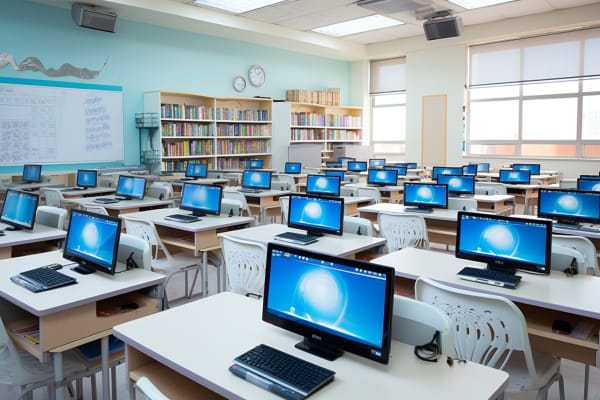
Unlocking Learning Potential: Best Technology for the Classroom
School leaders and teachers do not need more gadgets. They need the best technology for the classroom that makes lessons clearer, helps students stay engaged, and cuts down on wasted time. The right classroom tools can improve advantages of technology in education by supporting instruction, personalization, feedback, and access without adding unnecessary complexity.
EU AI Act – Compliance, Risk Management, and Practical Application
Learn to ensure organizational compliance with the EU AI Act by mastering risk management strategies, ethical AI practices, and practical implementation techniques.
Get this course on Udemy at the lowest price →Quick Answer
The best technology for the classroom is the toolset that improves learning outcomes without creating more friction. In practice, that usually means interactive displays, student devices, a learning management system, assessment tools, accessibility features, and classroom management software chosen around instructional goals, not brand names or features alone.
This guide focuses on practical, current, classroom-ready technology choices that teachers can actually use. If you are comparing options, the real question is simple: which tools genuinely improve outcomes without adding complexity?
| Primary decision | Choose tools that reduce friction for teachers and students |
|---|---|
| Best classroom categories | Interactive displays, student devices, LMS, assessment, accessibility, and monitoring |
| Core benefit | Better clarity, engagement, differentiation, and instructional efficiency |
| Common risk | Too many disconnected tools and weak implementation |
| Implementation priority | Start with instructional goals, then match the tool |
| Freshness focus | Privacy, AI-assisted learning, hybrid readiness, and device management as of September 2026 |
| Criterion | Interactive Displays and Smart Boards | Laptops, Tablets, and Student Devices |
|---|---|---|
| Cost (as of September 2026) | Higher upfront hardware and installation cost | Scales from low-cost shared carts to full 1:1 programs |
| Best for | Whole-class instruction, annotation, and live demonstrations | Research, writing, collaboration, coding, and independent work |
| Key strength | Turns passive lessons into shared participation | Gives each student a direct digital workspace |
| Main limitation | Can become teacher-centric if used only as a presentation screen | Requires device management, charging, filtering, and support |
| Verdict | Pick when you need better whole-class visibility and interaction. | Pick when students need frequent hands-on digital work. |
The Digital Shift in Today’s Classroom
The classroom has moved from one-directional lecture delivery to interactive learning that mixes live instruction, student practice, and digital review. That shift matters because students do not all process information at the same pace, and teachers need tools that support both the whole group and the individual learner.
Blended learning is the model that combines face-to-face teaching with digital resources, and it is now a practical classroom standard rather than a special program. A teacher can introduce a concept on an interactive display, assign a short video for at-home review, and use a shared document or quiz platform to check understanding the next day.
- Live instruction: Teachers can annotate diagrams, show examples, and model problem-solving in real time.
- At-home review: Students can revisit slides, recordings, and notes when they need more repetition.
- Flexible pacing: Faster learners can extend, while struggling learners can receive guided support.
- Collaboration: Shared documents and discussion spaces make group work more visible and accountable.
Technology works best in education when it supports instruction instead of competing with it.
This is why reliability and simplicity matter as much as features. A tool that promises advanced capabilities but takes ten minutes to load, crashes during class, or confuses students will hurt learning more than it helps. The most effective classrooms use technology to make good teaching easier, not to replace teaching.
For schools evaluating broader digital readiness, the same logic applies to governance and risk. The NIST Cybersecurity Framework is a useful reference point for thinking about secure, dependable classroom systems, especially where student data and connected devices are involved.
Why Classroom Technology Matters More Than Ever
Classroom technology matters because it strengthens clarity, engagement, and feedback in ways that traditional materials cannot always match. A well-designed digital lesson can combine visuals, audio, annotation, and interactive prompts so students see the concept, hear the explanation, and practice immediately.
That matters most for complex material. A science teacher can use a simulation to show molecular behavior, while a math teacher can annotate each step of a worked example and then push a quick quiz to check who understood the method. In both cases, the lesson becomes more visible and easier to correct in real time.
One of the strongest benefits of technology for students is differentiated instruction. Different learners can work at different speeds, review materials privately, and access supports such as captions or text-to-speech. The result is not just convenience. It is a more responsive classroom where one lesson can reach more students.
- Clarity: Visuals, screen annotation, and multimedia reduce ambiguity.
- Engagement: Polls, quizzes, and simulations keep students active instead of passive.
- Efficiency: Digital submission and instant feedback shorten the grading cycle.
- Adaptability: Teachers can adjust instruction based on live data, not guesswork.
Note
The U.S. Department of Education continues to emphasize equitable access, digital literacy, and meaningful use of education technology. For policy context and implementation guidance, review the U.S. Department of Education Office of Educational Technology and the BLS Education, Training, and Library Occupations overview for workforce context as of September 2026.
Technology is most effective when it reduces friction for both teachers and students. If a tool saves five minutes every class period, gives quicker feedback, and makes learning easier to access, it is doing real work. If not, it is just adding another login.
What Are the Best Technology Tools for the Classroom?
The best classroom tools usually fall into a few high-impact categories: display technology, student devices, learning management systems, assessment tools, collaboration platforms, accessibility tools, content creation software, and classroom management systems. The strongest schools do not buy every product in each category. They build a tech stack that matches their teaching model and budget.
Interactive Displays and Smart Boards
Interactive displays are touch-enabled screens that let teachers write, move objects, show videos, and manipulate lesson content directly on the board. They replace passive lecture delivery with hands-on participation, which is why they are one of the most visible advantages of technology in education.
Common uses include live annotation, drag-and-drop exercises, multimedia lessons, and collaborative brainstorming. A history teacher can mark up a map in front of the class, while a kindergarten teacher can drag vocabulary images into categories during a warm-up. The board becomes a teaching tool, not just a projection surface.
- Compared with projectors: Interactive displays are brighter, more durable, and more responsive.
- Compared with whiteboards: They preserve content digitally and support richer media.
- Main setup factors: Room size, viewing angles, power, connectivity, and mounting height.
Teachers should avoid turning the board into a presentation-only device. If the board is being used only to display slides, it is probably underused. The best practice is to build short interaction points into the lesson: label the diagram, sort the answers, solve one problem together, then move on.
For schools evaluating hardware reliability and classroom readiness, vendor documentation matters. See Apple Education and Lenovo Education for examples of classroom device planning and deployment guidance, as of September 2026.
Laptops, Tablets, and Student Devices
Student devices are the workhorses of digital learning. They support research, writing, coding, note-taking, reading, editing, and collaboration, and they make it possible for every student to produce work rather than only consume it.
Schools usually choose between one-to-one device programs and shared device carts. One-to-one programs give each student direct access and are better for daily digital routines. Shared carts cost less up front, but they require more scheduling and can slow down instruction if device access becomes a bottleneck.
- One-to-one: Best for writing-heavy subjects, digital assessments, and consistent home-school continuity.
- Shared carts: Best for lower-frequency use, pilot programs, or budget-constrained schools.
- Must-have controls: Charging, updates, filtering, app management, and repair workflows.
- Current considerations: Battery life, keyboard quality, accessibility features, and platform compatibility.
Device management becomes critical as soon as student hardware enters the classroom. Teachers need clear routines for charging, storage, logins, and when devices are allowed. Without those routines, the class can spend more time fixing technology than using it.
Pro Tip
Build a simple “devices out, devices down, devices closed” routine and use it consistently. Good routines reduce off-task behavior more effectively than repeated reminders.
Learning Management Systems and Digital Classrooms
A learning management system (LMS) is a platform for organizing assignments, materials, announcements, grades, and student communication in one place. It is one of the clearest advantages of using technology in education because it reduces paper chaos and creates a predictable workflow.
An LMS supports hybrid learning, homework collection, and family communication. Students can find what they missed, submit work online, and check due dates without asking three different people. Teachers can post modules, rubrics, discussion boards, and calendars that keep the class aligned.
- Organization: Lessons, files, and assignments stay in one place.
- Consistency: Every class can follow the same submission and feedback model.
- Visibility: Students and families can see deadlines and progress.
- Scalability: One course structure can be reused and refined each term.
If you are new to digital course management, start small. Post one weekly module, one assignment workflow, and one discussion activity before trying to redesign the whole course. Teachers who move too fast often create more confusion than improvement.
For platform guidance, use official documentation such as Microsoft Learn and the Google Classroom product information pages, as of September 2026.
Assessment and Feedback Tools
Assessment tools let teachers check understanding in real time through quizzes, polls, exit tickets, and short written responses. That immediate visibility is valuable because waiting until the end of a unit often means missing the chance to correct misunderstandings early.
Low-stakes quizzes are especially useful because they reveal who understands the concept without creating high pressure. A teacher can ask three or four questions mid-lesson, spot a misconception, and reteach immediately. That shortens the feedback loop and improves retention.
- Check understanding during the lesson.
- Identify which students or groups need support.
- Reteach or extend based on the data.
- Use patterns to plan the next lesson.
Good assessment data can show patterns across a class and within student groups. If half the class misses the same question, the issue is likely instructional. If only a few students miss it, the issue may be prerequisite skills, attention, or language support.
Fast feedback is not a luxury in education. It is how instruction stays responsive enough to matter.
For assessment design and item quality, the U.S. Department of Education and the ETS research resources are useful reference points for evidence-based testing practices as of September 2026.
How Does Technology Improve Engagement and Differentiation?
Technology improves engagement by giving students something to do with the content, not just something to look at. A poll, drag-and-drop sorting activity, or shared annotation task forces students to process the lesson actively, and that is where learning sticks.
It also supports differentiation by making multiple paths through the same content possible. One student can read, another can listen, and another can complete a scaffolded practice path. That flexibility is central to modern classroom design and one reason the advantages of technology in education continue to expand across grade levels.
Collaboration and Communication Tools
Collaboration tools are shared workspaces that let students build something together, comment on each other’s work, and track group progress. Shared documents, discussion platforms, and messaging tools make teamwork visible and easier to manage.
These tools are useful for peer review, shared notes, group projects, and problem-solving activities. They also support remote or hybrid participation when a student is absent or working asynchronously. The key is to set clear norms so collaboration does not turn into chaos.
- Use-case examples: Shared lab reports, group presentations, peer editing, and class debates.
- Best practices: Assign roles, define deadlines, and require a final individual reflection.
- Digital etiquette: Students should know when to comment, how to cite sources, and how to disagree respectfully.
Communication with families also improves when teachers have one reliable place to send updates. Deadlines, announcements, and permission forms are easier to track when they are not buried in paper handouts or multiple message threads.
Accessibility and Assistive Technology
Accessibility tools make learning more inclusive by removing barriers that prevent students from accessing content fully. Text-to-speech, speech-to-text, captions, translation, screen readers, and display adjustments help students participate without requiring separate equipment in every case.
Built-in accessibility features are especially valuable because they are already present on many school devices. A student with reading difficulty can use text-to-speech, while another student can dictate a response instead of typing. These options support reading, writing, attention, and communication in practical ways.
- Text-to-speech: Helps students process long passages and review independently.
- Speech-to-text: Supports drafting for students who struggle with typing.
- Captions: Improve access for hearing-impaired students and second-language learners.
- Translation tools: Reduce language barriers for multilingual classrooms.
Key Takeaway
Universal design is the better model. When classroom technology is accessible by default, more students benefit without needing a separate accommodation for every task.
That is also where policy and ethics matter. The Americans with Disabilities Act and the NIST accessibility and digital guidance help schools think about inclusive design and secure technology use as of September 2026.
Content Creation and Multimedia Tools
Multimedia tools let teachers and students create presentations, videos, podcasts, digital posters, and interactive projects. Creation deepens learning because students have to organize, synthesize, and explain what they know instead of repeating it back on a worksheet.
This is where the Multimedia glossary concept fits naturally: combining text, audio, images, and video helps students demonstrate understanding in more authentic ways. A student who makes a screencast explaining a math problem or a video summary of a novel often reveals more understanding than a multiple-choice quiz would show.
- Screencasting: Useful for explaining steps, modeling software use, or reviewing lessons.
- Presentation design: Good for summarizing research with visuals and citations.
- Audio recording: Helpful for oral fluency, reflection, and podcast-style projects.
- Video editing: Strong for storytelling, lab demonstrations, and project-based learning.
Teachers should keep rubrics simple and focused on learning goals. If the project is about science understanding, grade the science first. Polished graphics should not outweigh weak content.
Classroom Management and Monitoring Tools
Classroom management tools help teachers maintain attention, reduce off-task behavior, and manage device-based workflows. Features like screen monitoring, device locking, attendance, timers, and activity dashboards can save instructional time when used transparently.
These tools are helpful during independent work, tests, research sessions, and group projects. They are less helpful when used as silent surveillance. Students are more likely to respond positively when teachers explain why a tool is being used and what behavior is expected.
- Helpful uses: Monitoring task completion, sharing directions, and redirecting off-task browsing.
- Risk areas: Excessive monitoring, unclear expectations, and overuse during every lesson.
- Best practice: Pair monitoring with clear routines and visible classroom norms.
Teachers should also maintain a backup plan. If Wi-Fi drops or a platform fails, the lesson should continue with printed materials, offline discussion, or a quick analog activity.
How Do You Choose the Best Technology for Your Classroom?
You choose the best classroom technology by starting with instructional goals, not product features. The right tool improves engagement, comprehension, efficiency, accessibility, or assessment in a way that you can actually observe.
This is the same logic schools should use when thinking about the advantages of virtual lan technology in networked environments: the technology matters only if it serves a clear operational purpose. In the classroom, the goal is not technical novelty. The goal is better teaching and better learning.
Decision Criteria That Actually Matter
Several factors can flip the recommendation between two good tools. A feature-rich platform may look appealing, but a simpler option often wins when teachers need reliability and speed.
| Ease of use | Teachers and students should learn the tool quickly without long setup time. |
|---|---|
| Reliability | The tool should work consistently during class, not just in demos. |
| Integration | It should fit with the LMS, device ecosystem, and existing classroom routines. |
| Training needs | Good tools still fail if staff cannot use them confidently. |
| Cost | Total cost includes licenses, support, devices, and replacement cycles. |
Before scaling a tool, pilot it with one class or one grade level. Measure whether it improves completion rates, student participation, or teacher workload. If the answer is unclear, do not expand it yet.
How to Build a Practical Classroom Tech Stack
A practical classroom tech stack is a small, well-integrated set of tools that work together without creating extra management overhead. The best stacks usually include a display tool, a student device strategy, an LMS, an assessment layer, and accessibility features.
Minimal setups work well when budgets are tight and teachers are just getting started. They usually include one display tool, one LMS, and one assessment platform. Moderate setups add student devices and collaboration tools. Advanced setups include richer analytics, classroom management software, and more robust content creation workflows.
- Pick one primary instructional goal.
- Select one tool category that solves that goal.
- Train teachers on one workflow at a time.
- Collect feedback after two to four weeks.
- Only then add the next tool.
That phased approach prevents tool sprawl. It also helps teachers build confidence, which is often the difference between adoption and abandonment.
For guidance on digital classroom planning and secure deployment, official vendor and framework sources such as Cisco®, Microsoft®, and the NIST provide useful documentation as of September 2026.
What Are the Biggest Implementation Challenges?
The biggest implementation problems are usually not technical. They are budget limits, uneven access, weak Wi-Fi, inconsistent training, and poor routines. A school can buy good hardware and still fail if the rollout is rushed or support is thin.
Teacher training is one of the most important success factors. Professional development should show teachers how to use the tool in class, not just how to log in. If teachers cannot connect the technology to a lesson objective, adoption will stall.
- Budget issues: Start with high-impact tools and expand in phases.
- Access gaps: Offer offline alternatives and shared access plans.
- Wi-Fi problems: Test coverage in real classrooms before launch.
- Distraction: Define acceptable use and keep lesson tasks active.
- Downtime: Maintain analog backups for every digital routine.
Administrators, IT teams, and families all need a role in implementation. When everyone understands the purpose, the rollout is smoother and the tool is more likely to survive beyond the first semester.
For workforce and implementation context, the BLS and the U.S. Department of Labor remain useful sources for understanding staffing, training, and support needs as of September 2026.
What Current Trends Are Shaping Classroom Technology?
Several trends are shaping classroom technology right now, but the most important one is restraint. Schools are paying closer attention to privacy, digital citizenship, and the instructional value of every tool they adopt.
AI-assisted learning is one of the fastest-moving areas, but it has to be used carefully and ethically. Teachers need clear rules for how AI can support brainstorming, feedback, translation, and practice without replacing the learning process or weakening assessment integrity.
- Personalized learning: More platforms now adapt practice to student performance.
- Hybrid readiness: Schools want lessons that work both in person and remotely.
- Data-driven instruction: Teachers are using analytics to spot gaps faster.
- Privacy and compliance: Schools are reviewing vendor policies more closely.
For the compliance side, the U.S. Department of Education privacy guidance, FTC consumer protection resources, and the NIST Privacy Engineering Program are relevant references as of September 2026. Schools that ignore privacy tend to pay for it later in trust, time, and cleanup.
This is also where course topics like the EU AI Act matter. School and district teams that are building responsible AI awareness need practical risk management habits, not just policy language.
Key Takeaway
- The best classroom technology improves learning outcomes, not just presentation quality.
- Interactive displays, student devices, LMS platforms, and assessment tools solve different instructional problems.
- Accessibility features should be built in, not treated as an add-on.
- Too many disconnected tools create friction; a small, integrated tech stack works better.
- Successful adoption depends on training, routines, reliability, and clear instructional purpose.
EU AI Act – Compliance, Risk Management, and Practical Application
Learn to ensure organizational compliance with the EU AI Act by mastering risk management strategies, ethical AI practices, and practical implementation techniques.
Get this course on Udemy at the lowest price →Which Technology Should You Start With First?
Start with the tool that removes the biggest friction point in your classroom. If students struggle to see and participate, begin with an interactive display. If organization is the problem, start with an LMS. If feedback is too slow, adopt a simple assessment tool first.
The best sequence is usually display, devices, LMS, assessment, collaboration, accessibility, and then classroom management. That order is not universal, but it works because it builds capacity without overwhelming teachers.
Pick Interactive Displays and Smart Boards when you need better whole-class visibility and participation; pick Laptops, Tablets, and Student Devices when students need frequent hands-on digital work. In practice, the strongest classrooms often use both, but they deploy them for different jobs.
The most useful classroom technology is invisible when it works well. Students focus on the lesson, teachers spend less time on logistics, and the room runs with fewer interruptions. That is the real standard worth aiming for.
If you are evaluating broader digital learning strategy, ITU Online IT Training also recommends aligning classroom technology decisions with privacy, governance, and implementation discipline. That approach makes the tools more sustainable and the outcomes easier to measure.
CompTIA®, Microsoft®, Cisco®, AWS®, ISC2®, ISACA®, PMI®, and EC-Council® are trademarks of their respective owners.
