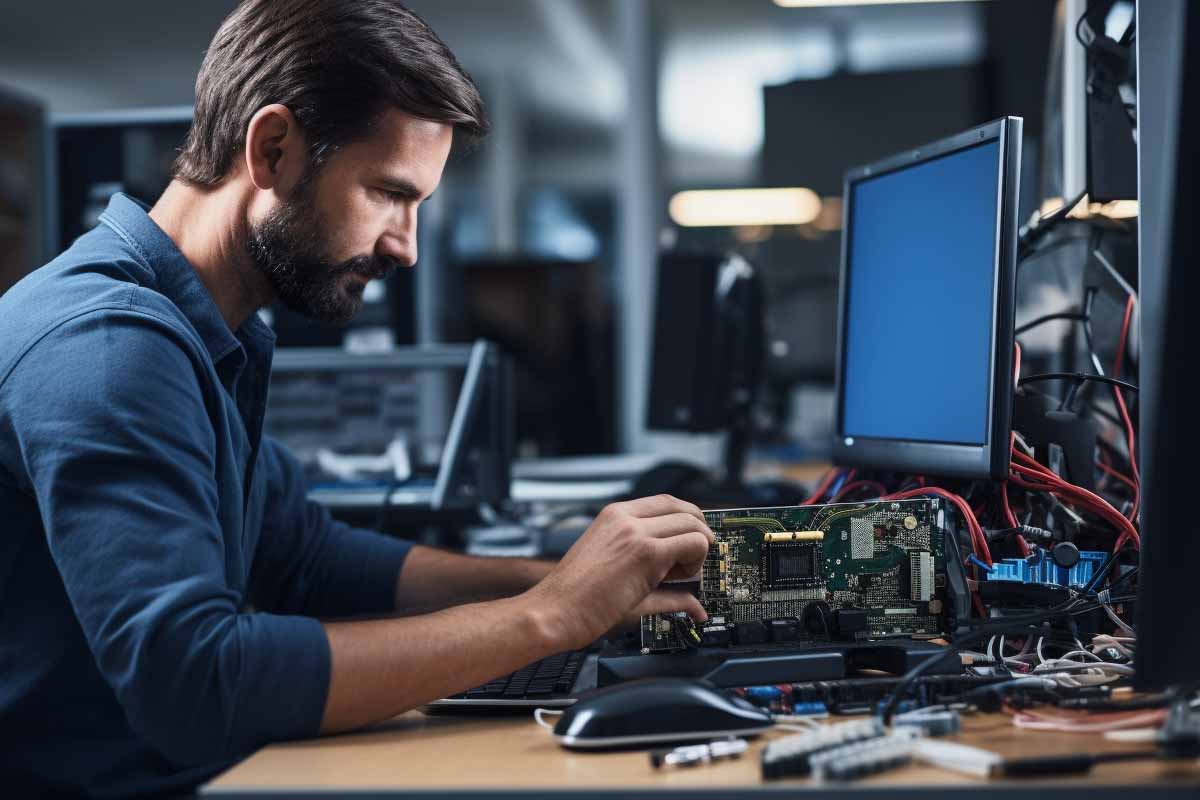
CompTIA A+ jobs are often the first real IT roles candidates land because employers need people who can solve everyday tech problems without constant supervision. If you are aiming for help desk, desktop support, field service, or technical support work, CompTIA A+ certification gives you a practical way to show you understand troubleshooting, hardware, software, and basic security. It is not an advanced engineering credential. It is a job-ready foundation that helps you get hired, learn fast, and move up.
CompTIA A+ Certification 220-1201 & 220-1202 Training
Master essential IT skills and prepare for entry-level roles with our comprehensive training designed for aspiring IT support specialists and technology professionals.
Get this course on Udemy at the lowest price →Quick Answer
CompTIA A+ jobs are entry-level IT support roles that focus on troubleshooting, device setup, user support, and basic issue resolution. As of August 2026, the best-known paths include help desk technician, desktop support specialist, IT support specialist, field service technician, and technical support specialist. The certification helps candidates prove foundational skills before they have years of experience.
Career Outlook
- Median salary (US, as of August 2026): $60,810 for computer user support specialists — BLS
- Job growth (US, 2024–2034, as of August 2026): 6% — BLS
- Typical experience required: 0–2 years
- Common certifications: CompTIA A+, Microsoft Certified Fundamentals, Cisco® entry-level networking credentials
- Top hiring industries: Healthcare, education, managed IT services, retail, local government
| Primary keyword focus | CompTIA A+ jobs |
|---|---|
| Best entry-level roles | Help desk technician, desktop support specialist, IT support specialist, field service technician, technical support specialist |
| Typical experience level | 0–2 years of hands-on support experience as of August 2026 |
| Common work environment | Corporate IT, MSPs, schools, hospitals, retail, government offices |
| Core value of the certification | Signals readiness for hardware, software, printer, and basic network troubleshooting |
| Career outcome | First IT job, stronger interview credibility, and a path toward systems or network support |
Why CompTIA A+ Still Opens Doors in Today’s IT Job Market
CompTIA A+ is still one of the clearest ways to show an employer that you can handle entry-level support work without guesswork. Hiring managers use it as proof that you understand common workplace problems like failed logins, broken printers, slow laptops, software errors, and basic connectivity issues. That matters because many organizations do not have time to train every new hire from zero.
The certification is especially useful for candidates with limited IT experience. A strong resume with CompTIA A+ certification can turn “I’ve never worked in IT” into “I understand the fundamentals and can start solving tickets on day one.” That is a real hiring advantage when recruiters are filtering dozens of applicants for the same opening.
What employers expect on day one
Modern support teams deal with more than simple desktop issues. A new hire may be expected to reset passwords, enroll devices, explain a VPN connection problem, replace a faulty keyboard, or guide a user through a software install. In some roles, the work also includes mobile device support, cloud app troubleshooting, and light Virtualization concepts for remote desktops or virtual lab environments.
That is why A+ still matters. It aligns with the actual work of support teams, not just theory. For the current exam structure and domains, compare the official exam pages from CompTIA® A+ and review foundational topics in the CompTIA A syllabus through ITU Online IT Training’s CompTIA A+ Certification 220-1201 & 220-1202 Training course.
Employers rarely hire entry-level support staff for what they know in the abstract. They hire for whether that person can solve real user problems, document the fix, and stay professional while doing it.
What Employers Actually Want in A+ Candidates
Technical knowledge gets you through the screening stage. Customer service, reliability, and calm problem-solving are what help you keep the job. Many hiring managers would rather train a candidate with solid communication skills than hire someone who memorized terms but cannot explain a fix to a frustrated user.
That is especially true in support work. The person on the other end of the ticket may be stressed because payroll is due, a laptop will not boot, or a printer outage is blocking a whole team. The best A+ candidates can talk clearly, ask the right questions, and keep the issue moving forward without escalating panic.
Core traits that matter more than buzzwords
- Clear communication when speaking with non-technical users.
- Process discipline for ticket notes, escalation, and follow-up.
- Basic troubleshooting for hardware, operating systems, and connectivity.
- Patience under pressure when users are frustrated or deadlines are tight.
- Professional judgment when deciding whether a problem is simple, risky, or needs escalation.
- Adaptability across different tools, departments, and support models.
Official workforce guidance from the NIST NICE Framework reinforces the value of practical, role-based skills in support and operations work. That lines up closely with CompTIA A+ jobs, which reward candidates who can turn basic knowledge into repeatable service.
Note
If you are applying with little experience, prove readiness with examples. A home lab, volunteer support, school project, or part-time tech role is better than vague claims on a resume.
Help Desk Technician: The Most Common First Step
Help desk technician is the classic first role for people with CompTIA A+ jobs on their radar. This job focuses on first-line support: taking tickets, answering calls or chats, resolving common problems, and escalating issues that need deeper technical review. It is one of the best ways to build practical confidence fast.
Day-to-day work usually includes password resets, account access issues, software installations, printer troubleshooting, and walking users through basic fixes. In many companies, help desk staff also use remote support tools to observe the issue directly, collect screenshots, or take control of the device with user permission.
Why it matters for career growth
This role teaches how IT really works inside a business. You learn ticket queues, service-level expectations, change control basics, and how to document a problem so the next technician can pick it up without starting over. That experience is valuable later if you move into endpoint management, systems support, or operations.
Help desk technician is also common in managed service providers, schools, hospitals, and retail support centers. The environment matters because it affects pace, workload, and communication style. A corporate internal help desk may focus on office productivity apps and account access, while an MSP may handle many different client systems in the same day.
For labor data, the U.S. Bureau of Labor Statistics groups many of these roles under computer support specialists, which had a median pay of $60,810 as of August 2026. That figure is not the same everywhere, but it gives a reliable baseline for CompTIA A+ certification career planning.
Desktop Support Specialist: Hands-On Problem Solving With End Users
Desktop support specialist is a stronger fit when the role goes beyond phone support and into on-site troubleshooting. This job usually involves working directly on user devices, so you may replace memory, swap a drive, image a laptop, fix a dock connection, or resolve repeated printer and driver issues. It is more physical, more independent, and often more varied than help desk work.
The reason CompTIA A+ jobs connect so well here is simple: desktop support depends on Hardware knowledge and operating system fundamentals. A technician who understands boot issues, device components, storage problems, and basic BIOS/UEFI troubleshooting can solve problems faster than someone who only knows scripts and ticket notes.
What makes desktop support different
Desktop support often requires better diagnostic judgment. A help desk agent may be reading a script. A desktop support specialist is expected to look at symptoms, isolate the likely cause, test assumptions, and take corrective action with less supervision. That is why this role often becomes a bridge into endpoint administration or systems support.
Common environments include office floors, hybrid support teams, university IT departments, and healthcare organizations with large numbers of managed workstations. In those settings, one technician may deal with one user in person, then move to an imaging workstation, then handle a batch of Windows updates or replacement parts.
According to Robert Half Salary Guide, support-focused IT roles can move upward quickly when candidates add certifications, device management skills, and security awareness. The best desktop support specialists are not just fixers. They are dependable troubleshooters who reduce repeat incidents.
IT Support Specialist: A Broader Role With More Variety
IT support specialist is a flexible title that often blends help desk, desktop support, and light administration tasks. In some organizations, the role is close to a generalist position. In others, it is a more advanced support job with responsibilities that include device deployment, access management, and coordination with network or systems teams.
This is one of the most useful CompTIA A+ jobs for candidates who want broad exposure before specializing. You may handle a laptop setup in the morning, a Wi-Fi issue before lunch, and a software licensing problem in the afternoon. That variety helps you learn which part of IT actually fits your strengths.
Where this title shows up most often
- Mid-sized businesses that need one person to cover several support functions.
- Schools and universities with mixed device fleets and staff support needs.
- Healthcare organizations with strict uptime and user access requirements.
- Local government offices that support public staff and service desks.
- Service providers that need technicians who can support multiple clients.
These jobs usually reward flexibility. The more tools you can use without needing constant guidance, the more valuable you become. A+ gives employers confidence that you can work with standard office technology, troubleshoot software and connectivity issues, and escalate properly when the problem is outside your scope.
For candidates comparing career paths, this role can be a smart middle ground. It is broad enough to expose you to many systems, but focused enough to build depth in troubleshooting, documentation, and support workflow. That combination often leads to better opportunities later.
Field Service Technician: Support That Happens On Site
Field service technician is the right fit for people who do not want to stay behind a desk all day. This role involves traveling to customer locations to install, maintain, repair, or replace equipment. In practice, that could mean setting up a workstation, replacing a failed device, testing network connectivity, or confirming that a system works after service.
CompTIA A+ jobs in the field are especially useful because on-site work depends on practical troubleshooting and good communication. Users expect the technician to show up prepared, explain what is happening, and finish the job without creating a bigger problem. The technical side matters, but professionalism matters just as much.
Why employers value field-ready support skills
This role often requires independence. You may not have a senior technician in the next cubicle, so you need to think clearly, manage time well, and keep a service visit moving. The best field service technicians know how to verify the problem, test the fix, document the outcome, and leave the environment in good shape.
That combination of technical competence and user-facing skill is what makes the role attractive for career starters. It builds real-world experience with devices, basic networking, and customer service in a way that translates well into broader infrastructure or support positions later.
For job seekers, this role can also increase pay in some markets because travel, on-site response time, and after-hours service often add value. The exact salary depends heavily on employer size, region, and whether the job includes a service vehicle, travel allowance, or standby requirements.
Field service is one of the fastest ways to learn how IT behaves outside the lab. You see different environments, different users, and different failure patterns every week.
Technical Support Specialist: Troubleshooting Across Products and Platforms
Technical support specialist is usually a product- or service-focused role. You may support a software platform, a device family, a subscription service, or a business application. The job still depends on A+ fundamentals, but the daily work often focuses more on reproducing issues, explaining fixes, and escalating complex cases with clean documentation.
This role may use phone, chat, email, or remote support sessions depending on the company. In some cases, you will need to talk a user through a fix step by step. In others, you will capture logs, review error messages, and coordinate with engineering or QA teams to identify the root cause.
What makes this role a strong bridge
Technical support is a good stepping-stone toward QA, product support, systems administration, or specialized operations because it forces you to think beyond the single ticket. You start noticing patterns: repeated software conflicts, failed updates, permissions mistakes, or user workflow problems that keep showing up.
That pattern recognition becomes career capital. A person who can solve today’s issue and explain why it happened is more valuable than someone who only follows the steps on a script. The National Institute of Standards and Technology’s guidance on workforce roles and task alignment reinforces that structured, repeatable support skills matter across technical disciplines.
For candidates comparing CompTIA A+ jobs, this role is often the best blend of communication and problem-solving. It is especially useful for people who like troubleshooting but also want to learn how products, users, and internal teams interact in a real business setting.
What Skills Do You Need for CompTIA A+ Jobs?
CompTIA A+ jobs require more than passing an exam. Employers want technicians who can use technical knowledge in a real workplace, with real users, real deadlines, and real frustration. The most successful candidates combine practical troubleshooting with communication, documentation, and a steady work style.
If you are preparing for interviews or updating your resume, focus on skills that prove you can support day-to-day operations. Those skills are often more persuasive than generic statements like “good with computers.” Be specific.
- Windows and operating system troubleshooting for boot issues, user profiles, updates, and basic repair steps.
- Hardware replacement for drives, memory, keyboards, docking stations, and peripherals.
- Printer support for drivers, connectivity, queue issues, and paper path problems.
- Account and access support for password resets, MFA prompts, and permissions requests.
- Networking basics such as IP awareness, Wi-Fi troubleshooting, and connectivity checks.
- Ticketing discipline for accurate notes, status updates, and escalations.
- Customer service for explaining fixes in plain language.
- Time management when handling multiple users or queued tickets.
- Security awareness for handling devices, credentials, and sensitive information properly.
- Adaptability across different tools, office setups, and support workflows.
The CompTIA® A+ certification is strongest when these abilities show up together. A candidate who can troubleshoot a laptop, reset access, write a clear ticket note, and calm an upset user is immediately useful.
How Much Do CompTIA A+ Jobs Pay?
Salary for CompTIA A+ jobs depends on region, industry, shift schedule, and the amount of responsibility attached to the title. A support job in a hospital or financial services environment usually pays differently than a similar role in a small office or a school district. That is why a single number never tells the full story.
The closest nationwide baseline comes from BLS data for computer support specialists. As of August 2026, the median U.S. pay was $60,810, with a 10-year growth rate of 6% from 2024 to 2034 according to the BLS Occupational Outlook Handbook. Entry-level roles often start below that median, but experienced support technicians can move above it quickly.
What pushes pay up or down
| Location | Large metro areas often pay more, sometimes 10–25% higher than smaller markets, because of local cost of living and competition for talent as of August 2026. |
|---|---|
| Shift requirements | Overnight, weekend, or on-call support can add a premium because the schedule is less desirable as of August 2026. |
| Industry | Healthcare, finance, and government roles may pay more than general office support because of compliance demands and service expectations as of August 2026. |
| Scope of responsibility | Roles that include imaging, endpoint management, or light administration typically pay more than basic ticket intake as of August 2026. |
Job boards and compensation guides from Glassdoor and PayScale often show a wide range for the same title. That is normal. A CompTIA A+ certification is a starting credential, so your first salary usually reflects entry-level responsibility, not your long-term earning ceiling.
How Do You Get Hired for CompTIA A+ Jobs?
You get hired for CompTIA A+ jobs by showing that you can solve common support problems and work professionally with users. A certification helps, but it does not replace a resume that reflects real troubleshooting behavior. Employers want proof that you can handle tickets, not just study them.
The best resumes for entry-level IT jobs are specific. If you fixed home network issues, supported classmates, helped a nonprofit replace printers, or built a lab at home, say so. A short description of what you did is more effective than broad claims about being “detail-oriented” or “tech-savvy.”
What to put on the resume
- Lead with support tasks such as password resets, software installs, device setup, and issue resolution.
- Include tools like ticketing systems, remote support platforms, or imaging tools if you have used them.
- Quantify where possible with ticket volume, number of users supported, or number of devices handled.
- Mirror job descriptions by using the same language employers use, without exaggerating skill level.
- Show communication strength through examples of helping non-technical users or documenting work clearly.
Interview preparation should center on common scenarios. Be ready to explain what you would do if a printer stops working, a laptop will not connect to Wi-Fi, a user cannot log in, or a workstation becomes unusually slow. The best answers sound methodical: gather symptoms, isolate the problem, test a likely fix, confirm the outcome, and document the result.
If you want structured preparation, the CompTIA A+ Certification 220-1201 & 220-1202 Training course from ITU Online IT Training is a good match for building the practical foundation employers expect in these roles.
Pro Tip
In interviews, explain your troubleshooting process out loud. Hiring managers often care more about your logic than whether you guess the right answer immediately.
What Is the Career Path After Your First A+ Role?
Career path matters because CompTIA A+ jobs are usually the beginning, not the destination. The first support role builds habits, confidence, and exposure to real systems. From there, many professionals move into more specialized work once they understand how users, devices, and business processes connect.
A typical progression looks like this: help desk technician or technical support specialist first, then desktop support specialist or IT support specialist, followed by systems support, endpoint administrator, network technician, or junior systems administrator. Later steps may lead into service desk lead, team lead, or IT operations manager.
Why early support experience pays off later
Support roles teach you how production environments actually behave. You learn that technical problems are rarely isolated. A password issue may be tied to identity systems. A laptop problem may be linked to imaging standards, patching, or user permissions. That kind of pattern recognition becomes useful in every later IT role.
The DoD Cyber Workforce Framework and NICE Framework both reflect a broader industry trend: employers want role-based skill growth, not just credentials. That makes early A+ work a strong foundation for future specialization in infrastructure, security, or cloud operations.
Once you have a year or two of support experience, your resume becomes much stronger. At that point, hiring managers see more than a cert. They see evidence that you can work in a live environment, handle pressure, and learn enterprise tools quickly.
How Does CompTIA A+ Fit Emerging IT Trends?
CompTIA A+ certification still matters because the workplace keeps adding more devices, more platforms, and more support pressure. The job may have started with desktops and printers, but modern support teams also deal with cloud-based apps, mobile devices, remote workers, and virtual environments. The fundamentals have not gone away. They have expanded.
That is one reason A+ remains relevant for people entering IT support. A technician who understands operating systems, device behavior, and basic security hygiene can adapt faster when the company adopts new tools. The specifics change, but the troubleshooting mindset stays the same.
Where the foundation still shows up
- Remote work where users need VPN, audio, camera, or connectivity support.
- Mobile device management where phones and tablets must be enrolled and secured.
- IoT environments where printers, scanners, kiosks, and connected devices need support.
- Hybrid offices where docking stations, Wi-Fi, and collaboration tools create new failure points.
- Virtual support environments where cloud desktops and remote access tools are part of daily work.
Security also matters more than it used to in entry-level support. Staff handling laptops, credentials, and user access must follow basic Security hygiene because a small support mistake can create a bigger business problem. For that reason, A+ is no longer just about fixing devices. It is about supporting devices safely.
The best entry-level technicians are not defined by the tools they know today. They are defined by how fast they can learn the next tool without losing control of the basics.
Key Takeaway
- CompTIA A+ jobs are practical entry-level IT roles focused on troubleshooting, support, and user assistance.
- Help desk technician is the most common first step, but desktop support, field service, IT support, and technical support are also strong paths.
- Employers value communication, documentation, patience, and basic technical troubleshooting as much as the certification itself.
- Salary depends on region, industry, shift work, and the scope of responsibility, with support roles growing on a steady long-term path.
- The credential is most powerful when paired with hands-on practice, interview readiness, and a willingness to keep learning.
CompTIA A+ Certification 220-1201 & 220-1202 Training
Master essential IT skills and prepare for entry-level roles with our comprehensive training designed for aspiring IT support specialists and technology professionals.
Get this course on Udemy at the lowest price →Conclusion
CompTIA A+ jobs are not flashy, but they are where many real IT careers begin. The certification helps you get interviews, explain your baseline knowledge, and show employers that you are ready for practical support work. For candidates entering the field, that can make the difference between getting overlooked and getting a first shot.
The top five roles covered here—help desk technician, desktop support specialist, IT support specialist, field service technician, and technical support specialist—each build a different part of the same foundation. Together, they teach troubleshooting, communication, documentation, and the judgment needed to work in a live IT environment.
If your goal is to land your first IT role, build confidence with hands-on practice, align your resume to real support tasks, and prepare for the problems users actually report. CompTIA A+ may not be the final credential in your career, but for many professionals, it is the one that gets the career started.
CompTIA® and A+™ are trademarks of CompTIA, Inc.
