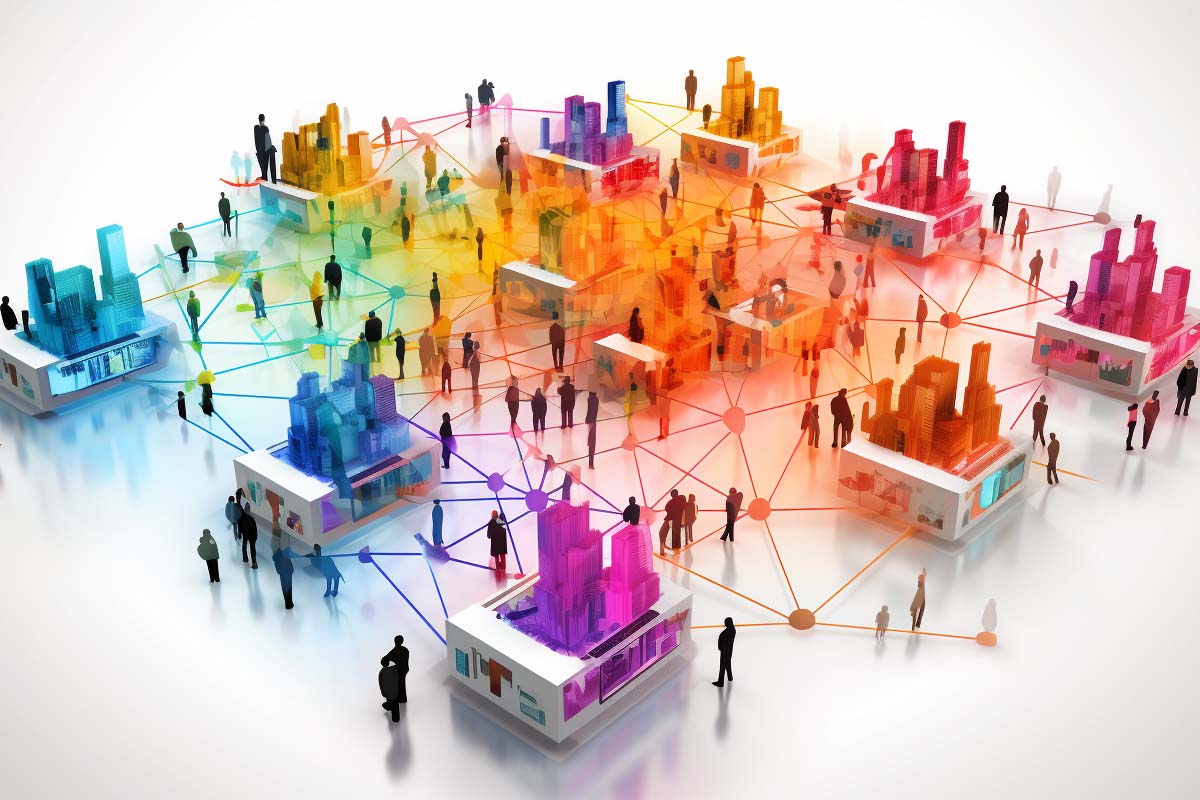
Set up the wrong LAN and you get slow file transfers, flaky Wi-Fi, printer headaches, and security gaps that are hard to spot until something breaks. A LAN solves that by keeping devices close together on a network built for fast, predictable communication and local resource sharing.
Cisco CCNA v1.1 (200-301)
Learn essential networking skills and gain hands-on experience in configuring, verifying, and troubleshooting real networks to advance your IT career.
Get this course on Udemy at the lowest price →Quick Answer
A local area network (LAN) connects devices within a limited geographic area, such as a home, office, school, or warehouse, so they can share files, printers, applications, and internet access efficiently. LANs usually rely on Ethernet, Wi-Fi, switches, and a router, and they remain the foundation of everyday networking because they are faster, easier to control, and more reliable than wider-area connections for local traffic.
Quick Procedure
- Define the space and device count.
- Choose wired, wireless, or a hybrid layout.
- Place the router, switch, and access point for coverage.
- Connect devices and assign IP addresses automatically with DHCP.
- Secure the LAN with strong passwords, segmentation, and updates.
- Test file sharing, printing, and internet access.
- Monitor performance and fix weak links early.
| What it is | A local area network (LAN) that connects nearby devices within a limited area as of August 2026 |
|---|---|
| Typical scope | A home, office floor, classroom, building, warehouse, or campus as of August 2026 |
| Common technologies | Ethernet, Wi-Fi, switches, routers, and access points as of August 2026 |
| Main purpose | Fast local communication and shared resources as of August 2026 |
| Common risks | Unauthorized access, weak passwords, rogue devices, and malware spread as of August 2026 |
| Best-known use cases | Printing, file sharing, VoIP, streaming, labs, and internal business apps as of August 2026 |
| Related networking path | Useful foundation for Cisco® CCNA v1.1 (200-301) networking skills as of August 2026 |
What Is a Local Area Network (LAN)?
What is a LAN in plain English? It is a network that connects devices in a small, limited area so they can talk to each other quickly and share resources. That area might be a house, a floor in an office, a classroom, a retail store, or a warehouse.
The key idea is scope, not equipment. A LAN can be built with cables, Wi-Fi, switches, access points, and routers, but none of those devices alone defines the network. What defines it is that the devices are under one local administrative control and communicate mostly with nearby systems instead of sending every request out to the public internet.
This is why LANs still matter even when cloud apps and remote work are everywhere. A cloud service can store files, but your laptop still needs a reliable local network to reach a printer, a phone system, a file server, an access point, a camera, or a point-of-sale terminal. If the LAN is poorly designed, every cloud app and local service feels slower than it should.
A LAN is the network people notice only when it fails, because everything from logins to printing to video calls depends on it working quietly in the background.
Official networking guidance from Cisco® aligns with this practical view: LANs are local, controlled, and built for fast communication. For a structured lab-based path into switching and routing fundamentals, the Cisco CCNA v1.1 (200-301) course fits this topic well.
How Does a LAN Work?
A LAN works by moving data between devices through local forwarding devices such as switches, wireless access points, and routers. If two PCs are on the same subnet, they can usually exchange traffic directly through the LAN instead of bouncing packets across an external network.
What happens when one device talks to another?
When a laptop sends a file to a nearby server, the source device first determines whether the destination is local. If it is, the traffic is forwarded on the LAN using local addressing and switching. That is why copying a file to a server in the same office is usually much faster than copying the same file to a remote site over a WAN.
The router is the gateway to everything outside the LAN. It connects the local network to the internet, another site, or a wide-area network. In many homes, the router also performs DHCP, NAT, basic firewalling, and wireless coordination.
Wired Ethernet vs Wi-Fi on the LAN
Ethernet is the backbone of most wired LANs because it is predictable, low-latency, and simple to troubleshoot. Wi-Fi gives devices mobility, which is critical for phones, tablets, laptops, scanners, and IoT devices, but wireless performance depends heavily on signal strength, interference, and access point placement.
- Wired Ethernet is best for desktops, servers, NAS devices, VoIP handsets, and video production workstations.
- Wi-Fi is best for mobile endpoints, guest access, and areas where cabling is impractical.
- Hybrid LANs use both so users get speed where it matters and flexibility where mobility matters.
For protocol behavior and interface handling, the official documentation on Microsoft Learn is a useful reference when you are working with Windows-based addressing, sharing, and connectivity. The practical lesson is simple: a LAN is not one technology, but a coordinated set of local transport methods that keep nearby devices connected efficiently.
What Is a LAN Used For in Real Life?
A LAN is used for everyday tasks that need low delay and local control. In a home, that may mean streaming video to a smart TV, backing up a laptop to a NAS, printing from a phone, or connecting a game console without depending on a distant server for every action.
In an office, a LAN supports file sharing, VoIP phones, shared printers, authentication systems, access control, and internal business applications. In schools, it connects classroom devices, testing stations, library systems, and administrative computers. In warehouses and industrial sites, it supports scanners, cameras, sensors, and operations systems that need dependable local communication.
The common pattern is straightforward: the closer the work is to the local network, the more the LAN matters. When users complain that “the internet is slow,” the real problem is often a local switch port, a bad cable, poor Wi-Fi coverage, or a congested access point.
Note
LAN problems are frequently mistaken for internet problems. A broken local DNS setting, an overloaded switch, or a weak wireless signal can make online services appear down even when the WAN connection is fine.
For workforce context, the U.S. Bureau of Labor Statistics Occupational Outlook Handbook continues to show steady demand for network-related skills across support, administration, and security roles as of August 2026. That demand starts with understanding how LANs are used in real environments.
What Are the Main Types of LANs?
The two biggest LAN categories are wired LANs and wireless LANs. Most organizations use both because they solve different problems. Wired LANs deliver speed and consistency; wireless LANs deliver mobility and convenience.
| Wired LAN | Best for stable performance, low latency, and stationary devices such as desktops and servers. |
|---|---|
| Wireless LAN | Best for mobile devices, guest access, and spaces where running cables is difficult or expensive. |
Beyond the transport method, LANs are often described by their control model. A client/server LAN uses centralized servers for authentication, file access, printing, and application delivery. This is the common design in businesses because it makes access control and backup easier.
A peer-to-peer LAN lets devices share resources directly with each other. It can work well in a small home or a tiny office, but it becomes difficult to manage once you have more users, more permissions, and more devices.
- Client/server scales better and is easier to secure.
- Peer-to-peer is simpler to start but harder to control.
- Hybrid designs are common because they mix centralized services with direct device connectivity.
Enterprise design guidance from Cisco® and vendor-neutral switching concepts from the ITU Online IT Training glossary entry for Switching reinforce the same point: the best LAN type depends on how much control, mobility, and scale you need.
How Do LAN Topologies Affect Performance?
Network topology is the physical or logical way devices and connections are arranged inside a LAN. Topology affects throughput, fault isolation, expansion, and the amount of time you spend troubleshooting.
Modern LANs usually use star topology, where every endpoint connects to a central switch or access point. This layout is easy to expand and easier to debug because one bad cable usually affects only one device. It also fits modern Ethernet switching well.
Star, bus, and ring compared
Older or specialized designs such as bus and ring topologies matter mostly for historical context and troubleshooting legacy networks. Bus topology shares one backbone, which is inexpensive but prone to collisions and difficult fault isolation. Ring topology passes data around a loop, which can be orderly but is less flexible if a node or link fails.
The modern reality is that a star-based LAN often extends into multiple stars connected by distribution switches. That is why large offices, classrooms, and multi-floor buildings still feel like one LAN even though they contain many smaller segments.
- Star is the default for modern offices and homes.
- Bus is mostly historical and rarely used in new deployments.
- Ring appears in legacy environments and some specialized industrial designs.
The ITU Online IT Training glossary definition of Network Topology is a useful reference if you are mapping a real office. The practical lesson is that topology influences both performance and maintenance costs, so design decisions should match the physical environment and the growth plan.
What Are the Core Components of a LAN?
A LAN is built from endpoint devices, forwarding devices, and the physical infrastructure that ties everything together. The exact mix depends on the environment, but the building blocks are consistent.
- End devices such as laptops, desktops, phones, printers, cameras, scanners, and IoT devices.
- Switches that forward traffic efficiently within the local network.
- Wireless access points that bridge Wi-Fi clients onto the LAN.
- Routers that connect the LAN to the internet or to another network.
- Firewalls that filter traffic and enforce policy.
- Servers that provide file storage, authentication, printing, or applications.
- Network interface cards that let devices physically or wirelessly join the LAN.
Do not overlook the physical layer. Cabling quality, switch placement, rack organization, power backup, and cooling all affect Reliability. A great switch installed in a hot closet with bad patch cables will still produce bad results.
For device lifecycle and asset control, Device Management matters just as much as raw speed. If you cannot inventory the endpoints on a LAN, you cannot secure or troubleshoot them well.
How Are LANs Addressed and Connected?
LAN communication depends on addressing. Every device needs a way to identify itself, and on IP networks that usually means an IP address assigned manually or through DHCP. The network also needs a naming system, which is where DNS helps by translating names into addresses.
IP addressing is the method devices use to identify each other on the network. Subnetting divides a larger block of addresses into smaller groups so administrators can organize departments, isolate traffic, and reduce broadcast noise.
- Connect the device to the LAN. A wired device joins through Ethernet, while a wireless device joins through an access point.
- Assign an IP address. DHCP is the normal choice because it reduces manual errors and speeds deployment.
- Resolve names. DNS lets users type a server name instead of memorizing an address.
- Forward traffic locally. Switches move frames to the right destination on the LAN.
- Route off the LAN. The router handles traffic that needs to reach another subnet or the internet.
These mechanics explain a common troubleshooting truth: if a device cannot reach a printer or file server, the problem may be addressing, name resolution, or switching rather than a total network outage. A LAN works best when the basics are consistent and documented.
Is a LAN Secure by Default?
No. A LAN is not automatically safe just because it is local. Many incidents start with weak passwords, a rogue access point, an unpatched switch, or a device plugged into the wrong port.
Common risks include unauthorized access, malware spreading laterally, poor segmentation, unmanaged devices, and insecure guest connections. The smaller the network feels, the easier it is for people to assume trust where there should be verification.
Practical LAN security controls
- Strong authentication for users and administrators.
- Network segmentation to keep guest, employee, and IoT traffic separate.
- Regular updates for routers, switches, access points, and endpoints.
- Role-based permissions so users only reach what they need.
- Guest networks to keep visitors off internal resources.
- Traffic monitoring to spot unusual spikes, rogue devices, or scanning activity.
Security on a LAN is about limiting trust, not just blocking the internet.
For standards-based guidance, NIST Cybersecurity Framework helps organizations think in terms of identify, protect, detect, respond, and recover. In practice, that means you should know what is on the LAN before you try to secure it.
How Do You Troubleshoot LAN Performance and Reliability?
LAN performance is usually shaped by bandwidth, latency, congestion, signal quality, and hardware health. A user may describe the issue as “slow internet,” but the cause is often local: a damaged patch cable, a duplex mismatch, a weak access point, or too many clients on one wireless radio.
Wired problems tend to be physical or configuration-based. Wireless problems tend to be environmental: interference, poor placement, thick walls, channel overlap, or too much distance from the access point. Both types can create the same symptom, which is why disciplined troubleshooting matters.
- Check link status. Confirm that ports are up and negotiated at the expected speed and duplex.
- Test local connectivity. Ping the default gateway, then a nearby server, then a known external host.
- Inspect physical components. Swap cables, test another port, and verify access point placement.
- Review DHCP and DNS. Bad addressing or name resolution often looks like a connectivity failure.
- Look at logs and counters. Switch errors, retransmissions, and authentication failures reveal patterns.
Pro Tip
When troubleshooting Wi-Fi, move one step at a time: verify the client, verify the access point, verify the switch port, then verify routing. That order stops you from chasing the wrong layer.
Performance and monitoring tools from vendors such as Cisco® and troubleshooting methods taught in the Cisco CCNA v1.1 (200-301) curriculum help build that discipline. In a real LAN, good troubleshooting is less about guessing and more about narrowing the fault domain quickly.
LAN vs WAN vs MAN: What Is the Difference?
A LAN covers a small local area under one administrative domain. A WAN spans larger geographic distances and connects multiple sites, cities, or regions. A MAN sits in between and typically covers a metropolitan area.
| LAN | Fast, local, and usually owned or controlled by one organization. |
|---|---|
| WAN | Slower than a LAN in practice, more complex, and used to connect distant locations. |
The difference matters because design goals differ. A business may use a LAN inside each office for speed and control, then use a WAN service to connect branch offices, cloud services, and remote users. That is why one company can have both a high-speed local network and a slower long-distance link at the same time.
If you are comparing the terms for study or job interviews, the simplest answer is this: LANs optimize local performance, while WANs optimize reach. For a broader context on how networks are managed and secured at scale, ISACA® offers governance and control perspectives that are useful once a LAN grows into an enterprise environment.
Where Are LANs Used Most Often?
LANs appear everywhere people need dependable local connectivity. Homes use them for streaming, gaming, smart home devices, and wireless printing. Schools use them for classrooms, labs, testing, and administration. Small businesses use them for collaboration, VoIP, shared files, and point-of-sale systems.
Warehouses, healthcare facilities, and industrial sites often need LANs even more than office environments do. They depend on scanners, cameras, sensors, badge readers, and specialized software that must work locally and continuously. In those settings, a brief outage can affect productivity, safety, or customer service.
- Homes prioritize convenience, coverage, and simple security.
- Schools prioritize density, filtering, and shared access.
- Small businesses prioritize uptime, file access, and calling.
- Industrial sites prioritize durability, segmentation, and reliability.
The smartest design is the one that matches the environment. If your building has dead zones, you need better access point placement. If a warehouse has hundreds of devices, you need segmentation and capacity planning. If a clinic handles sensitive data, you need tighter access control and stronger monitoring.
How Do You Set Up a Basic Home or Small Office LAN?
Start with the scope. Count the devices, identify which ones need wired connections, and map the spaces where Wi-Fi must be strong. That planning step prevents you from buying too little hardware or placing it in the wrong part of the building.
What hardware do you need?
- Internet connection from your provider.
- Router to connect the LAN to the internet.
- Switch if you need more wired ports.
- Access point or mesh system for wider Wi-Fi coverage.
- Ethernet cables for reliable wired connections.
- Place the router centrally. Put it away from thick walls, metal cabinets, and appliances that cause interference.
- Add the switch where wired devices live. Keep desktops, printers, and NAS devices on short, quality cables.
- Position the access point carefully. Higher placement and fewer obstructions usually improve coverage.
- Rename the network clearly. Avoid generic names that make support harder later.
- Create a guest network. Keep visitors and personal devices off internal resources.
- Update firmware. Router and access point updates patch vulnerabilities and improve stability.
If you are learning this for a career path, the practical skills line up well with Cisco CCNA v1.1 (200-301) topics such as basic switching, IP addressing, and verification. For official wireless and network setup guidance, vendor documentation on Microsoft Learn is useful when Windows devices are part of the LAN.
What Is the History and Evolution of LAN Technology?
LANs did not begin with Ethernet alone. Early networking included technologies such as ARCNET and Token Ring, which helped shape the concepts that modern LANs still use. Token Ring is now mostly a historical reference, but it matters because it shows how local networking evolved before Ethernet became dominant.
Ethernet won because it was simpler, faster to adopt, and easier to scale across vendors and environments. It also fit the switching model that dominates today’s networks. As speeds improved, Ethernet stayed relevant because the standard kept evolving without forcing organizations to redesign the whole LAN every few years.
Wi-Fi then changed the shape of the LAN by removing the cable from many use cases. That shifted expectations for mobility, collaboration, and device density. Modern LANs now routinely combine desktop Ethernet, wireless access, cloud-managed monitoring, mobile endpoints, and IoT sensors in one design.
This historical arc matters because it explains today’s requirements for scalability, reliability, and easier device management. When you understand how LANs evolved, you also understand why modern networks must support both legacy wired assets and flexible wireless devices without creating chaos.
What Are the Current Trends and Future Direction of LANs?
LAN design is being pushed by three forces: more IoT devices, more hybrid work, and heavier bandwidth demands from video, collaboration, and automation. That makes visibility and segmentation more important than ever. A flat LAN that once worked for a small office now becomes a liability when dozens of unmanaged devices show up.
Cloud-managed networking is another major shift. Administrators want dashboards, alerts, remote configuration, and policy consistency without walking to a closet every time they need to check a port. That is especially useful in organizations with multiple sites or distributed support teams.
Wireless continues to expand inside offices, schools, and smart environments, but Ethernet is not going away. In fact, the most practical future LANs will be hybrid, with wired backbones supporting dense wireless access and local services. Enterprise designs are also moving toward automation, zero-trust-style segmentation, and simpler onboarding for new devices.
There is also growing interest in how 5G and enterprise IoT designs intersect with local networking. Even when 5G enters the picture, the LAN still matters because local switching, authentication, and segmentation remain the control layer that keeps devices organized and secure. For standards and threat-mapping context, NIST and the MITRE ATT&CK framework are commonly used references in modern network security planning.
Key Takeaway
LANs are built for fast local communication, not long-distance transport.
Ethernet and Wi-Fi are usually combined in modern designs because each solves different problems.
Security requires segmentation, updates, strong authentication, and traffic monitoring.
Topology affects troubleshooting, cost, and expansion more than most people expect.
Future LANs will be more hybrid, more automated, and more crowded with IoT and mobile devices.
Cisco CCNA v1.1 (200-301)
Learn essential networking skills and gain hands-on experience in configuring, verifying, and troubleshooting real networks to advance your IT career.
Get this course on Udemy at the lowest price →Conclusion
A local area network (LAN) is the local foundation of modern computing. It connects nearby devices so they can share data, printers, applications, and internet access quickly and under local control.
The main ideas are straightforward: LANs use switches, access points, routers, addressing, and segmentation to keep communication fast and manageable. Their history explains why Ethernet and Wi-Fi dominate. Their security needs explain why “local” never means “safe by default.” Their real-world use cases explain why homes, schools, warehouses, and offices still depend on them every day.
If you are building, troubleshooting, or studying a LAN, focus on the basics first: scope, topology, addressing, security, and verification. That is the same foundation used in real network support and in structured training like Cisco CCNA v1.1 (200-301). If you want a practical next step, review your own home or office network and identify one thing you can improve today: cabling, Wi-Fi coverage, segmentation, or device inventory.
CompTIA®, Cisco®, Microsoft®, AWS®, EC-Council®, ISC2®, ISACA®, and PMI® are trademarks of their respective owners.
