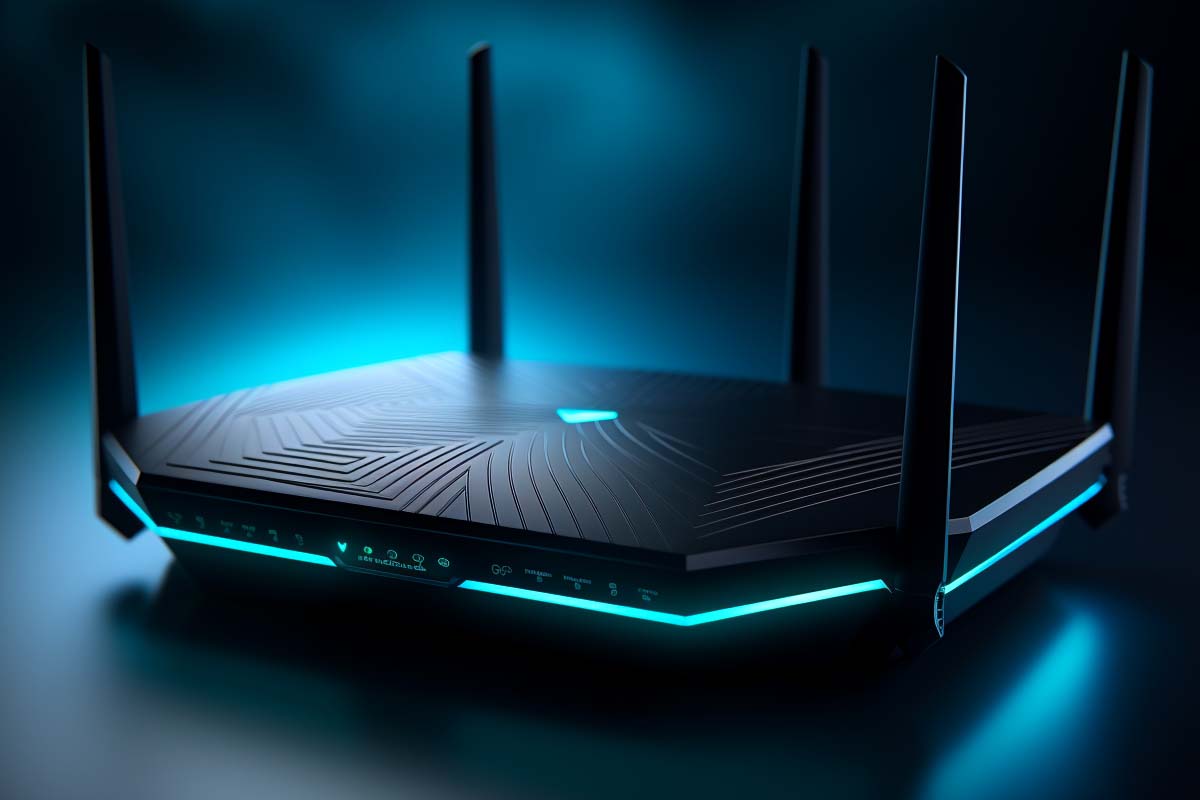
Stuttering video calls, lag spikes in cloud gaming, and a house full of devices all fighting for airtime are the real reasons people are asking about the best wifi 7 routers 2026. Wi-Fi 7, also known as IEEE 802.11be, is not just a speed bump. It is a major redesign of the wireless layer for homes, offices, and hybrid work setups that need lower latency, higher capacity, and better behavior under load.
CompTIA N10-009 Network+ Training Course
Discover essential networking skills and gain confidence in troubleshooting IPv6, DHCP, and switch failures to keep your network running smoothly.
Get this course on Udemy at the lowest price →Quick Answer
Wi-Fi 7 is the IEEE 802.11be wireless standard that improves speed, capacity, and latency using 320 MHz channels, 4096-QAM, and Multi-Link Operation. It matters most in busy homes and offices with 8K streaming, cloud gaming, VR, and many connected devices. Full benefits require both a Wi-Fi 7 router and Wi-Fi 7-capable clients.
Definition
Wi-Fi 7 is the IEEE 802.11be wireless networking standard designed to increase throughput, reduce latency, and improve capacity in dense environments. It does this through wider channels, higher modulation, and Multi-Link Operation, which lets devices use more than one band at the same time.
| Standard | IEEE 802.11be as of June 2026 |
|---|---|
| Headline Features | 320 MHz channels, 4096-QAM, Multi-Link Operation as of June 2026 |
| Bands Used | 2.4 GHz, 5 GHz, and 6 GHz as of June 2026 |
| Best For | Dense homes, small offices, gaming, streaming, VR, and hybrid work as of June 2026 |
| Backwards Compatibility | Yes, with older Wi-Fi devices as of June 2026 |
| Upgrade Requirement | Wi-Fi 7 router and Wi-Fi 7 client device for full features as of June 2026 |
| Key Limitation | Internet speed, walls, and client support still affect real-world results as of June 2026 |
For IT teams and home users alike, the shift matters because wireless demand has outgrown older designs. Wireless Networking now carries video meetings, backups, smart cameras, consoles, and collaboration tools at the same time. That is why Wi-Fi 7 is landing as a practical answer to congestion, not just a spec-sheet upgrade.
What Wi-Fi 7 Is and Why It Matters
Wi-Fi 7 is the next major step after Wi-Fi 6 and Wi-Fi 6E. It is designed to move more data more efficiently, but the bigger win is how it behaves when many devices are active at once. That matters in houses with dozens of endpoints, in small offices with hybrid work, and in classrooms or conference rooms where everyone connects at the same time.
The official standard is tied to IEEE 802.11be, and the Wi-Fi Alliance’s certification program helps define interoperability expectations. The Wi-Fi Alliance’s overview of Wi-Fi CERTIFIED 7 is the best place to verify which features are part of certified implementations as of June 2026: Wi-Fi Alliance. For deeper technical context, IEEE’s 802.11 working group remains the standards authority: IEEE 802.11 Working Group.
What makes Wi-Fi 7 important is not raw speed alone. Throughput is the amount of data a network can move, but real value also comes from lower contention, steadier latency, and better resilience when your network is busy. That is why Wi-Fi 7 is relevant for Video Conferencing, cloud gaming, local file transfers, and smart-home traffic that all compete for the same wireless airspace.
Wi-Fi 7 is less about making a single device faster and more about making the whole network feel less crowded.
Why older Wi-Fi starts to feel cramped
Wi-Fi 6 and Wi-Fi 6E improved efficiency, but they were built for a different traffic profile. Today, one user might be on a Teams call, another is streaming 4K video, a third is syncing a laptop backup, and cameras are constantly uploading events. Older standards can still work, but they tend to show weakness in dense or high-interference environments.
That is why many readers searching for the best home wifi router 2025 are now shifting their attention to Wi-Fi 7. The hardware and client ecosystem are finally becoming relevant enough that an upgrade can solve real pain points instead of simply adding a bigger number on a box.
Note
Wi-Fi 7 improves the wireless layer, not the internet service itself. A fast router cannot fix a slow broadband plan, but it can remove local bottlenecks inside the home or office.
How Does Wi-Fi 7 Work?
Wi-Fi 7 works by combining wider channels, higher-density encoding, and smarter use of radio bands. The result is not one single trick but several improvements that add up. When these features are used together, the network can carry more data, reduce waiting, and recover better when one band becomes congested.
- It widens the lane. Wi-Fi 7 supports 320 MHz channel width in the 6 GHz band, which allows more data to move at once than narrower channels.
- It packs more data into each signal. 4096-QAM increases the amount of information transmitted per symbol when signal conditions are strong.
- It schedules traffic more intelligently. Improvements in OFDMA and MU-MIMO help the router serve multiple devices with less contention.
- It uses more than one path at once. Multi-Link Operation lets capable devices use multiple bands simultaneously instead of waiting on a single one.
- It falls back when needed. Older clients still connect through legacy Wi-Fi modes, so upgrades can happen gradually instead of all at once.
For network professionals, this matters because the design goal is responsiveness under load. In practice, that means less jitter during calls, fewer retransmissions in congested apartments, and better stability when multiple high-demand apps share the same wireless network.
What 320 MHz channels change
320 MHz channels are a major upgrade because they provide a much wider pipeline for traffic than the 80 MHz channels common in older consumer gear. Wider channels are useful when the radio environment is clean enough to support them, which is why the 6 GHz band matters so much to Wi-Fi 7.
That does not mean every home will see ideal 320 MHz performance. Interference, neighboring networks, building materials, and device support all affect whether a router can actually operate at that width. Still, the capability gives Wi-Fi 7 a big advantage in open environments and in well-designed mesh or single-router deployments.
Why 4096-QAM is more than a marketing number
4096-QAM is a higher-order modulation scheme that can carry more bits per signal than the modulation used in earlier standards. The practical trade-off is simple: when signal quality is excellent, data rates increase; when conditions worsen, the network may drop to a lower modulation level to stay stable.
This is one reason router placement still matters. A router in a cabinet behind metal equipment will not perform like a router placed in open air with good line of sight. Wi-Fi 7 raises the ceiling, but physics still sets the floor.
What Is Multi-Link Operation in Wi-Fi 7?
Multi-Link Operation (MLO) is the standout feature that makes Wi-Fi 7 different from prior generations. Instead of forcing a device to rely on one band at a time, MLO allows a supported client and router to use multiple links concurrently or switch between them more intelligently. That can reduce latency, improve reliability, and increase effective throughput.
In plain terms, a Wi-Fi 7 laptop or phone does not have to sit and wait for one crowded band to clear if another path is available. That is especially useful in homes where 2.4 GHz is full of IoT devices, 5 GHz is busy with laptops and consoles, and 6 GHz is the preferred high-speed lane for newer gear.
Official Wi-Fi 7 certification details and feature behavior are documented by the Wi-Fi Alliance: Wi-Fi CERTIFIED 7. That matters because not every device labeled “Wi-Fi 7” supports every advanced behavior in exactly the same way.
How MLO helps in the real world
- Lower lag spikes: Traffic can move away from a congested band before it becomes a noticeable delay.
- Better reliability: If one link becomes noisy, another can help carry the load.
- Improved responsiveness: Interactive apps such as gaming, remote desktops, and live collaboration feel less “sticky.”
- Higher aggregate throughput: Multiple links can combine capacity when the client and router are built to use them.
It is important to understand the support requirement. You only get full MLO benefits when both ends support it. A Wi-Fi 7 router paired with an older Wi-Fi 6 laptop will still work, but the client will not suddenly gain the full multi-link feature set.
Warning
Do not buy a Wi-Fi 7 router expecting every connected device to gain Wi-Fi 7 performance immediately. Full-feature benefits depend on compatible clients, firmware support, and a network design that can actually use the extra capacity.
What Are the Core Capabilities That Make Wi-Fi 7 Stand Out?
Wi-Fi 7 is built around a few technical changes that have very practical outcomes. The headline features are 320 MHz channels, 4096-QAM, improved multi-user scheduling, and Multi-Link Operation. Together, they aim to raise performance without making the network feel brittle when many users are active.
| Capability | Practical Benefit |
|---|---|
| 320 MHz channels | More simultaneous data capacity for high-speed devices |
| 4096-QAM | Higher data density when signal quality is strong |
| MLO | Lower latency and better resilience across multiple bands |
| MU-MIMO and OFDMA improvements | Better handling of many devices sharing the same wireless network |
These capabilities matter because most households do not need a single device to hit a lab number. They need several devices to stay fast at the same time. That is exactly where Wi-Fi 7’s design is strongest.
How efficiency shows up for users
Efficiency means the network wastes less airtime moving packets around. In practical terms, that leads to fewer stalls, less waiting, and more predictable performance when multiple devices compete for bandwidth. It is the difference between a network that looks fast on paper and one that remains usable during real work.
This is also why Wi-Fi 7 can outperform older standards even when the advertised top speed is not the main thing you notice. The real upgrade is smoother behavior under stress.
Speed, Capacity, and Efficiency in Real-World Scenarios
Wi-Fi 7 earns its value when multiple high-demand tasks happen at once. A household may have an 8K TV, several 4K streams, a cloud backup running on a laptop, a video meeting in the home office, and smart cameras uploading motion clips. A slower network can still connect all of those devices, but it often does so with pauses and retries that users feel immediately.
That is where Wi-Fi 7 changes the experience. The standard is designed to maintain better Network Performance when traffic is mixed and heavy. It does not just chase maximum speed tests. It helps the network stay responsive when the house is busy.
In content creation workflows, Wi-Fi 7 can also make local transfers less painful. Copying large video files to a NAS, syncing photo libraries, or pushing backups to a local server becomes more practical when the wireless link is less congested.
Where the difference is most obvious
- Congested apartment buildings: Better scheduling and wider channel options help reduce interference from neighboring networks.
- Multi-person households: Streaming, calls, and gaming can coexist more smoothly.
- Small offices: Shared collaboration tools and cloud apps benefit from steadier latency.
- Creator workstations: Large file syncs and local uploads complete with less disruption to other users.
Industry guidance on wireless density and interference management lines up with this direction. Cisco’s wireless documentation and design guidance for enterprise Wi-Fi emphasizes planning around density, coverage, and spectrum use: Cisco Wireless. That same principle applies at home, just at a smaller scale.
Why Does Latency Matter So Much?
Latency is the time it takes for data to travel from one point to another, and low latency matters because even a few milliseconds can change how responsive an app feels. For gaming, remote desktops, voice calls, and VR, speed alone is not enough. A network can be “fast” on a speed test and still feel bad if packets arrive unevenly or too late.
Wi-Fi 7 targets this problem directly. By allowing more flexible use of available bands and by reducing the need to wait on a single congested path, it can make interactive traffic feel more stable. That matters for Cloud Gaming, throughput-heavy creative work, and even Video Conferencing when multiple users are online at once.
For technical teams, low latency also matters in operational scenarios. Remote access to systems, live troubleshooting, telemetry, and device control all benefit when the wireless path is predictable. In industrial or robotics use cases, the timing requirement becomes even more obvious.
Examples of latency-sensitive workflows
- Competitive gaming: Less lag and fewer spikes during critical moments.
- Remote desktops: Cursor movement and screen refresh feel more immediate.
- VR and AR: The experience is more comfortable when motion-to-display delay stays low.
- Hybrid work: Video and audio stay synchronized when the network is busy.
One thing to keep in mind is that latency gains depend on the entire path. The router, client device, switch or mesh system, and broadband connection all play a role. A Wi-Fi 7 access point cannot fix a slow VPN, poor ISP routing, or overloaded endpoint hardware.
How Wi-Fi 7 Compares to Wi-Fi 6 and Wi-Fi 6E
Wi-Fi 7 is a real step forward from Wi-Fi 6 and Wi-Fi 6E, but it is not magic. Wi-Fi 6 improved efficiency over older standards, while Wi-Fi 6E extended those gains into the 6 GHz band. Wi-Fi 7 builds on that foundation and adds more aggressive channel widths, higher modulation, and MLO.
The most useful comparison is not just speed on a lab chart. Wi-Fi 7 offers better headroom for dense environments and more flexible behavior when a network gets crowded. That makes it a stronger fit for the best wifi 7 routers 2026 conversation than Wi-Fi 6E, which remains a good option for many users but lacks the same multi-link approach.
| Wi-Fi 6 / 6E | Good efficiency and solid performance, with 6 GHz available in Wi-Fi 6E |
|---|---|
| Wi-Fi 7 | Higher capacity, lower latency potential, and better multi-band coordination through MLO |
For many buyers, Wi-Fi 6E still makes sense if the goal is reliable 6 GHz access at a lower price. But if you are planning for more clients, more local traffic, and more real-time applications, Wi-Fi 7 is the better long-term choice.
Router and platform vendors have also started publishing support roadmaps and certification guidance for Wi-Fi 7 hardware. Microsoft’s networking and device documentation can be useful when checking how client devices and drivers handle modern wireless features: Microsoft Learn.
What Should You Look for in a Wi-Fi 7 Router?
Buying a Wi-Fi 7 router requires more than checking the label. The right model depends on your house size, device mix, internet speed, and whether you need mesh coverage. A high-end router with strong radios is a poor choice if it is badly placed or if your broadband service is the real bottleneck.
The most useful shopping criteria are the ones that map to your actual usage. If you have a dense apartment, pay attention to band management and interference handling. If you have a larger home, mesh support and backhaul options matter more than peak benchmark scores. If you are a remote worker or gamer, latency and firmware quality matter more than flashy app features.
Practical buying checklist
- Band support: Look for proper 2.4 GHz, 5 GHz, and 6 GHz support.
- Channel width: Confirm 320 MHz support in the 6 GHz band if you want the full Wi-Fi 7 benefit.
- Processor and memory: Better hardware helps with many simultaneous connections and advanced features.
- Mesh compatibility: Important for multi-floor homes and difficult layouts.
- Firmware track record: Stable updates matter more than a long feature list.
- Ports and backhaul: Multi-gig Ethernet can matter if your internet or LAN is faster than 1 Gbps.
For networking fundamentals that support these decisions, the CompTIA® Network+ certification content around IPv6, DHCP, switching, and troubleshooting is directly relevant. ITU Online IT Training’s CompTIA N10-009 Network+ Training Course aligns well with the practical skills needed to evaluate and troubleshoot the network behind the router, not just the router itself.
Pro Tip
If you are choosing between two Wi-Fi 7 routers, the better firmware support and antenna design often matter more than a small difference in theoretical top speed.
Is Wi-Fi 7 Worth It for You Right Now?
Wi-Fi 7 is worth it now if you already feel pain from congestion, latency, or many simultaneous devices. That includes gamers, content creators, households with multiple 4K or 8K streams, and small offices that depend on stable collaboration tools. In those environments, the upgrade can be felt immediately.
If your usage is light, the urgency is much lower. Casual browsing, email, and a couple of streaming devices do not always justify the cost of moving everything to the newest standard. In those cases, a strong Wi-Fi 6E setup may still be the most cost-effective choice.
Who benefits most
- Power users: Large local transfers, backups, and demanding apps benefit from the extra headroom.
- Hybrid workers: Better latency and stability help with calls and remote access.
- Smart-home households: Many small devices create a surprising amount of wireless chatter.
- Early adopters: Anyone buying new laptops, phones, and access points over the next cycle can align with Wi-Fi 7 now.
The best upgrade strategy is often gradual. Start with the router if your current one is the choke point. Then replace client devices as they age out. That approach keeps costs sane while still moving the network toward the newer standard.
How Does Wi-Fi 7 Handle Security and Reliability?
Security in Wi-Fi 7 is not a single feature; it is the combination of modern authentication, encrypted traffic, strong passwords, and up-to-date firmware. Wi-Fi 7 deployments are typically expected to use WPA3 where supported, which is stronger than older WPA2-only setups. The Wi-Fi Alliance’s WPA3 guidance is a useful reference for understanding modern wireless security expectations: Wi-Fi Alliance Security.
Reliability is just as important as security. A network that drops cameras, disconnects laptops, or breaks video calls creates real operational problems. Wi-Fi 7 helps by improving spectral use and providing more flexible traffic handling, which can make the connection feel steadier in busy environments.
That said, a strong wireless standard is not a substitute for basic hygiene. Firmware updates, unique passwords, guest network separation, and sensible device segmentation still matter. In business environments, security frameworks from organizations like NIST reinforce the idea that resilience comes from layered controls, not one feature alone.
What to do after you upgrade
- Change the default admin password on the router.
- Enable WPA3 where your environment supports it.
- Update firmware before moving devices onto the new network.
- Separate guest or IoT devices if the router supports segmentation.
- Review coverage and channel settings after installation.
For work-from-home professionals and small businesses, that combination of stronger security and better stability is often worth more than raw speed alone.
What Do You Need for Full Wi-Fi 7 Compatibility?
Wi-Fi 7 is backward compatible, but compatibility and full-feature support are not the same thing. A Wi-Fi 7 router can serve older devices, yet only Wi-Fi 7-capable clients can use features like MLO and the highest-performance modes. That distinction matters when planning an upgrade.
Most people will move in phases. The common path is router first, then laptops and phones, then specialized devices like workstations or wireless bridges. That makes sense because the router affects every device on the network, while client upgrades help one device at a time.
What can limit the upgrade benefit
- Broadband speed: A 300 Mbps internet plan will not feel like multi-gig service just because the router is newer.
- Client support: Older devices cannot use Wi-Fi 7-only features.
- Home layout: Walls, floors, and interference still shape performance.
- Backhaul design: Mesh systems perform better when the links between nodes are strong.
- Ethernet quality: Multi-gig ports and cabling may be needed to avoid a wired bottleneck.
That is why it is smart to assess the whole path before spending money. If your router is aging, your devices are newer, and your home is crowded with wireless traffic, the move to Wi-Fi 7 can be justified. If your broadband is slow and your devices are modest, the gain may be smaller than expected.
What Are Common Misconceptions About Wi-Fi 7?
One common myth is that Wi-Fi 7 automatically makes slow internet faster. It does not. A Wi-Fi 7 router can improve the wireless segment of the network, but the ISP connection still sets the ceiling for internet-bound traffic.
Another misconception is that Wi-Fi 7 is only for gamers. Gaming is a strong use case, but so are video conferencing, smart-home traffic, content creation, and small-office collaboration. Any environment with high device count or latency sensitivity can benefit.
Misconceptions worth clearing up
- “More bars means better performance.” Signal strength is only one part of the experience; interference and congestion also matter.
- “Any Wi-Fi 7 router is the same.” Processor power, antennas, firmware, and mesh design can produce very different results.
- “Wi-Fi 7 eliminates the need for Ethernet.” Wired connections still win for the most stable and lowest-latency links.
For network troubleshooting, this is where practical skills matter. A new router can mask a problem temporarily, but it will not fix poor cabling, bad placement, or a failing modem. That is why troubleshooting remains part of the upgrade conversation, not a separate task.
Real-World Examples of Wi-Fi 7 in Action
One example is the latest generation of premium mesh and standalone routers from major networking vendors that now advertise Wi-Fi 7 features for dense households and power users. These systems are designed to reduce congestion in homes with multiple laptops, phones, TVs, cameras, and smart appliances. The benefit is usually felt first in stability rather than speed-test bragging rights.
Another example is high-end client devices, including business laptops and flagship phones that support Wi-Fi 7 hardware. When paired with a capable router, those devices can make better use of MLO and wider channels. That is especially noticeable when a user is on a video call while a large cloud sync runs in the background.
Two concrete usage scenarios
- Home office plus family streaming: A remote worker keeps a stable call while others stream 4K video and game on separate devices.
- Content creator workflow: A creator uploads large project files to a local NAS while editing on a different machine and syncing backups in the background.
These are not edge cases anymore. They are normal usage patterns in homes and small businesses, which is why Wi-Fi 7 is arriving as a practical upgrade rather than a niche standard.
Key Takeaways
Key Takeaway
- Wi-Fi 7, or IEEE 802.11be, is built for speed, capacity, and lower latency in busy wireless environments.
- 320 MHz channels and 4096-QAM raise performance, but Multi-Link Operation is the feature that most changes real-world behavior.
- Wi-Fi 7 improves the wireless layer, not your ISP plan, so broadband speed still matters.
- Full Wi-Fi 7 benefits require both a Wi-Fi 7 router and Wi-Fi 7-capable client devices.
- The best upgrade decision depends on actual pain points such as congestion, lag, device count, and coverage gaps.
CompTIA N10-009 Network+ Training Course
Discover essential networking skills and gain confidence in troubleshooting IPv6, DHCP, and switch failures to keep your network running smoothly.
Get this course on Udemy at the lowest price →Conclusion
Wi-Fi 7 is a major step forward because it tackles the problems that modern networks actually struggle with: congestion, latency, and too many devices competing at once. The headline features—Multi-Link Operation, 320 MHz channels, and 4096-QAM—are not just spec-sheet upgrades. They are the building blocks for a more responsive wireless network.
If you are shopping for the best wifi 7 routers 2026, focus on your real environment first. A busy household, a hybrid work setup, a small office, or a creator workflow can justify the move sooner. If your use is light, waiting for broader client adoption may be the smarter call.
Either way, Wi-Fi 7 is not just faster Wi-Fi. It is a stronger foundation for how people live, work, and connect across more devices than older standards were built to handle. For readers building practical networking skills, that is exactly the kind of shift covered in the CompTIA N10-009 Network+ Training Course from ITU Online IT Training.
IEEE, Wi-Fi, and Wi-Fi CERTIFIED are trademarks or registered trademarks of their respective owners.
