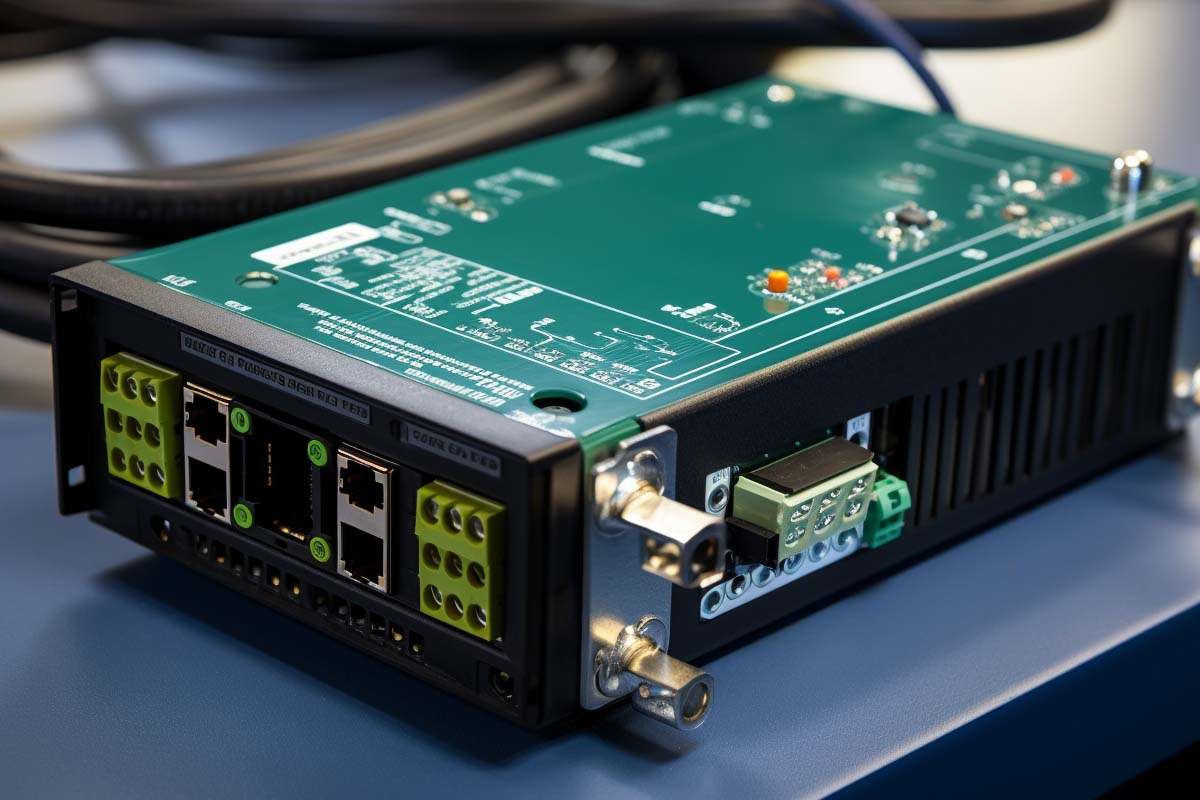
When an IP camera dies because there’s no outlet nearby, the problem usually isn’t the camera. It’s the network design. A 16 channel poe switch solves that by delivering data and power over one Ethernet cable, which makes it easier to place phones, cameras, access points, and sensors where they actually belong.
CompTIA A+ Certification 220-1201 & 220-1202 Training
Master essential IT skills and prepare for entry-level roles with our comprehensive training designed for aspiring IT support specialists and technology professionals.
Get this course on Udemy at the lowest price →Quick Answer
A 16 channel poe switch is a 16-port switch that supplies both network connectivity and electrical power to compatible devices over Ethernet. It is a practical choice for small to midsize deployments in surveillance, Wi-Fi, and VoIP because it cuts cabling, reduces labor, and speeds installation when power outlets are limited as of June 2026.
Definition
Power over Ethernet (PoE) is a method of sending electrical power and network data over the same Ethernet cable to compatible devices. A 16 channel poe switch is simply a 16-port PoE switch that acts as the power source for those devices while still handling normal network traffic.
| Port Count | 16 ports as of June 2026 |
|---|---|
| Primary Use Cases | IP cameras, Wi-Fi access points, VoIP phones, and IoT endpoints as of June 2026 |
| Common Standards | IEEE 802.3af, 802.3at, and 802.3bt as of June 2026 |
| Main Planning Factor | Total PoE power budget as of June 2026 |
| Typical Benefit | Single-cable power and data delivery as of June 2026 |
| Best Fit | Small to midsize deployments with up to 16 powered endpoints as of June 2026 |
| Management Options | Managed or unmanaged models as of June 2026 |
A 16 channel poe switch is most useful when you need predictable endpoint placement without the cost and delay of running separate electrical circuits. That matters in offices, warehouses, schools, retail spaces, and security projects where cable drops are easier than new outlets. It also matters for teams building around the CompTIA A+ Certification 220-1201 & 220-1202 Training skill set, because cabling, endpoint support, and basic network design show up constantly in real support work.
This guide breaks down what PoE switches do, how PoE standards compare, how to size a power budget correctly, and when managed features are worth paying for. If you are choosing a 24 port poe switch instead of a 16-port model, or comparing a 24 port poe network switch against a smaller deployment, the same planning rules apply. The difference is scale, not principle.
Good PoE design is not about buying the biggest switch. It is about matching port count, wattage, and device type to a deployment that can grow without creating power bottlenecks.
What Is a 16 Channel PoE Switch?
A 16 channel poe switch is a network switch with 16 ports that can send both data and power to PoE-capable devices. In practice, that means a single cable can connect an IP phone, access point, or camera to the network and power it at the same time. A standard non-PoE switch only passes data and requires a separate power source at the endpoint.
The key concept is the relationship between Power Sourcing Equipment and Powered Devices. The switch is the Power Sourcing Equipment, often abbreviated PSE, and the camera, phone, or access point is the Powered Device, or PD. The switch first detects whether the device can receive PoE, then negotiates how much power to provide. That safety check is what prevents damage to non-PoE hardware.
PoE simplifies deployments because you do not need a nearby outlet for every endpoint. That is why PoE is so common for ceiling-mounted Wi-Fi access points, wall-mounted phones, parking lot cameras, and badge readers. The cabling still matters, but the endpoint can go where the network design says it should go rather than where an electrical outlet happens to exist.
- PoE switch: supplies data and power over the same cable.
- Non-PoE switch: supplies only data.
- PSE: the power source, usually the switch.
- PD: the device receiving power, such as a camera or AP.
- Ethernet: the cable medium used for both transport and power delivery.
Pro Tip
If the device needs both network access and power, PoE usually reduces install time. If the device already has local power or draws more power than the switch can deliver, a standard switch may be the better fit.
For official technical background, IEEE defines the PoE family through its Ethernet power standards, and Cisco® documents how enterprise switches negotiate and deliver PoE on supported ports. See the IEEE 802.3 standard family and Cisco’s PoE documentation for vendor implementation details. Those sources are the right place to verify exact behavior on a given switch model as of June 2026: IEEE Standards Association and Cisco.
How Does a PoE Switch Work?
A PoE switch works by discovering compatible devices, negotiating how much power they need, and then sending data and electrical current over the same cable. That process is automatic on standards-compliant equipment, so the endpoint usually powers up without manual configuration. The result is a simpler install for network teams and less dependence on nearby AC outlets.
- Detection: the switch tests the connected device to confirm it supports PoE.
- Classification: the device and switch agree on the power class or power level required.
- Power delivery: the switch injects safe DC power onto the cable.
- Data transmission: normal network traffic flows at the same time.
- Monitoring: managed models can track usage and shut down ports if limits are exceeded.
This process is why PoE is safer than simply applying voltage to a cable pair. The negotiation stage prevents a non-PoE device from being powered accidentally. It also helps the switch allocate power intelligently when multiple endpoints are competing for a finite budget.
The practical difference between PoE and standard switching is deployment flexibility. A non-PoE switch works fine when every device has local power, such as desktops and printers in an office cubicle area. A PoE switch becomes valuable when endpoint placement matters more than outlet proximity, such as in surveillance, hospitality, healthcare, and warehouse spaces.
Why PoE Makes Installation Easier
PoE eliminates the need for a separate power adapter at the endpoint in many cases. That reduces clutter, shortens install time, and makes maintenance easier because there are fewer wall warts, extension cords, and power strips to manage. It also improves consistency. A clean cable path is easier to document, test, and troubleshoot later.
For network support staff, the biggest advantage is operational. If an access point is mounted on the ceiling and powered by PoE, replacing it can be as simple as unplugging one cable, swapping the unit, and reconnecting it. That is much faster than chasing both a data cable and a power outlet across the building.
Cisco and Microsoft Learn both stress the importance of predictable infrastructure in managed network environments, and PoE fits that pattern because it centralizes endpoint power delivery. For teams studying support workflows through ITU Online IT Training, this is one of the clearest examples of how physical-layer planning affects day-to-day troubleshooting.
What Are the Main PoE Standards?
The main PoE standards are IEEE 802.3af, IEEE 802.3at, and IEEE 802.3bt. They define how much power can be sent to a device and what kind of hardware can use it. In simple terms, PoE, PoE+, and PoE++ are different power tiers, and the right choice depends on the endpoint’s actual wattage requirement.
IEEE 802.3af is the original PoE standard and is commonly used for lower-power devices such as basic VoIP phones and simple sensors. IEEE 802.3at, often called PoE+, provides more power and is a better fit for access points and cameras with features like infrared illumination or pan-tilt-zoom. IEEE 802.3bt, often called PoE++ or 4PPoE, supports even higher-power devices, including some digital signage, advanced wireless gear, and higher-demand IoT endpoints.
Matching the standard to the endpoint matters because underpowering a device creates instability. A camera may boot, then reboot under load. An access point may disable radios or reduce throughput. A phone may work without display lighting or fail when expansion modules are attached. The switch can only deliver what the port and overall power budget allow.
| 802.3af | Best for low-power phones, sensors, and simpler devices with modest power needs as of June 2026. |
|---|---|
| 802.3at | Best for PoE+ devices that need more headroom, such as business access points and feature-rich cameras as of June 2026. |
| 802.3bt | Best for higher-draw devices that need more wattage and more flexible power delivery as of June 2026. |
For official details, use the IEEE standard family and vendor datasheets. Cisco, Juniper, and Palo Alto Networks all publish hardware guidance that shows how PoE levels map to endpoint classes and switch behavior as of June 2026. The safest rule is simple: read the device’s maximum wattage, then buy a switch that can comfortably exceed it.
Warning
Do not size a PoE deployment by port count alone. A 16-port switch can still fail if the total power budget is too low for the devices attached to it.
How Do You Choose the Right PoE Standard?
You choose the right PoE standard by checking the endpoint’s maximum power requirement, then selecting the lowest standard that leaves safe headroom. That keeps costs down without creating power instability. In a small deployment, overbuying wattage wastes budget. Underbuying wattage creates outages and support calls.
- List every PoE device you plan to connect.
- Check each wattage rating from the datasheet, not marketing material.
- Add the totals to estimate combined power demand.
- Reserve headroom for startup surges and future additions.
- Match the standard to the heaviest likely load, not the average load.
For example, a deployment with 8 basic VoIP phones and 6 low-power cameras may fit comfortably within a lighter PoE budget. Add several high-resolution cameras with heaters, infrared LEDs, or pan-tilt-zoom motors, and the switch requirement changes quickly. That is where PoE+, PoE++, or a larger switch becomes necessary. The same logic applies if you are deciding between a 24 port poe switch and a 16-port model: the right answer depends on both the number of devices and their power profiles.
A useful shortcut is to treat the power budget as the real constraint and the port count as the visible constraint. Port count is easy to see on the front panel. Power budget is what determines whether the system actually works under load.
Common PoE Switch Use Cases in Modern Networks
PoE is everywhere because many network devices are easier to install with one cable than with two. A 16 channel poe switch is often enough for branch offices, small security systems, and compact retail sites. For larger locations, a 24 port poe network switch may be a better fit, especially when multiple access points and cameras are deployed on the same floor.
IP Surveillance
IP surveillance is one of the most common PoE use cases because cameras are often mounted far from convenient power sources. A ceiling camera, parking lot camera, or hallway dome camera can be powered directly by the switch, which makes placement easier and cleaner. Many camera models also use PoE for remote reboot capability, which helps when a device freezes or loses video.
Wireless Access Points
Wireless access points are ideal PoE endpoints because they are often mounted high on walls or ceilings for better coverage. Running an AC adapter to those locations is usually awkward and expensive. PoE also supports faster expansion, since IT can add another AP without hiring an electrician first. That is one reason many campus and office designs treat PoE as a default for Wi-Fi.
VoIP Phones and IoT Devices
VoIP phones benefit from PoE because the desk needs only one cable, and phones can remain connected to UPS-backed switch infrastructure during outages. IoT devices such as badge readers, environmental sensors, access panels, and smart lighting controllers also fit well. These endpoints often draw modest power but need reliable placement in areas where outlets are inconvenient or restricted.
PoE is not just a cabling trick. It is an infrastructure strategy that improves placement, maintenance, and uptime across endpoint-heavy networks.
Industry research from BLS shows continued demand for network support and cybersecurity-adjacent roles that require practical infrastructure knowledge. For planning and design, the same pattern appears in CISA guidance on secure, resilient operations: simpler infrastructure is easier to secure and maintain as of June 2026.
Why Use a 16 Channel PoE Switch Instead of a Standard Switch?
A 16 channel poe switch is worth using when endpoint placement, installation speed, or power availability matter more than minimum hardware cost. The main advantage is not just convenience. It is the removal of extra infrastructure requirements that would otherwise slow down the project.
- Less cabling complexity: one Ethernet run replaces data plus separate power.
- Lower install labor: fewer electrical calls and fewer endpoint power adapters.
- More flexible placement: devices can go where coverage or visibility is best.
- Centralized control: managed switches can reboot or power-cycle endpoints remotely.
- Cleaner troubleshooting: one link to test, document, and replace.
Cost savings are often real, but they are usually indirect. The switch itself may cost more than a non-PoE model, yet the project may still be cheaper because it avoids electrical work, reduces cable clutter, and cuts installation time. That is especially true in retrofits where running new outlets would require permits, wall access, or additional trades.
Key Takeaway
The business value of PoE comes from reduced installation friction, not just the hardware label on the switch. If a device is hard to power locally, PoE usually improves the project economics.
How Do You Choose the Right PoE Switch for Your Environment?
You choose the right PoE switch by starting with the endpoint list, then working backward from wattage, port count, and management needs. A 16 channel poe switch can be the right answer for many deployments, but only if the total device count and power budget fit the design. For larger or growing sites, a 24 port poe switch may be the more practical choice.
The first step is to inventory every device that will draw PoE power. Include cameras, phones, access points, badge readers, and any planned additions. Then document the wattage requirement for each one. That list becomes your purchasing plan, your troubleshooting reference, and your expansion forecast.
Managed vs. Unmanaged
Unmanaged PoE switches are simple plug-and-play devices that work well for small installations with little need for monitoring. Managed PoE switches add control over ports, power priority, VLANs, and remote troubleshooting. If uptime matters, managed is usually the better choice because it helps isolate problems faster and gives administrators more control over power behavior.
Managed features matter most when the switch supports critical equipment. Remote power cycling is especially useful for hanging cameras, distant APs, and branch office phones. Instead of dispatching a technician for every frozen device, IT can often recover the endpoint through the switch interface. That saves time and reduces service interruptions.
For formal networking guidance, vendor documentation from Cisco and official documentation from Microsoft both emphasize consistent infrastructure design and centralized administration as best practices for maintainability as of June 2026.
What Is a PoE Power Budget and Why Does It Matter?
The PoE power budget is the total amount of electrical power a switch can deliver across all PoE ports combined. It matters because a 16-port PoE switch can still run out of usable power long before the ports are full. That is the most common mistake buyers make.
Think of it this way: port count tells you how many devices can connect. Power budget tells you how many can actually run at the same time at full load. If one camera needs 30 watts and another needs 15 watts, the switch must be able to supply both without dropping anything else. If the total power demand exceeds the budget, the switch may disable lower-priority ports or refuse power entirely.
- Find each device’s maximum draw from its spec sheet.
- Add the values together for the total expected load.
- Compare that total to the switch’s available PoE wattage.
- Leave spare capacity for peak startup load and future hardware.
- Check port-level limits so one high-demand device does not exceed a single port.
Example: if a switch advertises 16 ports but only has enough wattage for eight heavily powered devices, it is not really a 16-device solution in practice. This is why many teams moving from a 16-port design to a 24 port poe network switch are really buying more power headroom, not just more ports.
For safety and standards alignment, consult NIST guidance on resilient systems and vendor documentation for exact power class behavior. NIST’s cybersecurity and infrastructure publications are useful when PoE devices are part of a larger secure network design as of June 2026.
How Do You Install and Deploy PoE Correctly?
Correct PoE deployment starts before the switch is racked. The network plan should identify cable routes, endpoint locations, cable lengths, and total power requirements. A clean installation is easier to service later and less likely to fail because of cable quality or a misread wattage spec.
Use Category 5e or better cabling unless the device vendor specifies a higher requirement. Keep cable runs within the Ethernet length limit of 100 meters, including patch cords, and make sure the cables are terminated properly. Poor terminations can create intermittent data issues and unstable power delivery that look like device failure when the real problem is cabling.
Practical Deployment Checklist
- Label every switch port before devices are connected.
- Document which endpoint is connected to which port.
- Verify the wattage requirement of each device.
- Test power and data after installation.
- Check airflow and rack ventilation around the switch.
That checklist is basic, but it prevents the most common field issues. Many deployment problems trace back to missing labels, poor cable management, or a rushed power budget calculation. A switch may be technically capable, but if no one knows which port feeds which camera, troubleshooting becomes far slower than it should be.
ITU Online IT Training emphasizes the kind of endpoint support skills that make these deployments smoother. That includes cable testing, documentation habits, and knowing when a device issue is actually a network issue. Those are practical skills, not theory.
What Are the Performance, Reliability, and Safety Considerations?
PoE does not usually improve raw network throughput by itself, but it does improve reliability by simplifying the endpoint environment. Fewer power bricks mean fewer points of failure. Centralized power also makes it easier to back up critical devices with a UPS at the switch level rather than at every endpoint.
Heat and airflow matter more in PoE-heavy racks because power delivery creates load. If a switch is feeding many devices, it may run hotter than a non-PoE model. Make sure the rack has ventilation and the power supply is sized for the intended load. In dense deployments, thermal limits can affect long-term stability just as much as bandwidth limits.
Managed switches often include port prioritization, which decides which devices keep power when the budget gets tight. That is important in environments where some devices are critical and others are optional. For example, a security camera over a lobby may deserve higher priority than a low-priority sensor.
Automatic PoE negotiation is a safety feature. It helps ensure compatible devices receive the right power level without manual wiring changes or unsafe voltage application.
For security and resilience planning, review CISA resources and NIST guidance. Those references matter when PoE devices support building access, surveillance, or business-critical communications as of June 2026.
How Do You Troubleshoot Common PoE Switch Problems?
Most PoE problems come down to power budget, cabling, or compatibility. If a device does not power on, reboots repeatedly, or throws an insufficient power warning, the first question is not “Is the switch broken?” It is “Is the endpoint actually compatible, and does the switch still have enough budget left?”
- Check the cable for damage, bad terminations, or excessive length.
- Confirm device support for the PoE standard in use.
- Review switch logs for overcurrent or port shutdown events.
- Move the device to another known-good port.
- Test with a different endpoint to isolate the failure.
If an access point keeps resetting, the issue may be insufficient wattage under peak load, not a complete power failure. If a camera works until infrared illumination turns on, the problem may be that the switch can support idle draw but not full operational draw. If a VoIP phone loses display backlight or expansion functionality, it may be underpowered even though it appears connected.
Managed switches make troubleshooting much easier because administrators can see port state, power draw, and fault history. They can also remotely power-cycle the device without visiting the site. That is a practical advantage for branch offices and hard-to-reach installations.
Official troubleshooting guidance from Cisco and standards references from IEEE are the best starting point when diagnosing stubborn PoE failures. Their documentation helps separate cabling faults from power negotiation issues as of June 2026.
What Are the Future Trends in PoE Technology?
PoE is expanding because more endpoints now live at the edge of the network. Smart building sensors, digital signage, IP surveillance, access control, and Wi-Fi infrastructure all benefit from centralized power and simplified deployment. That demand pushes PoE into more places than the original phone-and-camera use cases.
Higher-power PoE is also becoming more important. As devices add stronger radios, more image processing, heaters, and motors, the wattage requirement rises. That is why newer switch designs and endpoint models increasingly emphasize power classes and available headroom rather than basic connectivity alone.
Another trend is centralized control. Network teams want to reset endpoints remotely, monitor power consumption, and automate recovery when a device stops responding. PoE switch management fits that need well because it turns power into a controllable network resource rather than a fixed wall outlet.
- More IoT endpoints on the edge.
- Higher power demand from smarter devices.
- More remote management and automation.
- More focus on resilience through UPS-backed switching.
- More need for capacity planning before deployment.
Industry analysis from Gartner and workforce data from BLS both point to continued demand for professionals who can design and support connected infrastructure. PoE belongs in that conversation because it sits at the intersection of networking, endpoint support, and physical deployment.
Key Takeaway
PoE is becoming more important because the edge is getting denser. The more devices that need reliable placement, the more valuable centralized power delivery becomes.
When Should You Use a 16 Channel PoE Switch?
Use a 16 channel poe switch when your endpoint count is moderate, your power budget is known, and your devices benefit from single-cable installation. It is a strong fit for small offices, cameras, access points, VoIP phones, and compact IoT deployments. It is also a good choice when you want a simpler rack layout and fewer power adapters.
Do not use one if the deployment is growing quickly, if several devices need high wattage, or if you already know you will exceed 16 endpoints. In those cases, stepping up to a larger platform such as a 24 port poe switch may make more sense. The decision should come from actual load planning, not a guess based on available ports.
One useful rule is this: if you are adding devices faster than you are documenting them, you probably need managed infrastructure. If you are still within a predictable footprint, a smaller PoE design may be exactly right.
CompTIA A+ Certification 220-1201 & 220-1202 Training
Master essential IT skills and prepare for entry-level roles with our comprehensive training designed for aspiring IT support specialists and technology professionals.
Get this course on Udemy at the lowest price →Conclusion
A 16 channel poe switch is one of the most practical tools for modern networking because it delivers power and data over a single cable, cuts installation complexity, and makes endpoint placement far more flexible. The real decision factors are not just port count or price. They are PoE standard support, total power budget, device compatibility, and management features.
If you are building a surveillance system, deploying wireless access points, supporting VoIP phones, or wiring smart building devices, the right PoE switch can save time and reduce support headaches. If you are still comparing a 24 port poe network switch against a 16-port model, the best choice comes down to actual wattage demand and growth plans.
Start with a device inventory, verify wattage requirements, leave power headroom, and choose managed features when uptime matters. That is the difference between a PoE deployment that just works and one that becomes a recurring troubleshooting problem. For practical support skills that map directly to real deployments, ITU Online IT Training can help you build the foundation that network teams rely on every day.
CompTIA®, Cisco®, Microsoft®, and AWS® are trademarks of their respective owners.
