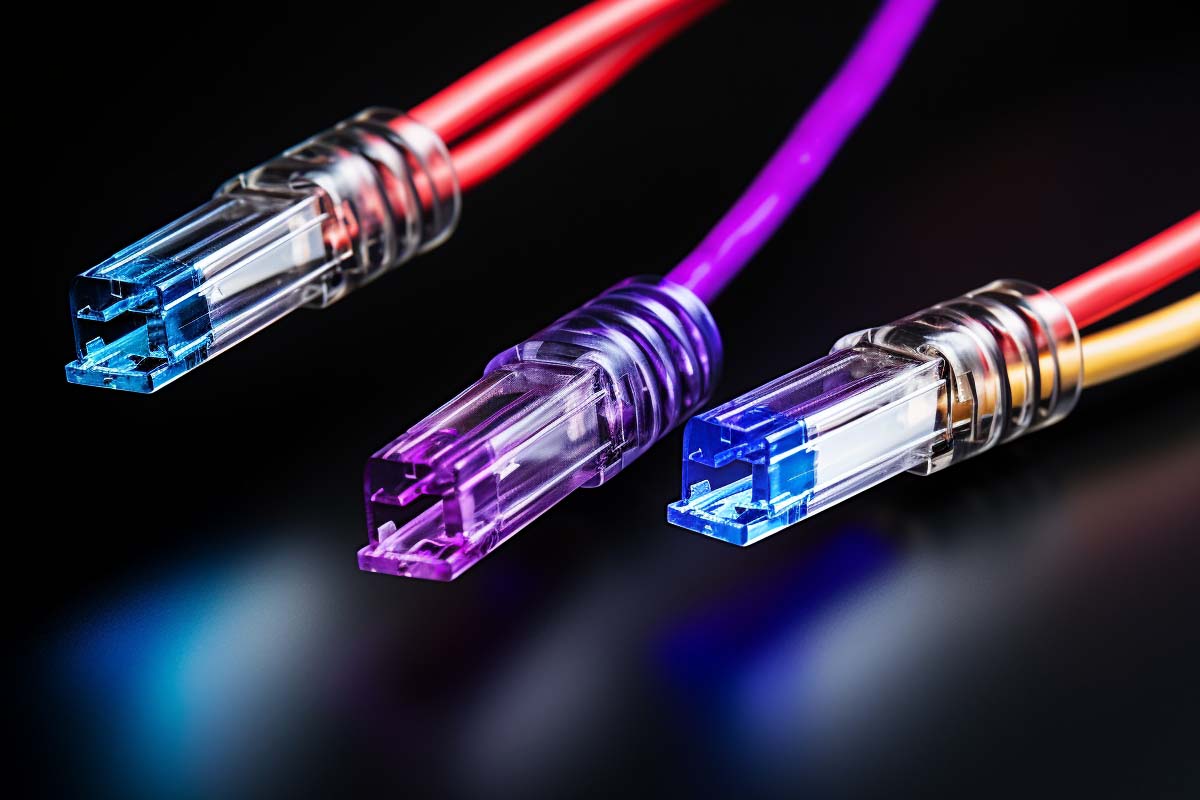
Choosing cat7 vs cat6 usually comes down to one question: what does your network actually need, and what can the rest of your gear support? If you are wiring a home, office, or lab, the wrong cable choice can add cost, installation pain, and zero real performance gain.
CompTIA N10-009 Network+ Training Course
Discover essential networking skills and gain confidence in troubleshooting IPv6, DHCP, and switch failures to keep your network running smoothly.
Get this course on Udemy at the lowest price →Quick Answer
Cat6 is the better choice for most home and small business networks because it is cheaper, easier to install, and supports up to 10 Gbps over shorter runs. Cat7 is a more heavily shielded option that can help in noisy environments, but its benefits are limited if your router, switch, modem, or NIC cannot use the extra headroom.
| Cat6 typical rating | 250 MHz bandwidth, up to 10 Gbps over shorter distances as of August 2026 |
|---|---|
| Cat7 typical rating | 600 MHz bandwidth, designed for stronger shielding as of August 2026 |
| Best use case for Cat6 | Homes, small offices, gaming setups, and general business networking as of August 2026 |
| Best use case for Cat7 | High-interference or dense equipment environments as of August 2026 |
| Installation difficulty | Cat6 is easier to route and terminate than Cat7 as of August 2026 |
| Compatibility | Cat6 is broadly compatible with standard Ethernet hardware as of August 2026 |
| Value | Cat6 usually delivers the best price-to-performance ratio as of August 2026 |
| Criterion | Cat6 | Cat7 |
|---|---|---|
| Cost (as of August 2026) | Usually lower and widely available | Usually higher and often sold as a premium cable |
| Best for | Most homes, SMBs, streaming, gaming, and office use | Noisy environments, dense racks, and specialized installs |
| Key strength | Strong performance with simple installation | Heavier shielding and better interference resistance |
| Main limitation | Less shielding than Cat7 | More rigid, more complex, and often unnecessary for typical setups |
| Verdict | Pick when you want practical performance and value. | Pick when your environment has real interference problems. |
Cat6 vs Cat7: Which High-Speed Ethernet Cable Actually Makes Sense?
Cat6 vs Cat7 is not a contest between “good” and “better.” It is a decision about fit: distance, interference, installation effort, and whether your network equipment can even benefit from the extra cable specification. The right choice is the one that solves your actual problem without creating new ones.
This matters because cable is only one part of the path. If your Router, Switch, modem, or NIC tops out at 1 Gbps, a premium cable will not magically deliver more internet speed. That is why IT teams and home users alike need to think in terms of the whole link, not just the label on the jacket.
“The network is only as fast as its slowest component.”
That principle is basic, but it is the reason so many cable upgrades disappoint. For readers comparing cable cat6 vs cat7, the practical questions are simple: Do you need better noise resistance? Do you need easier installation? Do you want the best value? Those answers usually point to Cat6. If your environment is electrically noisy, tightly packed, or unusually demanding, Cat7 may be worth the extra effort.
Note
If you are studying networking fundamentals through ITU Online IT Training’s CompTIA N10-009 Network+ Training Course, this topic connects directly to cable selection, troubleshooting signal issues, and understanding why the physical layer matters before you blame the network.
What Cat6 and Cat7 Actually Are
Cat6 is a common twisted-pair copper Ethernet Cable standard used in homes, offices, and small business networks. It is a practical default because it balances performance, price, and ease of installation. For most everyday networks, Cat6 is the cable people should start with instead of overthinking the spec sheet.
Cat7 is a higher-spec copper Ethernet cable designed with more aggressive shielding to reduce crosstalk and external interference. It is often discussed as a premium option, but higher category numbers do not automatically translate to better real-world results. If the endpoints cannot use the extra capacity, the cable becomes a very expensive way to store unused headroom.
What makes them different
- Shielding: Cat6 is usually less heavily shielded than Cat7.
- Bandwidth: Cat7 is rated for a higher signaling bandwidth.
- Installation: Cat6 is generally easier to terminate and route.
- Use case: Cat6 fits mainstream deployments; Cat7 is aimed at tougher environments.
The most important idea is that “higher category” does not mean “best choice.” A well-installed Cat6 run can outperform a poorly installed Cat7 run every day of the week. If you are designing a stable Network, the physical install matters as much as the category printed on the cable.
For official technical direction on Ethernet standards and structured cabling practices, vendor documentation is the safest place to start. Cisco’s Ethernet guidance and standards-based design materials are useful references, and the Cisco documentation library remains a practical source for network infrastructure planning.
What Is Cat6 Good At, and Where Does It Fall Short?
Cat6 is built for the kind of performance most networks actually use: 1 Gbps links without drama and 10 Gbps over shorter distances when the installation is clean. Its 250 MHz rating gives it enough signal headroom for stable transfers, lower error rates, and better crosstalk control than older standards like Cat5e.
In plain terms, Cat6 is the cable you choose when you want a dependable wired link for streaming, gaming, VoIP, remote work, printers, access points, and file transfers. It is also easy to find in patch cords and bulk runs, which matters when you are wiring multiple rooms or building a patch panel with consistent standards.
Why Cat6 is the practical default
- It works with standard hardware. Most consumer and SMB Ethernet gear expects standard RJ45-style connectivity.
- It is easy to install. Cat6 is flexible enough for wall runs, desk drops, and patch leads.
- It is cost-effective. You are not paying for features most networks will never use.
- It is forgiving. In normal environments, it offers strong performance with less fuss than premium shielded cable.
Where Cat6 falls short is in aggressive interference environments or installations where you want more shielding than the typical office cable provides. That said, shortfall does not mean failure. It simply means that if you are running cable alongside motors, fluorescent lighting, heavy machinery, or dense power wiring, you may need to think harder about shielding and routing.
For standards and best practices around cable performance and network design, Cisco and NIST provide helpful baseline guidance on infrastructure reliability and secure system design.
What Is Cat7 Good At, and Why Is It Less Common?
Cat7 is a shielded copper cable designed to provide more resistance to noise, crosstalk, and interference than mainstream cabling. In the right environment, that extra shielding can help preserve signal quality where the physical layer is under stress. In the wrong environment, it just adds stiffness, cost, and installation headaches.
Cat7 is often marketed as “faster,” but speed is only part of the story. Real value comes from stable throughput, reduced retransmissions, and reliable links in electrically noisy spaces. That makes Cat7 more relevant in dense network rooms, industrial areas, and special-purpose installations than in a typical living room or small office.
Where Cat7 can make sense
- High-noise areas: Near machinery, motors, or electrical interference.
- Dense cable bundles: Racks where many cables are packed tightly together.
- Specialized deployments: Environments where shielding is a real operational requirement.
Cat7 is not automatically the answer for a faster internet plan. If your broadband is 500 Mbps and your switch ports are gigabit, Cat7 will not fix the bottleneck. It can still be useful, but only if the rest of the chain is designed to take advantage of that extra signal integrity.
For readers who want to understand why signal quality matters, the CompTIA® networking ecosystem and NIST’s physical-layer security and resilience guidance both reinforce a simple reality: cable choice should be driven by the environment, not by marketing language.
How Do Cat6 and Cat7 Compare in Real Use?
The best way to compare cat6 vs cat7 is by asking what changes on a real install. The advertised number on the box matters less than how the cable behaves in the wall, in the ceiling, or behind the desk. That is why this comparison needs to include not just speed, but also shielding, flexibility, cost, and compatibility.
- Speed: Both can support very high throughput, but the actual usable speed depends on distance and the rest of the network.
- Bandwidth: Cat7 has more headroom on paper, which helps in tougher conditions.
- Installation: Cat6 is easier to route and terminate cleanly.
- Cost: Cat6 generally wins on budget and availability.
- Practical payoff: Cat7 only pulls ahead when noise resistance matters more than simplicity.
A common mistake is to compare only peak speed. In reality, distance, connector quality, termination, and cable routing all affect performance. A clean Cat6 installation in a typical office can deliver more useful performance than a badly terminated shielded cable run. For structured cabling concepts, including why a permanent cable terminates to wall ports and patch panels, the correct mechanism is a punchdown block in structured cabling systems, not an RJ11 or RJ45 connector at the wall end.
Pro Tip
If you are wiring a room from scratch, spend time on cable path planning first. Good bend radius, clean termination, and proper labeling often improve reliability more than upgrading the category number.
| Cat6 | Best for simple, clean installs with strong everyday performance |
|---|---|
| Cat7 | Best for installations where shielding and interference resistance are the priority |
What About Shielding, Crosstalk, and Interference?
Crosstalk is unwanted signal leakage between pairs inside a cable, and it can reduce performance if the cable, connectors, or environment are poor. Twisted-pair design helps cancel that interference, which is why Ethernet cable works so well in the first place. Shielding adds another layer of protection by reducing outside electrical noise.
Cat6 reduces crosstalk well enough for most environments. Cat7 goes further by using heavier shielding, which can be useful when multiple cables run together, when power sources are nearby, or when the install sits in a noisy electrical area. That extra protection is valuable only if the problem actually exists. Otherwise, you are paying for insurance you do not need.
When shielding is worth it
- Electrical noise is present. Motors, transformers, and industrial equipment can create trouble.
- The cable path is crowded. Dense bundles increase the chance of interference.
- Stability matters more than convenience. For example, when a flaky link causes downtime.
Shielding also has a downside: it can make installation more complicated. Shielded cable may require proper grounding practices, and bad grounding can create new problems instead of solving old ones. If you do not need the shielding, Cat6 is often the cleaner answer.
For grounding, cabling, and interference best practices, technical references from NIST and infrastructure recommendations from Cisco are more useful than generic product claims.
Are All Ethernet Cables the Same?
Are all Ethernet cables the same is a common question, and the answer is no. Ethernet cables can differ in conductor quality, shielding, category rating, connector style, and termination requirements. Two cables may both look like ordinary patch cords, but their real performance in a network can be very different.
That is why buying by price alone is a bad habit. Some cheap patch cables are fine for short desk runs, while others have poor termination or weak jackets that make them fail early. On the other hand, a more expensive shielded cable is not automatically the right choice just because the number is higher.
A cable that is overbuilt for the job wastes money; a cable that is underbuilt for the environment causes problems.
If you want a simple rule, use Cat6 for ordinary office and home deployment unless you have a documented interference problem or a specialized design requirement. That rule is practical, not theoretical. It reflects what most networks can actually use today.
For the language of structured cabling and link performance, the NIST and Cisco documentation stacks are good sources for grounding the discussion in technical reality.
Connector Compatibility and Termination Considerations
Connector compatibility matters because a cable is only useful if it ends in hardware your network can actually use. Cat6 commonly works with standard RJ45-based Ethernet equipment, which is one reason it dominates home and SMB installs. You can patch it into routers, switches, wall jacks, and patch panels with minimal friction.
Cat7 is more complicated. Depending on the implementation and environment, shielded higher-category cable can be associated with more specialized connector expectations and termination requirements. That does not mean it cannot work, but it does mean the install needs more attention. A cable that is harder to terminate cleanly is a problem waiting to happen if your team is short on time or experience.
Things to check before buying
- Device ports: Confirm the router, switch, and NIC support the speed you expect.
- Wall hardware: Make sure jacks, panels, and keystones match the cable type.
- Termination skill: Shielded cable can be less forgiving during punchdown or crimping.
- Grounding plan: Shielded cabling should be installed consistently end to end.
This is also where structured cabling knowledge matters. If a company has a structured cable system installed by a technician, the technician uses a permanent cable that terminates to wall ports and patch panels. That mechanism is structured cabling with punchdown termination, not a random patch-cord setup. For many readers, this is the part that turns a cable purchase from “looks good on paper” into “works in the real building.”
When in doubt, standard compatibility is usually more valuable than theoretical headroom. Cat6 wins this category for most networks because it simply fits better with common hardware and common installation practices.
How Do Installation Requirements Change the Decision?
Installation requirements often decide cat7 vs cat6 more than speed does. Cat6 is more flexible, easier to bend, and simpler to route through wall cavities, ceilings, and racks. That matters when you are working around tight corners, existing cable bundles, or limited access areas.
Cat7’s heavier shielding can make it stiffer and more awkward to handle. In practice, that can slow down the install, increase labor time, and make clean cable management harder. If the cable has to snake through a crowded conduit or behind a wall-mounted rack, those small differences become real operational pain.
Practical installation advice
- Measure first. Buy only the length you need plus reasonable slack.
- Respect bend radius. Sharp bends can hurt performance and cable life.
- Plan the route. Avoid running data cable parallel to power lines where possible.
- Label everything. Good labeling makes troubleshooting faster later.
If the installation is a typical home office, Cat6 is usually the best balance of performance and simplicity. If the environment is noisy, industrial, or high-density, the extra effort of Cat7 may be justified. The key is matching the cable to the physical environment, not the marketing pitch.
For network installation planning and troubleshooting concepts, the CompTIA® certification ecosystem and official vendor setup guidance are good references for practical network work.
When Cat6 Is the Smarter Choice
Cat6 is the smarter choice for most people because it solves the real problem without overengineering the solution. If you are wiring a home, a small office, a classroom, or a standard business work area, Cat6 usually provides more than enough performance.
It is especially strong for gigabit internet, streaming, remote desktop sessions, gaming, cloud apps, and VoIP. In those use cases, a clean Cat6 installation is typically indistinguishable from a more expensive alternative in day-to-day use. That makes it the better value in almost every standard deployment.
Choose Cat6 when you want:
- Lower cost without giving up reliable wired performance.
- Easier installation in walls, ceilings, desks, and small racks.
- Broad compatibility with consumer and SMB networking gear.
- Less complexity during termination and maintenance.
Cat6 also reduces the risk of overspending on a cable spec your current gear cannot use. That matters because many networks are bottlenecked by the switch, modem, router, or service tier long before the cable becomes the limit. If you are trying to get stable, dependable Ethernet into a space, Cat6 is usually the right answer.
For general network planning and infrastructure fundamentals, BLS labor data and vendor documentation from Microsoft® are helpful reminders that reliable networking depends on the whole stack, not a single component.
When Cat7 Makes Sense
Cat7 makes sense when shielding and signal stability are more important than convenience. That usually means electrically noisy environments, dense cable paths, or specialized deployments where the cost and rigidity are acceptable tradeoffs.
It can be the right choice in a rack room where many cables are bundled together, in an industrial space near heavy equipment, or in a build where the cabling path is short but interference-prone. In those situations, better shielding can reduce headaches and keep the link more stable under stress.
Choose Cat7 when you need:
- More interference resistance than a standard office install usually needs.
- Greater signal protection in high-noise environments.
- Specific installation goals that justify the extra complexity.
The caution is simple: do not buy Cat7 because it sounds better. Buy it because the environment demands it. If your devices are all gigabit, your cable runs are short, and your office is electrically quiet, Cat7 is very likely overkill. In that case, the extra cost buys very little.
For organizations that need to justify infrastructure spending, a useful rule is to document the problem first. If you do not have interference, termination difficulty, or reliability issues to solve, Cat6 remains the cleaner investment.
Cost-Benefit Analysis: Paying for Performance You Can Actually Use
Cost-benefit analysis is where most cable decisions should be won or lost. Cat6 usually delivers the best return because it keeps material cost, labor cost, and compatibility issues low while still supporting serious Ethernet performance. Cat7 can cost more not only for the cable itself, but also because installation often takes longer and demands more care.
That means the real price difference is often bigger than the sticker price. If the cable is stiffer, harder to terminate, or requires stricter grounding and routing discipline, the labor side of the project rises too. For homes and small offices, that added complexity is usually not worth it.
Think in total cost, not cable price
- Material cost: Cable, keystones, connectors, and patch panels.
- Labor cost: Time to route, terminate, test, and document.
- Risk cost: Mistakes during install, especially with shielded runs.
- Replacement cost: Rework if the cable choice was wrong.
Future-proofing is real, but overspecification is not the same thing. If your switch is gigabit and your ISP plan is 500 Mbps, Cat7 does not future-proof your entire network. A better strategy is to match cable type to current hardware and likely upgrades, then invest in the devices that actually set the performance ceiling.
Industry data from BLS and technical guidance from Microsoft® both reinforce a practical pattern: infrastructure decisions work best when they are based on current requirements, not abstract ideals.
How Do Device Limits Affect the Final Result?
Device limits often determine performance before the cable does. If the router has 1 Gbps ports, the switch is unmanaged and gigabit-only, or the NIC is old, the cable category will not lift those bottlenecks. Cable can carry a signal only as fast as the slowest active component allows.
This is why many users feel disappointed after buying a premium cable. They expected a speed jump, but the bottleneck was elsewhere. The modem, router, switch, NIC, and even the internet plan can all cap throughput before Cat6 or Cat7 becomes the limiting factor.
Check these limits before you buy
- Service plan: Your ISP speed sets the internet ceiling.
- Router ports: Check whether the WAN and LAN ports are gigabit or multi-gig.
- Switch speed: A single gigabit switch can throttle fast endpoints.
- NIC capability: Old adapters can bottleneck newer cabling.
If you are troubleshooting performance, this is where the Performance difference becomes visible. The cable may be fine, but the link may still underperform because another part of the chain is slower. That is why network troubleshooting training, including the basics taught in ITU Online IT Training’s Network+ course, focuses on the whole path.
When Is Bulk Cat6a Cable a Better Planning Choice?
Bulk Cat6a cable can be the better planning choice when you want a middle-ground path for future 10 Gbps work without jumping all the way to Cat7 complexity. It is not the main comparison in this article, but it is relevant because many installers ask whether they should buy more cable now to avoid redoing the job later.
That question is reasonable. If you are wiring walls, ceilings, or a new office build, the labor cost of replacing cable later can be much higher than the cost of a better cable today. The smarter move is to choose cable based on the physical install and the likely endpoint speeds you will actually deploy.
- Choose Cat6 for most current-day home and office runs.
- Consider bulk Cat6a cable when you expect multi-gig use and want a stronger future-ready middle ground.
- Choose Cat7 only when interference resistance is the real requirement.
If your goal is to avoid re-cabling a building later, the key factor is not chasing the highest category number. It is making sure the cable, the termination method, and the endpoints all fit the same plan. That is the difference between a network upgrade and a second project to fix the first one.
What Is the Best Way to Decide?
The best way to choose between Cat6 and Cat7 is to work from the network outward. Start with speed requirements, then look at distance, interference, compatibility, and installation effort. That sequence keeps you from paying for features your environment cannot use.
- Check current device limits. Look at router, switch, and NIC port speeds first.
- Measure the environment. Identify cable length, nearby power sources, and physical routing challenges.
- Match the cable to the problem. Use Cat6 for standard reliability and value.
- Reserve Cat7 for special cases. Use it when shielding and interference resistance are worth the extra complexity.
- Test after install. Verify link speed, error rates, and stability once the cable is in place.
There is no prize for overbuying cable. The best cable is the one that fits the devices, the distance, and the installation path cleanly. In most cases, that cable is Cat6. In a smaller number of cases, Cat7 is the right engineering choice because the environment actually demands it.
Key Takeaway
Cat6 is the best default for most home, office, and SMB installs because it balances cost, compatibility, and performance.
Cat7 is mainly useful when shielding and interference resistance matter more than installation ease.
Cable category cannot outperform the router, switch, modem, or NIC that sits in the same link.
Structured cabling, clean termination, and proper routing often matter more than buying the highest-numbered cable.
CompTIA N10-009 Network+ Training Course
Discover essential networking skills and gain confidence in troubleshooting IPv6, DHCP, and switch failures to keep your network running smoothly.
Get this course on Udemy at the lowest price →Conclusion
Cat6 vs Cat7 is really a decision about practicality. Cat6 is the smart default for most people because it is easier to install, cheaper to deploy, and fully capable of handling everyday high-speed Ethernet needs. Cat7 belongs in more specialized situations where interference and shielding are genuine concerns.
Before you buy, check the whole chain: cable length, device ports, network hardware, and the physical environment. A premium cable cannot fix a slow router or a weak switch, and it cannot create bandwidth your internet service does not provide.
Pick Cat6 when you want dependable performance, low complexity, and strong value; pick Cat7 when your environment is noisy, dense, or specialized enough that extra shielding is worth the tradeoff. If you want stronger networking outcomes, start with the full design, not just the cable label.
CompTIA®, Cisco®, Microsoft®, and AWS® are trademarks of their respective owners.
