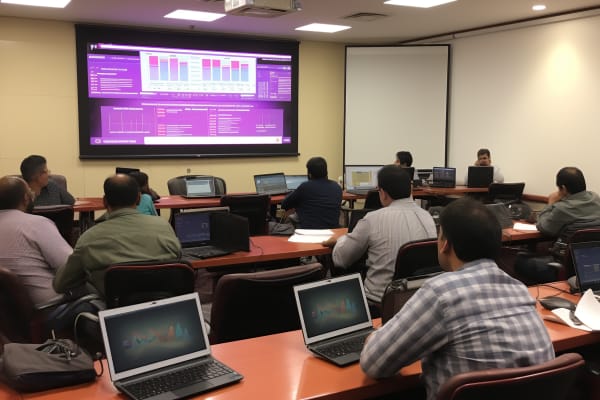
After a diploma in information technology, the next move should do two things at once: get you job-ready and give you a specialization employers recognize. after diploma in information technology what next is a common question because general IT study often feels too broad. DevOps is one of the strongest answers if you want practical skills, cloud exposure, automation, and a clearer path into modern operations roles.
CompTIA Cloud+ (CV0-004)
Learn practical skills to confidently troubleshoot and support cloud operations, gaining the ability to restore services quickly in real-world scenarios.
Get this course on Udemy at the lowest price →Quick Answer
If you are asking after diploma in information technology what next, DevOps training and certification is a strong next step because it combines cloud, automation, Linux, version control, and deployment skills into one job-focused path. A beginner can start with concepts, build hands-on projects, then target certifications such as AWS Certified DevOps Engineer – Professional, Microsoft Certified: DevOps Engineer Expert, or Certified Kubernetes Administrator (CKA).
Career Outlook
- Median salary (US, as of May 2025): $104,920 for software developers, which is a useful benchmark for DevOps-adjacent roles — BLS
- Job growth (US, 2024–2034): 17% for software developers, faster than average — BLS
- Typical experience required: 2–5 years in IT, systems, cloud, or support before moving into a dedicated DevOps role
- Common certifications: AWS Certified DevOps Engineer – Professional, Microsoft Certified: DevOps Engineer Expert, Certified Kubernetes Administrator (CKA)
- Top hiring industries: Software, cloud services, finance, healthcare, e-commerce, and enterprise IT
| Best fit for | IT diploma graduates who want a practical cloud and automation specialization |
|---|---|
| Primary focus | DevOps mindset, CI/CD, containers, infrastructure as code, and cloud operations |
| Popular certification targets | AWS Certified DevOps Engineer – Professional, Microsoft Certified: DevOps Engineer Expert, CKA |
| Typical tools | Git, Linux, CI/CD platforms, Docker, Kubernetes, and cloud consoles |
| Learning style | Concepts first, then labs, then projects, then certification prep |
| Best beginner outcome | Ability to explain delivery workflows and automate a basic release pipeline |
What DevOps Really Means In Modern IT
DevOps is the practice of combining development and operations so software can move from code to production more reliably. The real value is not a toolset. It is a way of working that reduces handoff delays, cuts manual work, and makes releases more predictable.
In a traditional setup, developers write code, testers validate it, operations teams deploy it, and security reviews it late in the process. That creates silos, blame, and slow feedback. DevOps replaces that model with shared ownership, shorter feedback loops, and more visibility across the delivery pipeline. A team that practices DevOps is less likely to discover a broken deployment after users do.
DevOps is not about shipping faster for the sake of speed. It is about improving lead time, stability, and the team’s ability to respond when business needs change.
That matters in both large enterprises and small teams. A small company may use DevOps to avoid one person becoming the only one who knows how deployments work. A large enterprise may use it to coordinate many teams across applications, environments, and compliance boundaries. In both cases, the goal is the same: reduce friction between code, infrastructure, and operations.
For learners asking after diploma in information technology what next, DevOps is attractive because it connects multiple IT disciplines into one career path. It builds on fundamentals like Version Control, Linux, networking basics, and Deployment. It also overlaps with the type of cloud and operations skills covered in CompTIA Cloud+ (CV0-004), especially around service restoration, environment management, and troubleshooting.
Official guidance from the DevOps Manifesto and the NIST security and systems guidance ecosystem reinforces the same message: resilient delivery depends on processes, automation, and shared responsibility, not just software tools.
How Does DevOps Remove Silos And Improve Delivery?
DevOps removes silos by making developers, operations staff, testers, and security teams work from the same delivery model. Instead of tossing work over a wall, teams build, test, release, and monitor with shared visibility. That change lowers risk because problems are caught earlier and ownership is clearer.
Here is the practical difference. In a siloed workflow, a developer may finish code without knowing how it will be deployed. In a DevOps workflow, the same developer thinks about build scripts, environment consistency, logging, rollback, and monitoring before release. That mindset improves quality because production conditions are part of the design, not an afterthought.
Why this matters to business outcomes
Businesses care about speed, but they care more about safe speed. DevOps helps teams reduce lead time, lower deployment error rates, improve traceability, and respond faster to incidents. A stable release process also makes it easier to support audits, change management, and service-level commitments.
- Fewer release surprises: Automated checks catch problems before deployment.
- Better visibility: Teams can see build status, deployment status, and application health.
- Improved reliability: Standardized processes reduce configuration drift.
- Less manual effort: Repetitive tasks move into scripts and pipelines.
The Cybersecurity and Infrastructure Security Agency (CISA) consistently emphasizes resilience and secure operations as part of modern system management. That aligns closely with DevOps, where automation and visibility make services easier to restore and maintain.
What Are the Core DevOps Principles Every Beginner Should Understand?
DevOps principles are the behaviors and habits that make the tooling actually work. If you only learn commands, you will miss the point. If you understand the principles, the tools become much easier to learn because you know what problem each tool solves.
Collaboration
Collaboration means teams plan and work together instead of separating development, testing, operations, and security into isolated steps. That can look like shared sprint planning, joint incident reviews, or developers helping define deployment requirements. The result is fewer misunderstandings and better release quality.
Automation
Automation is the use of scripts and pipelines to reduce repetitive manual work. It covers builds, tests, deployments, configuration, and even infrastructure provisioning. A beginner should understand that automation is not just about convenience; it is about repeatability. Repetition by hand creates inconsistency.
Continuous improvement
Continuous improvement means every release, incident, and rollback is a chance to learn. Teams review metrics, logs, and post-incident notes to improve the next delivery cycle. That habit is central to DevOps because it turns operations into a feedback system.
Shared responsibility and customer focus
Shared responsibility means delivery outcomes belong to the whole team. Customer focus means the team measures success by service quality, not just by whether code was pushed. If users experience fewer outages and faster fixes, the DevOps process is working.
Pro Tip
If you are studying for DevOps certification, always ask, “What is the workflow improving?” before memorizing a tool name. That question turns random features into a system you can actually explain in interviews.
For a useful framework, NIST guidance on secure development and operational resilience is a strong reference point. See NIST Computer Security Resource Center and the Secure Software Development Framework (SSDF) for the security side of delivery discipline.
What Skills Do You Need For A DevOps Engineer Role?
DevOps engineer is a role that sits at the intersection of software delivery, systems administration, and cloud operations. The most successful beginners do not try to learn everything at once. They build a foundation in a few core areas and then expand through projects.
- Linux basics: Navigating the shell, managing files, checking services, and reading logs.
- Cloud fundamentals: Understanding compute, storage, networking, identity, and permissions in AWS, Microsoft Azure, or another cloud platform.
- Scripting: Writing simple Bash, Python, or PowerShell scripts to automate repetitive tasks.
- Version control: Using Git to track changes, manage branches, and collaborate safely.
- CI/CD concepts: Knowing how code moves from commit to test to deployment.
- Infrastructure concepts: Learning environments, servers, configuration, and repeatable deployments.
- Observability: Understanding logs, metrics, and alerts so you can detect and troubleshoot issues.
- Communication: Explaining problems clearly to developers, operations teams, and managers.
- Problem-solving: Breaking large system issues into smaller, testable causes.
These skills matter because DevOps is not a “single-tool” job. A release failure may involve code, permissions, container settings, DNS, or environment drift. If you can trace the problem across layers, you become valuable quickly.
That is why the question after diploma in information technology what next often leads to DevOps. It rewards practical thinking more than memorized theory. If you can explain how a build becomes a deployment and how a service is monitored after release, you already have the shape of the job.
How Do Key DevOps Tools And Technologies Fit Together?
DevOps tools are the mechanisms that support automation, consistency, and visibility. Beginners often collect tool names without understanding how they connect. That is the wrong approach. Learn the pipeline first, then map each tool to a specific stage.
CI/CD tools
CI/CD is short for continuous integration and continuous delivery or continuous deployment. CI/CD tools automate build validation, testing, packaging, and release steps. They help teams catch problems early and reduce the chance of manual deployment errors.
Containers
Containers package an application and its dependencies so it runs the same way across environments. Docker is the most common starting point, and Kubernetes is the orchestration layer many teams use to manage containers at scale. Containers matter because they reduce “it works on my machine” problems.
Infrastructure as Code
Infrastructure as Code (IaC) is the practice of defining servers, networks, and related resources in code instead of clicking through consoles by hand. Tools such as Terraform and cloud-native templates are common in this area. IaC improves repeatability and makes infrastructure change reviewable like application code.
Cloud platforms
Cloud platforms provide the runtime where many DevOps pipelines are built and delivered. You should understand how identity, networking, storage, compute, and monitoring work together in the cloud. That knowledge matters more than memorizing one platform feature list.
| CI/CD | Automates build, test, and release steps so deployments are more consistent. |
|---|---|
| Containers | Keep applications portable across development, test, and production environments. |
| Infrastructure as Code | Makes infrastructure reviewable, versioned, and repeatable. |
| Cloud | Provides the scalable environment where many DevOps workflows run. |
For official learning and tool references, use Microsoft Learn, AWS Documentation, and the Kubernetes documentation. Those sources describe the platforms as they are used in production.
How Do You Choose The Best DevOps Course For Beginners?
best devops course for beginners is not the course with the most tool names. It is the course that teaches the delivery workflow clearly, gives you hands-on practice, and builds confidence step by step. A beginner needs structure more than hype.
Start by checking whether the course explains why each topic matters. If a lesson jumps straight into commands without showing how they fit into the pipeline, it may be too shallow. A strong course should connect Linux, Git, automation, cloud, containers, and deployment into one coherent path.
What to look for in a practical beginner course
- Concept-first structure: The course should explain the workflow before introducing tools.
- Hands-on exercises: You should be writing commands, not just watching demos.
- Project-based learning: A course should help you build something you can show or discuss.
- Cloud relevance: The content should reflect how modern teams deploy and operate services.
- Certification alignment: Good training should support your exam preparation without becoming exam-only.
If you are comparing options, the best devops certification course online for you will be the one that aligns with your current level and your target role. If you are brand new, look for a path that begins with basics and gradually adds automation. If you already know cloud fundamentals, choose a course that leans harder into CI/CD and infrastructure management.
Note
The best computer courses for DevOps beginners usually teach systems thinking, not just software buttons. If the course helps you understand how code moves, how environments differ, and how failures are diagnosed, it is doing the right job.
ITU Online IT Training is a good fit when you want practical cloud operations context alongside DevOps learning. That matters because DevOps and cloud operations overlap heavily in real jobs.
Which DevOps Training And Certification Options Should You Consider?
DevOps certification is useful when it validates real skill, not when it replaces experience. Employers usually care less about the badge itself and more about whether you can automate workflows, troubleshoot deployments, and support reliable releases.
For many learners, the most recognized targets include AWS Certified DevOps Engineer – Professional, Microsoft Certified: DevOps Engineer Expert, and Certified Kubernetes Administrator (CKA). These certifications point in different directions. AWS leans toward cloud-native operations on the AWS platform. Microsoft leans toward Azure delivery and enterprise workflows. CKA leans toward container orchestration and Kubernetes administration.
The right choice depends on your current environment and your next role. If you are working in a cloud-heavy company, a cloud vendor certification makes sense. If your team runs containerized apps, Kubernetes knowledge may matter more. If you are still building foundations, do not rush into an advanced exam before you can explain the pipeline end to end.
- Cloud-focused path: Best when your work centers on AWS or Azure delivery.
- Platform-focused path: Best when your environment uses containers and orchestration heavily.
- Operations-focused path: Best when your target role includes release support, monitoring, and troubleshooting.
Always check the official certification pages before planning study time. For AWS, see AWS Certification. For Microsoft, use Microsoft Credentials. For Kubernetes, use the Linux Foundation CKA page.
How Can You Build Hands-On Experience Through Projects?
Hands-on experience is the difference between knowing DevOps terms and being able to work in a DevOps role. Employers want proof that you can connect the pieces. Projects are the fastest way to build that proof.
Start small, but make the project real. A basic project might use Git to store code, a pipeline to test and build it, containers to package it, and a cloud environment to deploy it. The goal is not to create something huge. The goal is to show that you understand the workflow from commit to deployment.
Good beginner project ideas
- Create a simple app, store it in Git, and automate a build step.
- Containerize the app with Docker and run it locally in a consistent environment.
- Use a pipeline to run tests and package the application automatically.
- Deploy the application to a cloud environment and monitor basic health.
- Document rollback steps so you can explain recovery, not just success.
Projects also help with interviews. If you can explain a problem you solved, such as environment mismatch or failed deployment validation, you sound far more credible than someone who only lists tools on a resume. Document what you changed, why you changed it, and what the result was.
The best projects teach troubleshooting. A broken pipeline or failed container launch is not a setback; it is practice. That is exactly the kind of real-world problem DevOps teams deal with every day.
What Jobs Can You Get After DevOps Training And Certification?
DevOps career paths often begin in support, systems administration, cloud operations, or junior automation work and then move into more specialized delivery roles. The path is not always linear, but there is a clear progression from basic support to higher responsibility.
Typical career progression
- Junior level: IT support technician, junior systems administrator, cloud support associate, release support assistant.
- Mid level: DevOps engineer, cloud operations specialist, release engineer, automation engineer.
- Senior level: Senior DevOps engineer, platform engineer, site reliability engineer, cloud infrastructure engineer.
- Lead or manager level: DevOps lead, platform operations lead, engineering operations manager, cloud delivery manager.
Common job titles vary by employer, but the work is often similar. One company may call the role DevOps engineer, another may call it platform support engineer, and another may prefer release engineer. Read the job description carefully instead of focusing only on the title.
- DevOps Engineer
- Cloud Operations Specialist
- Release Engineer
- Platform Support Engineer
- Automation Engineer
- Site Reliability Engineer
- Infrastructure Engineer
- Build and Release Engineer
DevOps skills also transfer into site reliability engineering, MLOps, and AIOps. Those adjacent fields expand your options because they all depend on automation, observability, and stable delivery practices. The BLS computer and information technology outlook shows continued demand across related roles, especially where cloud and software delivery intersect.
What Salary Should You Expect In DevOps Roles?
DevOps salary depends on location, experience, cloud depth, and the type of organization hiring you. There is no single number that fits every role, but the earning potential is strong because DevOps sits close to infrastructure, automation, and software delivery.
As of May 2025, the BLS reports a median annual wage of $104,920 for software developers. That is not a perfect DevOps number, but it is a credible benchmark for adjacent technical roles. In practice, many DevOps positions pay more when they require cloud architecture, incident response, or Kubernetes administration.
Factors that move salary up or down
- Region: Major metro areas and remote roles tied to high-cost markets can pay 10% to 25% more than local averages.
- Cloud specialization: AWS, Azure, or Kubernetes expertise can push pay upward because the skill is harder to replace.
- Industry: Finance, healthcare, and large software companies often pay more than small internal IT teams.
- Scope of responsibility: Roles that include on-call support, incident response, or infrastructure ownership usually pay more.
- Experience and proof of work: A candidate with projects, certifications, and production exposure earns more than a candidate with only theory.
Salary research from sources like Glassdoor, PayScale, and Robert Half Salary Guide consistently shows that cloud and automation experience improve compensation. The pattern is simple: the closer you are to business-critical systems, the more valuable your skills become.
That is why DevOps is often a strong answer to after diploma in information technology what next. It offers a path beyond entry-level support into higher-value work with clearer growth potential.
How Should You Study For DevOps Certification Effectively?
Certification study works best when it follows the workflow you will use on the job. Do not start with exam trivia. Start with the delivery process: source control, build, test, package, deploy, monitor, and recover.
A good study plan begins with concept review, then moves into hands-on practice, then ends with exam-style review. That sequence helps you remember why something matters, not just what it is called. If you are learning CI/CD, for example, build a simple pipeline and watch what happens when a test fails. That experience sticks better than memorizing definitions.
- Learn the process: Understand the flow from code commit to production support.
- Map tools to stages: Know which tools handle source control, builds, containers, and deployment.
- Practice the workflow: Repeat the same tasks until they feel familiar.
- Review real scenarios: Study outages, failed releases, and rollback decisions.
- Self-test regularly: Explain topics out loud as if you were training a teammate.
If you are preparing for a cloud-related DevOps path, official vendor docs should be your anchor. Microsoft Learn, AWS Documentation, and the Kubernetes docs are enough to support a serious study routine when paired with lab work.
Warning
Do not treat certification as the finish line. A credential without practical troubleshooting skill may get you through a screening, but it will not carry you through production work.
Why Do Online Courses And Open-Source Resources Work So Well For DevOps?
Online learning is a strong fit for DevOps because the subject is practical, tool-driven, and easy to practice in small increments. You do not need a classroom to learn Git branching, container basics, or infrastructure concepts. You need structure, repetition, and access to real tools.
Good online courses help beginners move through the material in the right order. Open-source documentation and community projects then deepen the learning because they show how tools behave in the real world. That combination is especially useful when you are trying to decide between the best devops certification course online options and a more general best devops certification course path.
How to combine sources the smart way
- Use a course for structure: Start with a guided path so you do not get lost.
- Use official docs for accuracy: Confirm commands, workflows, and terminology from vendor documentation.
- Use open-source projects for exposure: Read how real teams solve deployment and automation problems.
- Use your own lab for repetition: Practice until the workflow feels normal.
That is how learners avoid shallow knowledge. They do not depend on one explanation. They compare examples, test ideas, and troubleshoot what fails. This is also where best computer courses for aspiring DevOps professionals stand out: they teach you how to think through a system instead of just clicking through a demo.
The strongest learning path usually combines guided instruction, hands-on experimentation, and independent troubleshooting. That is how you turn online learning into job-ready skill.
How Is DevOps Connected To SRE, MLOps, And AIOps?
Site Reliability Engineering (SRE) is a discipline focused on building and operating reliable systems with software engineering methods. DevOps and SRE overlap heavily in monitoring, incident response, and service reliability. The difference is that SRE is often more explicit about error budgets, service levels, and reliability engineering.
MLOps applies DevOps-style thinking to machine learning workflows. Instead of just deploying application code, teams manage model training, versioning, deployment, monitoring, and retraining. The same themes show up again: automation, repeatability, and operational visibility.
AIOps uses analytics and automation to improve IT operations. It often focuses on reducing alert noise, finding patterns in incidents, and speeding up response. If you understand DevOps, these adjacent fields become much easier to approach because the core ideas are the same.
- SRE: Reliability and service health are front and center.
- MLOps: Model lifecycle management becomes part of delivery.
- AIOps: Intelligent automation supports operations at scale.
This matters for career planning. A beginner who starts with DevOps is not locking into one narrow job. The skill set can expand into platform engineering, reliability, cloud operations, and other delivery-focused roles over time.
What Mistakes Should Beginners Avoid?
Beginners in DevOps usually struggle for the same few reasons. The good news is that these mistakes are easy to avoid once you know what to watch for.
The first mistake is learning tools before understanding the workflow. If you memorize a CI/CD product but cannot explain source control, testing, deployment, and rollback, your knowledge will stay fragile. The second mistake is passive learning. Watching videos is not enough. You need to type commands, break things, and fix them.
The third mistake is treating certification as a standalone goal. Certifications help, but they are only one part of readiness. Employers hire people who can work through real problems, not people who can only answer exam questions. The fourth mistake is ignoring communication. DevOps is collaborative by design, so a person who cannot document, explain, or coordinate work will struggle.
Simple habits that prevent these mistakes
- Build one small project at a time: Finish something before adding more complexity.
- Explain what you learned: If you cannot describe it clearly, you do not fully understand it yet.
- Practice troubleshooting: Deliberately break a lab so you can learn recovery.
- Track your work: Keep notes on commands, errors, fixes, and outcomes.
- Think in systems: Always connect the tool to the larger delivery process.
DevOps rewards people who think practically. That is why after diploma in information technology what next often leads to this path. It gives you a clear way to turn general IT knowledge into a specialized, marketable skill set.
Key Takeaway
- DevOps is a workflow discipline: It combines development, operations, testing, and security into one delivery model.
- Tools matter, but process matters more: Learn CI/CD, containers, IaC, and cloud in context.
- Hands-on projects are non-negotiable: Employers want proof you can automate and troubleshoot.
- Certification works best with real skill: AWS, Microsoft, and Kubernetes certifications are strongest when paired with practice.
- Career growth is broad: DevOps can lead into cloud operations, platform engineering, SRE, and related roles.
CompTIA Cloud+ (CV0-004)
Learn practical skills to confidently troubleshoot and support cloud operations, gaining the ability to restore services quickly in real-world scenarios.
Get this course on Udemy at the lowest price →Conclusion
DevOps training and certification is one of the clearest paths from a diploma-level IT background into a practical, in-demand specialization. It gives you a way to build cloud awareness, automation skill, deployment confidence, and troubleshooting habits that employers value.
If your question is after diploma in information technology what next, the answer can be DevOps if you want a path that is technical, job-focused, and broad enough to grow with you. Start with the fundamentals, build projects, study official documentation, and choose certification only after the workflow makes sense.
The smartest move is to combine beginner-friendly learning with hands-on practice and a clear certification target. That approach prepares you for DevOps engineer roles, cloud operations work, platform support positions, and a wider set of modern IT opportunities.
ITU Online IT Training can support that journey with practical cloud and operations-oriented learning. Build the foundation now, and you will have more options later in cloud, automation, reliability, and platform-focused roles.
CompTIA® and Cloud+™ are trademarks of CompTIA, Inc. AWS® is a trademark of Amazon Web Services, Inc. Microsoft® is a trademark of Microsoft Corporation.
