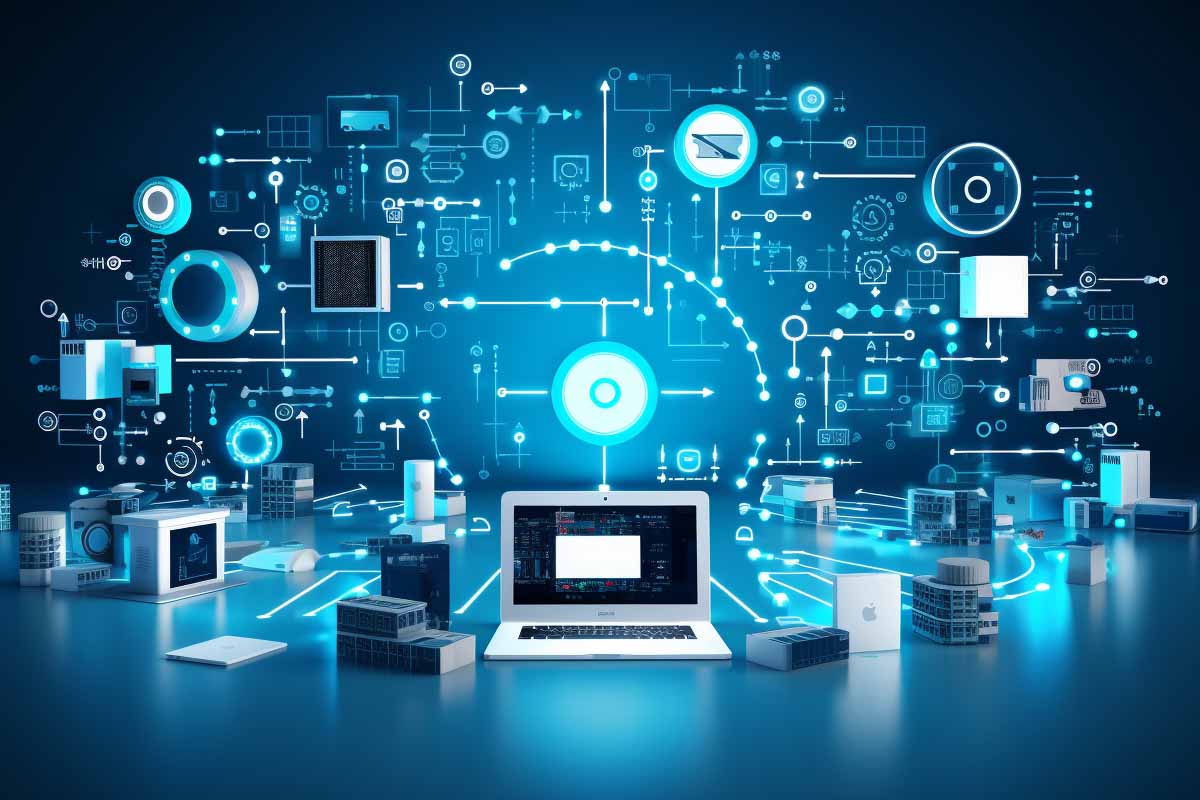
People usually ask what does it mean for computers when they are trying to figure out whether a phone, car, smartwatch, or smart TV actually counts as a computer. The short answer is simple: a computer is defined by what it does, not what it looks like. That definition has expanded from desktop machines to embedded systems, cloud-connected devices, and software-driven products that sit in nearly every part of daily life.
Quick Answer
What does it mean for computers is a question about function: a computer accepts input, processes data according to instructions, stores information, and produces output. As of 2026, that definition applies to desktops, laptops, smartphones, cars, wearables, and many smart devices because the core requirement is programmability, not shape or size.
Definition
A computer is a machine that accepts input, processes data according to instructions, stores information, and produces output. In practical terms, a computer can be a person or a machine, but in modern computing the term usually refers to programmable electronic systems.
| Core Definition | Input, processing, storage, and output |
|---|---|
| Key Trait | Programmability |
| Modern Examples | Desktops, phones, cars, wearables, smart appliances |
| Original Meaning | A person who performed calculations |
| Common Misconception | Only tower-and-monitor machines count as computers |
| Best Way to Identify One | Check whether it can follow instructions and manipulate data |
The Historical Evolution of the Word “Computer”
The word computer originally referred to a person, not a machine. Human computers carried out repetitive mathematical work for astronomy, engineering, navigation, finance, and military calculations long before electronic systems existed.
That older meaning matters because it explains why the term shifted. The job was defined by calculation, accuracy, and speed, and machines eventually took over those tasks better than people could. Once machines could reliably perform arithmetic and logic operations, the word migrated from a human role to a category of technology.
In early scientific and industrial work, human computers were essential because large calculations were too slow or error-prone to do manually with everyday tools. Astronomers used them to chart planets and stars, engineers used them to calculate loads and forces, and navigators used them to plot courses. Finance and insurance also depended on tables, ledgers, and careful arithmetic.
The transition from human computation to mechanical calculators and later to electromechanical and electronic machines was driven by three practical pressures: labor cost, speed, and accuracy. Machines reduced mistakes, handled larger datasets, and repeated the same operation thousands of times without fatigue. That is why the meaning of “computer” expanded as the technology improved.
The history of computing is not just a story about machines. It is a story about people trying to make calculation faster, more reliable, and less expensive.
That shift still shapes how we talk about technology today. When people ask what does it mean for computers, they are really asking where the boundary is between a calculator, a device, and a fully programmable system. The answer starts with history and ends with functionality.
For authoritative background on how modern systems are defined and secured, NIST’s guidance on digital systems and cybersecurity remains a useful reference point, especially NIST Cybersecurity Framework and related standards.
What Is a Computer? The Core Functional Definition
A computer is a machine that accepts input, processes data according to instructions, stores information, and produces output. That is the functional definition used across IT, and it works whether the device is a desktop workstation, a phone, or an embedded controller.
The simplest way to understand the definition is to break it into four parts. Input is what goes into the machine, processing is what the machine does with it, storage is where data is kept, and output is the result the user sees or receives. A keyboard sends input, the CPU processes instructions, memory and storage hold data, and a monitor or speaker provides output.
How the four functions work together
- Input enters the system through a keyboard, touchscreen, microphone, sensor, or network connection.
- Processing happens when the CPU or another processor executes instructions and manipulates data.
- Storage preserves files, settings, and program data in memory or persistent storage.
- Output displays, plays, prints, moves, or transmits the result.
What separates a true computer from a simple electronic device is programmability. A programmable device can be instructed to behave differently over time. A fixed-function device does one narrow job and cannot be meaningfully reconfigured by software.
This is why a calculator may count as a computer under a strict functional definition, but a basic toaster usually does not. A calculator processes input and produces output, but it has limited programmability. A smartphone, by contrast, can run thousands of apps, receive operating system updates, and change behavior dramatically over its life cycle.
Pro Tip
If a device can be changed by software updates, app installation, or reconfiguration, it is usually part of the computing world even when it does not look like a traditional PC.
The computers meaning question becomes clearer when you focus on capability instead of appearance. A computer is not defined by having a keyboard and monitor. It is defined by the ability to follow instructions and transform data.
For a vendor-backed reference on processing and operating systems, Microsoft’s documentation is a reliable source for understanding how modern devices execute software: Microsoft Learn.
How Does a Computer Work?
A computer works by taking input, executing instructions, storing data, and producing output in a repeated cycle. That cycle is the basic engine behind everything from a laptop opening a spreadsheet to a thermostat adjusting room temperature.
The instruction cycle in plain English
- Receive data from a user, sensor, file, or network.
- Interpret instructions from software, firmware, or an operating system.
- Process the data using the processor and memory.
- Store results for later use or retrieval.
- Return output to the screen, speaker, motor, or remote service.
That cycle can happen hundreds of times per second on a modern device. In a web browser, for example, keystrokes become input, the operating system routes them to the application, the processor updates the screen, and the device stores browsing history or cache data. The user only sees the result, not the chain of computation behind it.
In specialized hardware, the same logic still applies. A car engine control unit reads sensor data, compares it to programmed thresholds, adjusts fuel delivery, and stores diagnostic information. A smartwatch reads biometric data, processes it locally, then syncs selected records to an app or cloud service.
This is also why the phrase a computer is a machine is too narrow if it is taken to mean only a desktop PC. A computer can be a phone, a controller, or a hidden chip inside another product. If it executes instructions and manipulates data, it belongs in the computing category.
Official Linux documentation is another strong reference for the software side of this process, especially where operating systems and user-space programs interact: The Linux Kernel Archives.
Computers Are More Than Desktops and Laptops
Modern computing is visible and invisible at the same time. A desktop tower is easy to recognize, but many of the devices people use every day are computers even when they do not look like one. Smartphones, tablets, smartwatches, smart TVs, vehicles, and home assistants all rely on computation.
That wider view matters because public perception still lags behind the technology. A person may think of a laptop as a computer but see a television as “just a TV.” In reality, a smart TV runs an operating system, loads apps, connects to networks, stores settings, and processes media streams. That is computer behavior.
Common examples people overlook
- Smartphones that manage calls, apps, cameras, biometrics, and payments.
- Smartwatches that process health data and synchronize with mobile apps.
- Vehicles that use multiple processors for engine control, navigation, infotainment, and safety systems.
- Home assistants that interpret voice commands and trigger networked services.
- Appliances such as refrigerators, ovens, and washing machines that use sensors and software.
This is where embedded systems come into the picture. An embedded system is a computer built into a larger device to handle one or more dedicated functions. It may not have a visible screen or keyboard, but it still computes. If you want a glossary-level reference, ITU Online’s definition of Embedded Systems is a useful starting point.
Searches like images of computers often show only the classic desktop setup, but that is an outdated visual shortcut. The modern reality is broader: computing is embedded in transportation, healthcare, retail, manufacturing, and the home. In other words, the machine does not need to look like a computer to be one.
For context on connected devices and risk, CISA’s guidance on internet-connected systems is worth reviewing: CISA.
General-Purpose vs. Specialized Computers
General-purpose computers are built to run many different kinds of software. A laptop can write documents, edit video, run a browser, host a virtual machine, or play a game. Its value comes from flexibility.
Specialized computers are built for a narrower task or a tightly defined set of tasks. A thermostat, a point-of-sale terminal, or a car control module is optimized for one job instead of many. That specialization often improves efficiency, reliability, and power consumption.
| General-Purpose Computer | Runs many programs, accepts broad user input, and can be reconfigured for different tasks. |
|---|---|
| Specialized Computer | Focuses on one function or a small task set, often with tighter hardware and software limits. |
A laptop gives the user control over software, peripherals, and upgrades. A thermostat gives the user much less flexibility, but it can react quickly and reliably to one very specific job: managing temperature. That tradeoff is deliberate. Specialization usually improves speed, stability, and energy use.
Cars are a good example of both categories living side by side. The infotainment screen behaves like a general-purpose platform with apps and updates, while an engine control unit acts like a specialized computer dedicated to vehicle performance and safety. Both are computers, but they are designed very differently.
This distinction is important for repair, support, and security planning. A general-purpose machine may allow broader software installation and more maintenance options. A specialized system may be more locked down, which can be good for reliability but harder for customization.
When IT teams talk about lifecycle management, this distinction matters because the patching strategy for a laptop is not the same as the strategy for an embedded controller. Broader guidance on operational control and risk management can be found in ISACA resources and related governance materials.
How Modern Devices Rely on Networks and Cloud Services
Many devices now depend on remote systems for storage, processing, syncing, or application features. That does not make them less like computers. It usually makes them more useful, because the local hardware works together with external services.
Cloud storage is storage that lives on remote servers and is accessed over a network instead of staying only on one device. A phone may store photos locally, but it may also back them up automatically to the cloud. That means the same file can be viewed, restored, or synced on multiple devices.
Local processing versus cloud processing
- Local processing happens on the device itself, such as opening an app or reading a sensor.
- Cloud processing happens on remote systems, such as voice transcription or large-scale backups.
- Distributed processing splits the workload between the device and remote infrastructure.
This matters because modern devices often use both models at once. A voice assistant might listen locally for a wake word, send the command to a cloud service, and then return a result to the device. A laptop might run a spreadsheet locally while syncing files to remote storage in the background.
That hybrid design is part of why the question what does system partition expansion system maintenance mean for windows shows up in search data. Users are often trying to understand how storage, system partitions, updates, and maintenance interact on devices that are partly local and partly cloud-connected. The modern computer is not just a box; it is a node in a larger system.
For secure cloud and identity practices, AWS provides useful official guidance on shared responsibility and storage design: AWS.
Warning
A cloud-connected device is still a computer even when the most important features depend on remote services. If the network goes down, the device may lose functionality, but it does not stop being a computer.
Programming: What Makes a Device Truly “Computing”
Programming is the process of giving a machine instructions that change what it does. That ability is central to the meaning of computer because it turns hardware into a flexible system instead of a fixed appliance.
Software is what makes the same device behave differently over time. A smartphone can become a camera, payment terminal, map, scanner, gaming device, or office tool because software changes its behavior. Without software, the hardware is far less useful.
Firmware, apps, and operating systems
- Firmware is low-level software built into a device to control core hardware behavior.
- Operating systems manage hardware resources and run applications.
- Apps provide user-facing functions such as messaging, navigation, and media playback.
The first time a device is programmed, it becomes more than a rigid machine. Updates can add features, fix bugs, close security gaps, and improve performance. That is one reason modern devices qualify as computers even when their form factor is tiny or hidden inside other products.
Look at printers, cameras, routers, and smart home devices. Their behavior is controlled by software and firmware updates that change menus, security settings, supported protocols, and automation options. That is computer behavior, not simple mechanical operation.
This is also where terms like what does ntfs mean on a drive enter the picture. File systems, storage formats, and device software all rely on programming. A drive format, an operating system, and an application stack are all pieces of the same computing model.
For practical software guidance, Microsoft’s documentation on Windows updates and system behavior is the right source to use: Windows documentation on Microsoft Learn.
In security operations, a SIEM is a security information and event management platform that collects and analyzes logs from systems and devices. The search query what does siem mean is common because many users first encounter the term when computers, servers, and connected devices start generating security events that need correlation. For the official concept of log-driven security monitoring, see NIST and vendor-neutral standards such as NIST.
Computers in Everyday Life: Hidden Examples People Overlook
Computing shows up in places most people never label as “computers.” Kitchens, cars, offices, hospitals, and stores all rely on digital control systems that sense, decide, and act.
A smart thermostat reads temperature data, compares it to a target, and turns heating or cooling equipment on or off. A security camera processes video, detects motion, and stores clips locally or in the cloud. A payment terminal encrypts card data, authenticates a transaction, and sends it to a payment network.
Examples of invisible computing
- GPS navigation in cars and phones that calculates routes from satellite and map data.
- Barcode scanners in stores that read product codes and update inventory systems.
- Hospital monitors that process patient vitals and alert staff to anomalies.
- Industrial controllers that regulate factory equipment and safety responses.
These systems often depend on sensors, automation, and real-time data analysis. The user sees a simple interface, but under the hood the device is collecting data, making decisions, and producing output. That is why computers meaning has broadened so much over time.
The easiest way to spot one in a normal environment is to ask three questions: does it sense something, does it make a decision, and does it produce a result? If the answer is yes, you are probably looking at a computer or a computer-driven system.
That logic applies whether the device is in a hospital, a retail checkout lane, a warehouse, or a home. Computing is now woven into infrastructure, and that is why the old “desktop only” definition no longer works.
For broader risk and privacy awareness in consumer technology, the FTC’s consumer guidance is practical and grounded: Federal Trade Commission.
Why Definitions Matter: Security, Buying Decisions, and Technology Literacy
Definitions matter because they shape how people buy, secure, support, and repair technology. If a product is treated like a simple appliance when it is actually a networked computer, users can underestimate privacy risk, patching needs, and data exposure.
A correct definition also affects software support and lifecycle planning. Devices that run software need updates. Devices that store data need backup and recovery planning. Devices that connect to networks need access control and monitoring. Calling a product “just a gadget” can lead to bad decisions about security and maintenance.
If a device stores data, runs software, and connects to a network, it deserves the same security questions you would ask about any other computer.
That is where authoritative context matters. NIST guidance on risk management, digital identity, and cybersecurity controls helps organizations think clearly about connected devices and system boundaries. A good starting point is NIST Cybersecurity.
Buyers also make better choices when they understand that a product is a computer. A smart TV, for example, may require update support, app management, network hardening, and privacy settings. A connected door lock may need firmware updates and strong authentication. A car infotainment system may collect data that deserves review before features are enabled.
Technology literacy improves when people stop using “computer” only for laptops and desktops. That shift helps students, workers, and consumers understand the systems they already use every day. It also helps organizations plan for asset inventory, patch management, and acceptable use policies across devices that might otherwise be overlooked.
For compliance-oriented environments, definitions can matter under frameworks such as NIST control families, especially when systems cross from consumer convenience into business data handling.
What This Means for the Future of Computing
The boundary between computer, device, and service will keep getting blurrier. More devices will do some processing locally while still relying on remote services for model updates, storage, identity, or analytics.
Edge computing is the practice of processing data closer to where it is created, instead of sending everything to a central cloud first. That matters for latency, privacy, and reliability. A camera that detects motion locally responds faster than one that must wait for a round trip to a distant server.
AI features will push this trend further. Phones, laptops, cars, and appliances are already getting smarter by combining local chips with cloud-backed services. In practice, that means a device can look simple while doing more computation than many older desktop systems ever did.
What is likely to change next
- More local processing for faster response and lower dependence on networks.
- More cloud dependence for storage, identity, analytics, and model updates.
- More embedded systems in transportation, healthcare, and home automation.
- More invisible computing hidden inside products people never think about as computers.
This is why flexible definitions are necessary. If the definition of computer stays tied to a single form factor, it quickly becomes useless. The better definition is functional and durable: if it takes input, processes data, stores information, and produces output, it is computing.
That future also explains why terms like what does ntfs mean on a drive and what does siem mean keep appearing in user searches. More devices mean more storage questions, more system maintenance, and more security monitoring. The definition of computer is expanding because the computing function is spreading everywhere.
Industry reports from groups like the World Economic Forum and workforce research from CompTIA® both point to the same trend: computing is becoming more distributed, embedded, and invisible.
Key Takeaway
A computer is defined by function, not form.
- A computer accepts input, processes data, stores information, and produces output.
- The word “computer” originally referred to a person who did calculations.
- Smartphones, vehicles, wearables, and appliances can all count as computers when they are programmable.
- General-purpose computers are flexible; specialized computers are optimized for narrow tasks.
- Modern computing is increasingly cloud-connected, embedded, and invisible.
Conclusion
The clearest answer to what does it mean for computers is this: a computer is best defined by what it does, not by what it looks like. If a device accepts input, processes data according to instructions, stores information, and produces output, it belongs in the computing world.
That definition grew out of history. The word started as a job title for people who performed calculations, then moved to machines that could do the same work faster and more accurately. Today, the term covers desktops, laptops, smartphones, vehicles, wearables, smart appliances, and embedded systems.
The practical distinction between general-purpose and specialized computers still matters. One is built for flexibility. The other is built for a narrow task with better efficiency and reliability. Both are computers because both rely on programmable data processing.
If you want the simplest test, use this rule: if it can be instructed, updated, and made to behave differently through software, it is part of the computing world. That is the definition that still holds up.
FAQ: Common Questions About What Counts as a Computer
Is a smartphone a computer?
Yes. A smartphone is a computer because it runs an operating system, processes data, stores information, connects to networks, and runs apps. It is one of the clearest examples of a general-purpose computer in everyday use.
Is a smart TV, smartwatch, or car a computer?
Yes, in most modern cases. A smart TV runs software and connects to apps, a smartwatch processes sensor data and syncs information, and a car contains multiple computers for engine management, safety, infotainment, and navigation.
What is the difference between a calculator and a computer?
A calculator can perform computation, but it usually has limited programmability. A general-purpose computer can run many different programs and be reconfigured for many tasks, which makes it far more flexible.
Are cloud services computers?
Cloud services are not usually described as a single computer, but they are built on computer systems. They provide storage, processing, and application services over a network, so they are part of the broader computing infrastructure.
Do computers need the internet to be computers?
No. A device can be a computer without any internet connection. Internet access expands what the system can do, but the core definition depends on input, processing, storage, output, and programmability.
Why do people search for what does ntfs mean on a drive or what does siem mean in this context?
Those searches usually come from the same broader curiosity about how computers work. NTFS is a file system used for storage on Windows systems, and SIEM is a security monitoring platform used to collect and analyze event data. Both are part of the computing ecosystem that modern devices depend on.
CompTIA® is a trademark of CompTIA, Inc.
